18
Hotkeys
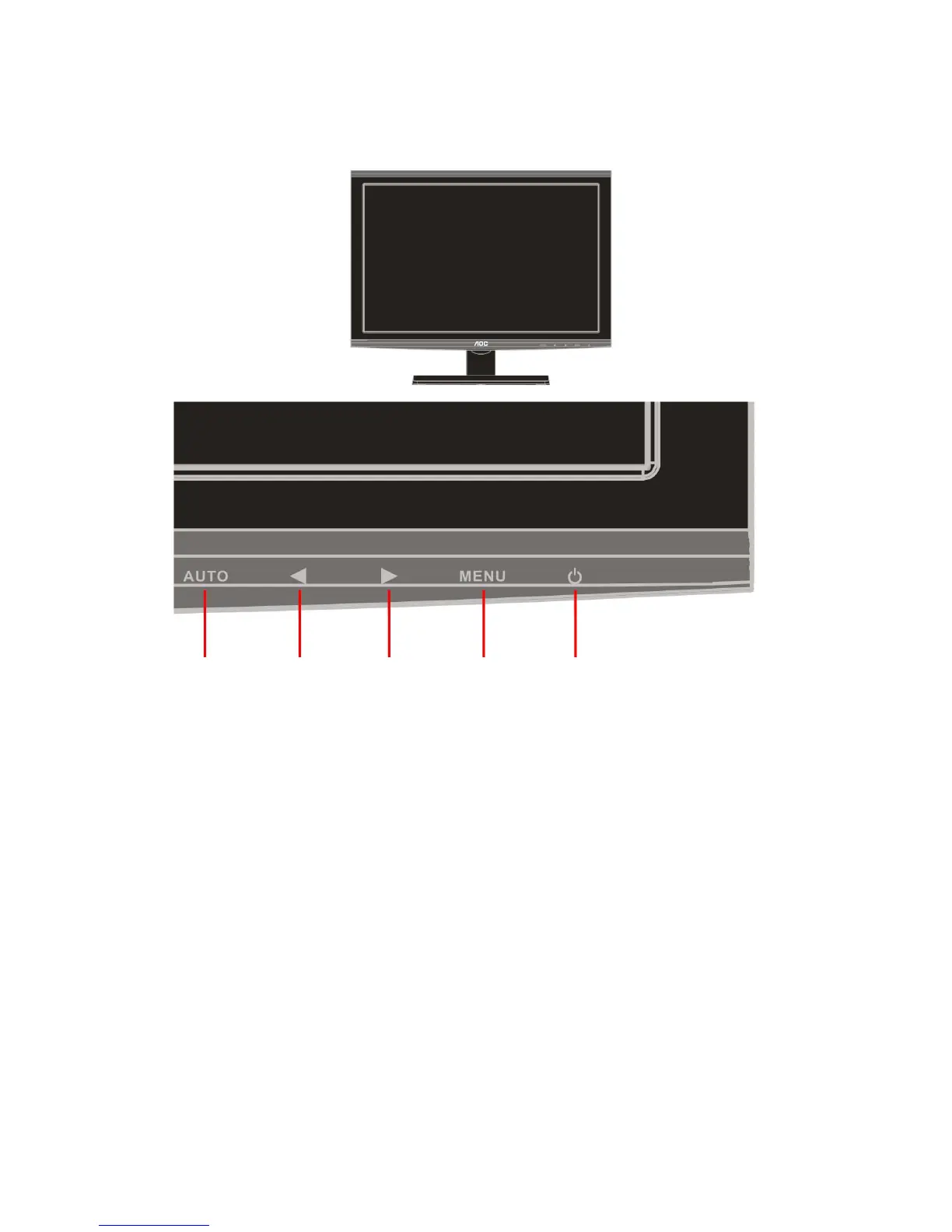
Power
Press the Power button to turn 0n/off the monitor.
Eco Mode / <
Press the Eco key continuously to select the Eco mode of brightness when there is no OSD ( Eco mode hot key
may not be available in all models).
Volume / >
When there is no OSD, press Volume > to active volume adjustment bar, press < or > to adjust volume.
Auto/Source/Exit Eco Mode/<
Volume/>
Menu/Enter
Power
Auto / Exit / Source hot key
When the OSD is closed, press Auto button will be auto configure hot key function .
When the OSD is closed, press Source button will be Source hot key function. Press Source button continuously
to select the input source showed in the message bar , press Menu/Enter button to change to the source selected.


 To Next Page