Extra
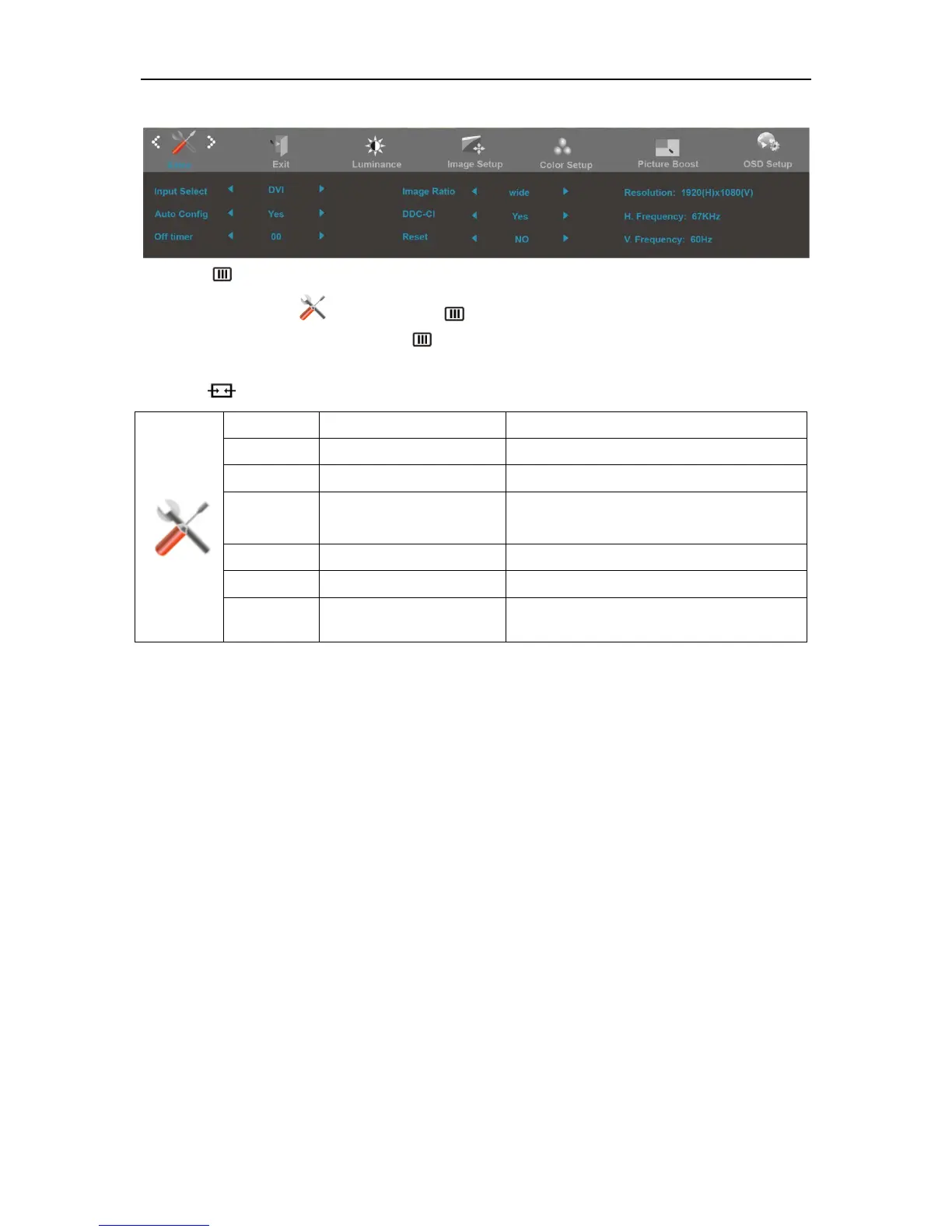
1. Press (Menu) to display menu.
2. Press< or >to select (Extra), and press to enter.
3. Press< or >to select submenu, and press to enter.
4. Press< or >to adjust.
5. Press to exit
.
Input Select AUTO/D-SUB/HDMI/DP Select Input Signal Source
Auto Config yes or no Auto adjust the picture to default
Off timer 0-24hrs Select DC off time
Image Ratio Wide,4:3 Select image ratio for display.
DDC-CI yes or no Turn ON/OFF DDC-CI Support
Reset Yes or no Reset the menu to default
Information
Show the information of the main image and
sub-image source
30


 To Next Page
 Loading...