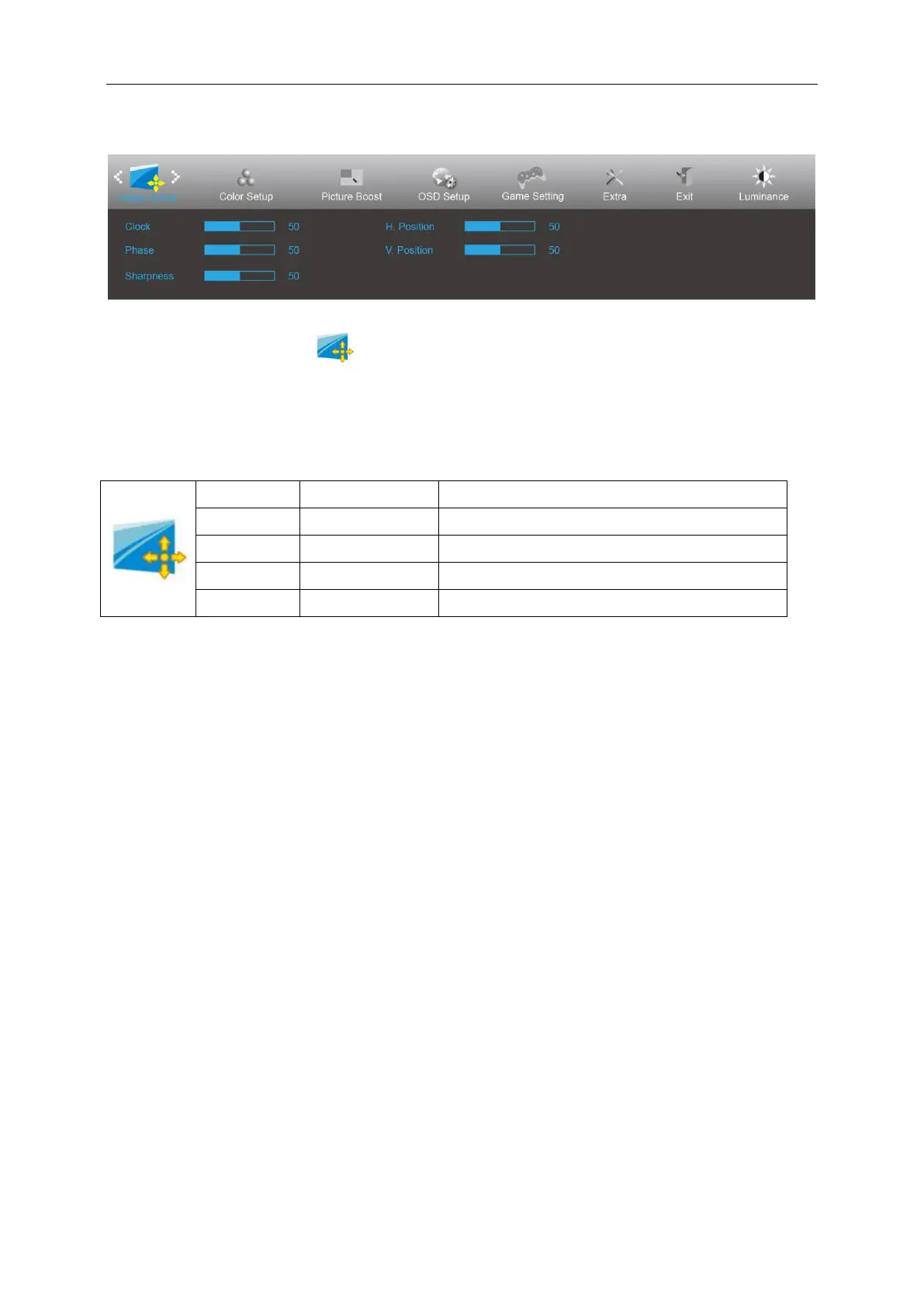
Image Setup
1. Press MENU-button to display menu.
2. Press Left or Right to select (Image Setup), and press MENU-button to enter.
3. Press Left or Right to select submenu, and press MENU-button to enter.
4. Press Left or Right to adjust.
5. Press AUTO-button to exit.
Adjust picture Clock to reduce Vertical-Line noise.
Adjust Picture Phase to reduce Horizontal-Line noise
Adjust the horizontal position of the picture.
Adjust the vertical position of the picture.


 To Next Page