5
Vol+ / Up
Vol- / Down
)Pause/Resume
7)Adjust Volume
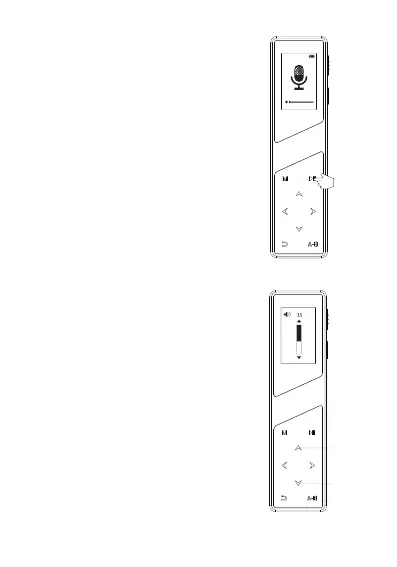
① In the process of recording,
After saving the recording, press
Play/Pause button to play current
recording file.
In playback, you can use the
‘∧/∨’ button to adjust the
volume.
18:09
WAV 512kbps
0:00:02
019:37:37
20191021-180932.WAV
5
short press the Play/Pause
button to pause
the recording.
② In the process of recording,
short press the Play/Pause
button again to continue
recording.
6)Playback Recordings
PLAY/
PAUSE


 To Next Page