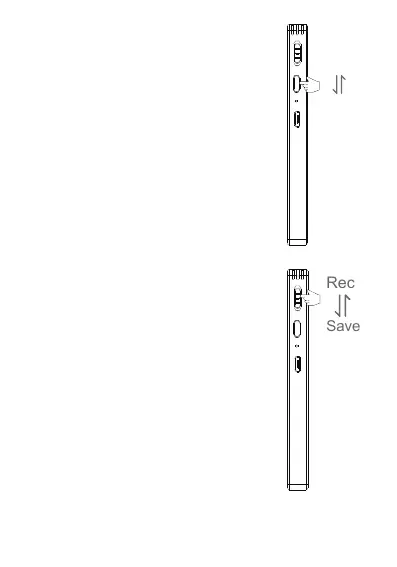
4)Record:
3)Switch On: Long press the power
button on the right side of the
product, it will display WELCOME.
Switch Off: Long press the power
button again to turn off the device,
the screen will show Bye Bye.
① Push up the button to REC,
it will start to recording and the
screen digits start to moving.
② Push down the button to
save the recording.
ON
OFF
4


 To Next Page