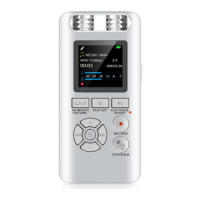
1. Recording settings
① Press Auto record to set auto record setting.
② Press Record on/off to choose turn on/off auto
record.
① Once: It can only be run once.
② Daily: It will operate every working day, from
Monday to Friday.
1.1 Record Format
1.2 Set Rec Bitrate
1.3 Auto record
Recording in WAV or MP3 format according to individual
needs.
Turn on/off auto record (Record On/Off)
AutoREC cycle
① Press “M”button to enter into main menu.
② Selecting Recording settings, press Play/Pause
button to enter.
Format
WAV 512kbps 768kbps 1024kbps 1536kbps
32kbps 64kbps 128kbps 192kbpsMP3
Bit Rate
8


 To Next Page