EN-2
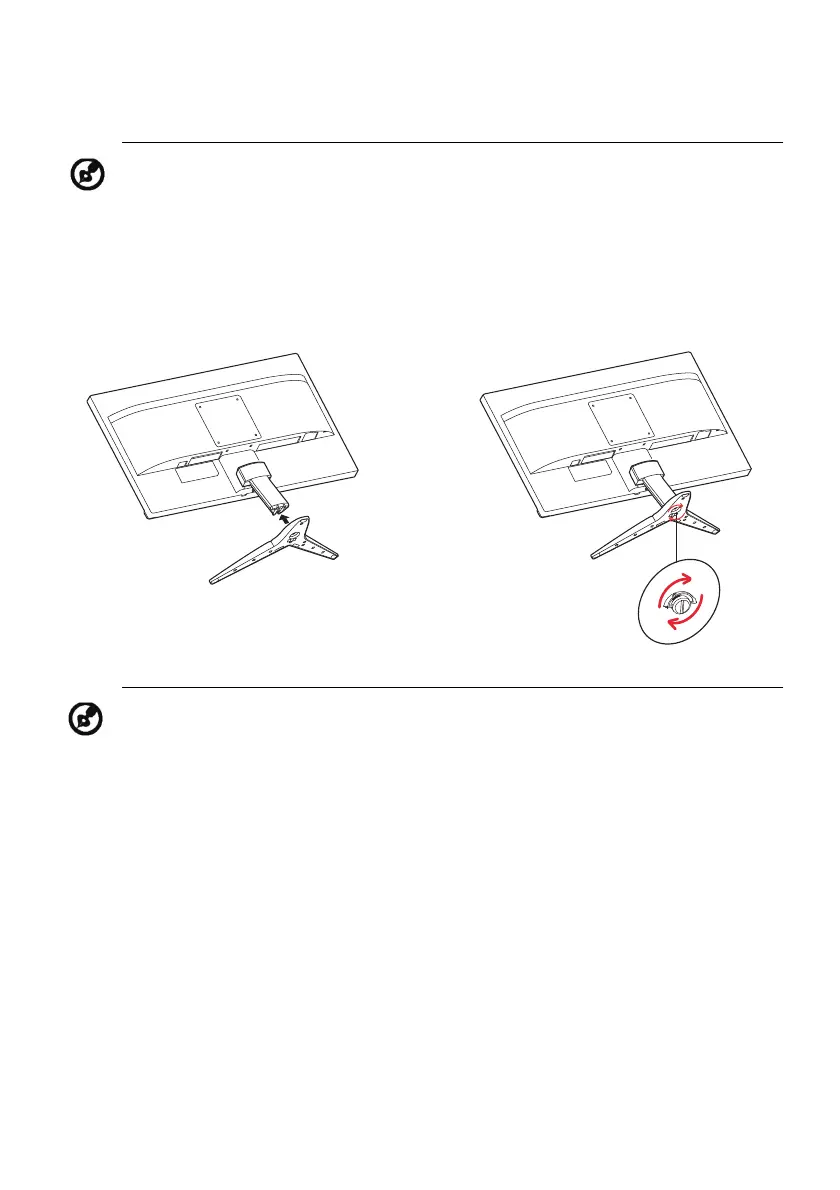
ATTACHING / REMOVING THE BASE
Note: Remove the monitor and monitor base from its packaging.
Carefully place the monitor face-down on a stable surface -- use a
cloth to avoid scratching the screen.
1.
Attach the stand arm and the base
to the monitor, as illustrated.
2.
Ensure that the base is screwed tight
onto the monitor stand arm.
Note: If installing with a wall mounting kit, it is recommended to use
M4 x 10 (L) mm screws to fix your monitor on the wall.



 To Next Page