18
BASICTROUBLESHOOTINGGUIDE
PROBLEM1:THEUNITHASNOPOWER
1. CheckiftheunitisswitchedON.
2. Checkthefuse.Replacewiththesametypeiffuseisblown.
3. Checkthepowercordandmakesuretherearenodisconnections.
4. Verifythattheunitisproperlyconnectedtothepowersource.
PROBLEM2:TEMPERATUREDISPLAYISALWAYSABOVE500
o
C
Description: Constant display of above 500
o
C temperature from the
panel C3 then displays a blinking “OFF” on display panels C2 and C3
afterafewminutes.
SOLUTION:
Thethermalsensormaybebrokenandneedstobereplaced.
PROBLEM3:ACTUALAIRTEMPERATUREISNOTINCREASING
Description: Actual temperature reading is not increasing or
decreasing based on desired level (set temperature). The panel will
thendisplayablinking“OFF”ondisplaypanelsC2andC3afterwards.
SOLUTION:
Theheatingelementmaybebrokenandneedstobereplaced.
PROBLEM 4: BANNER OR PRODUCT NAME IS ALWAYS SCROLLING
THEUNITISNOTUSABLE
Description:Theproductnameisjustalwaysscrollingfromthedigital
panel,renderingthedeviceunusable.
SOLUTION: Press “Reset” from the panel. Note that resetting the
device will also reset all previously defined configurations. If the
problempersists,contactthevendor.
3
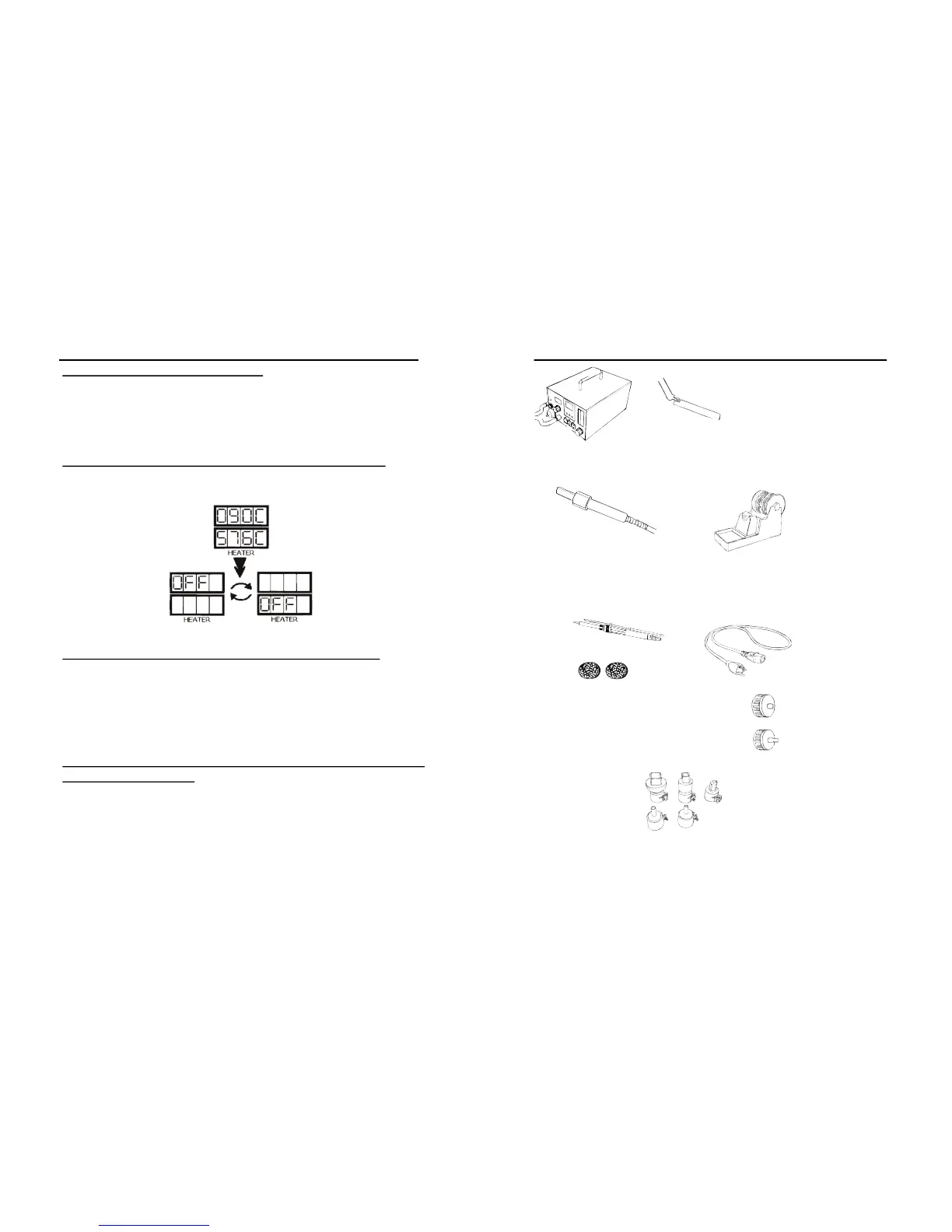
PACKAGEINCLUSION
MainStation
HotAirGu nand
HotAirGu nHolder
SolderingIronwith
SmokeAbsorber
PowerCord
G001ICPopper
3017JFilter
Pads(6pcs.)
SolderingIron
Holderwith
SolderWire
Stand
SuctionVacuumCap
FilterVacu umCap
AirNozzles
(1124,1130,1196,1313,1197)


 To Next Page