In the mode of manual temperature compensation (MTC), when press
and hold this key, the temperature value flashes, then press this key to
change the temperature value, and press to confirm
In measurement mode, press to store the measuring value,
press to recall the stored measuring value
In recall mode (RM), short press this key to change the
storage numberings, press and hold this key to change the number
quickly
In the main menu and submenu mode, press this key to change the
numbering of the main menu and the submenu
In the parameter set-up mode, press this key to select parameters.
3.3 Display mode
3.3.1 Reading stability display mode
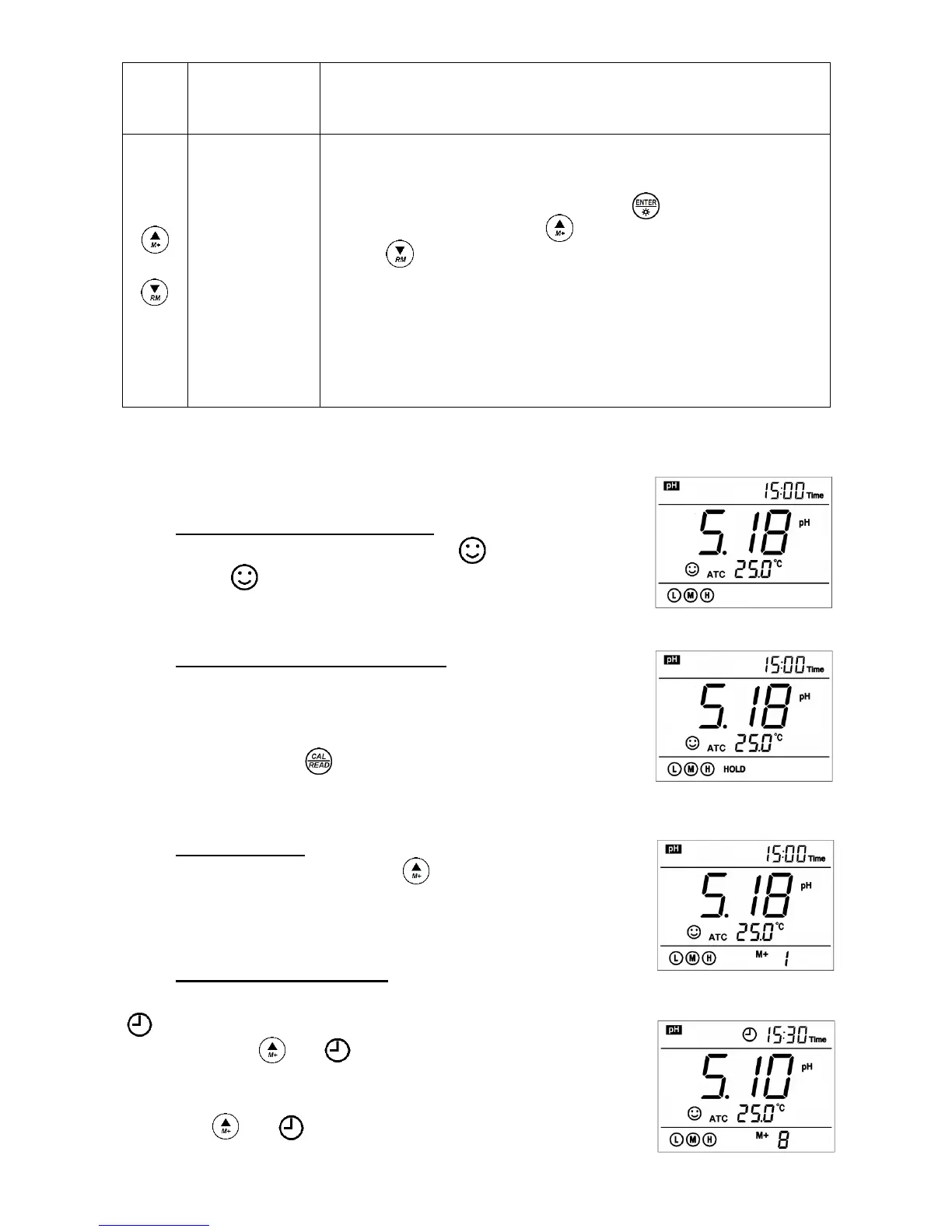
When the measuring value is stable, smiley icon appears on LCD, see
Diagram – 3. If icon does not appear or flash, please do not get the
reading value or make calibration until the measuring value is stable.
3.3.2 Automatic lock-up display mode
Select On from parameter P4.6 to turn on automatic lock-up display function.
When the reading value stabilizes more than 10 seconds, the meter locks the
measuring value automatically and displays HOLD icon, see Diagram – 4.
In the HOLD mode, press to release lock-up.
3.4 Data storage, recall, and delete
3.4.1 Manual storage
When the measurement is stable, press key, the meter displays
M+ icon and storage serial number on LCD, storing measuring information,
see Diagram – 5: the meter stores the first group of the measuring value.
3.4.2 Automatic timing storage
Set the storage timing (eg. 3 minutes) from parameter P4.1,
icon appears on LCD and the meter enters into the timing storage
mode. When press key, icon flashes and the first measuring value
is stored. After 3 minutes, the 2
nd
measuring value is stored. See
Diagram – 6: the meter stores automatically eight measuring values.
When press key, icon stops flashing and the meter stops
automatic storage. In automatic storage mode, manual storage does


 To Next Page