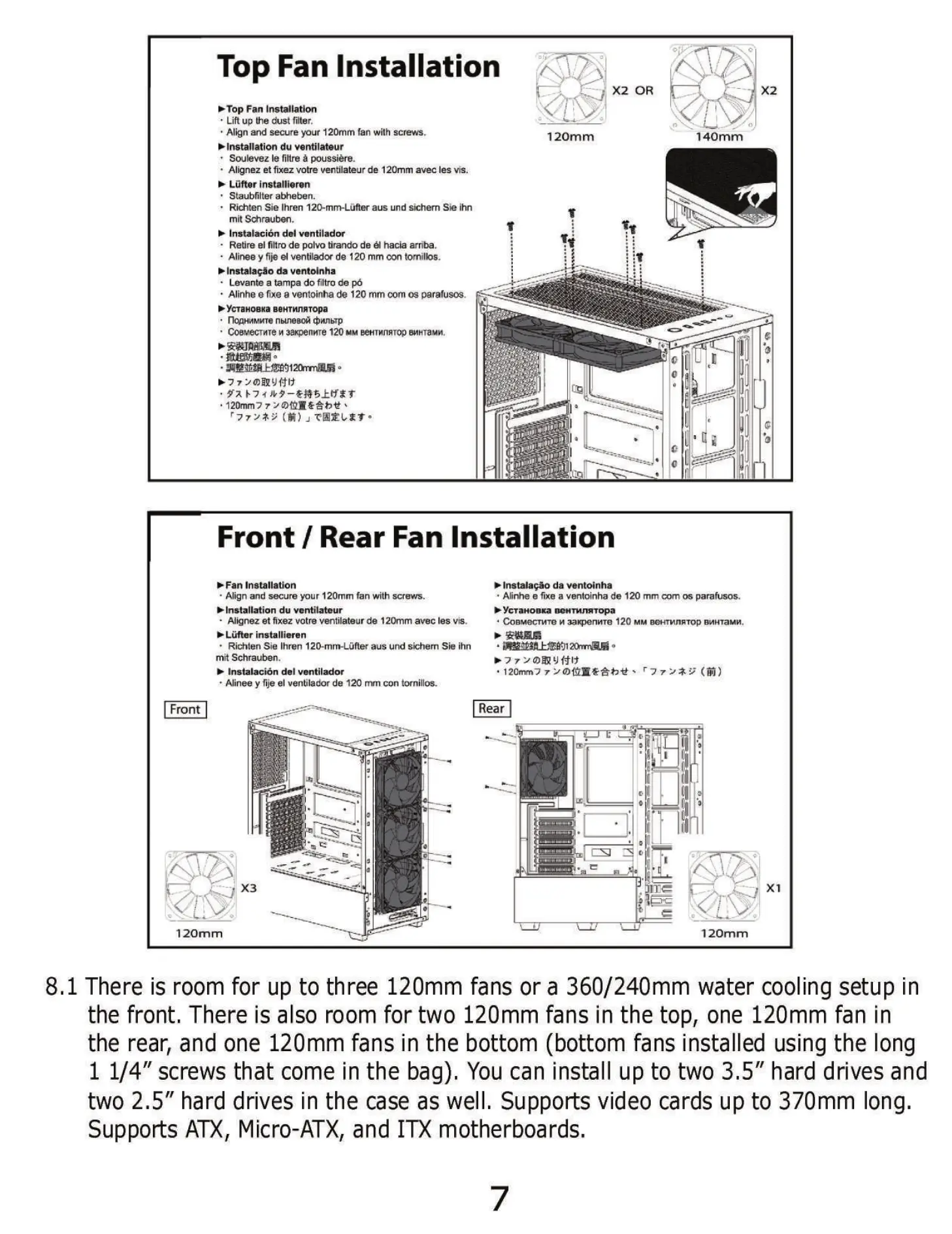
Top Fan Installation
X2 OR
> Top Fan Installation
• Lift up the dust filter.
• Align md secure your 120mm fan with screws.
S Installation du ventilateur
Soulevez Ie filtre poussiére.
• Alignez et fixez votre ventilateurde 120mm avec Ies vis.
Lüfter installieren
• Staubfilter abheben.
Richten Sie Ihren 120-mm-Lüfter aus und sichem Sie ihn
mit
Instalaci6n del ventilador
• Retire el filtro de polvo tirando de hacia arriba.
• Alinee y fije eI de 120 mm con tornilbs.
Instalaeåo da ventoinha
• Levante a tampa do filtro de pO
• Alinhe e fixe e ventoinha de 120 mm com os parafusos.
YcüH0BKa BeHTnnRTopa
nom-MMKTe nbtneaoü
• CoeMecTHTe wpenme 120 MMEHTMJI*TOP
• 120rnm7 7
120mm 140mm
01
Front / Rear Fan Installation
Fan Installation
• Align md secure your 120mm fan with screws.
Installation du ventilateur
• Alignez et fixez votre ventilateurde 120mm avec les vis.
> Lüfter installieren
• Richten Sie Ihren 120-mm-Lüfter aus und Sichem Sie ihn
mit Schrauben.
Instalaciön del ventilador
• Alinee y fije el ventilador de 120 Con tornillos.
Front
120mm
Instalagäo da ventoinha
• Afinhe e fixe a ventoinha de 120 mm com os parafusos.
yc•raH0DKa aeHTMMtopa
• COBMecncre 120 MM geHTMJIRTOPBMHTaMH.
Rear
120mm
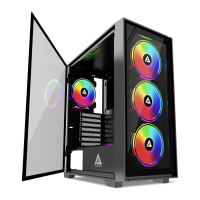
8.1 There is room for up to three 120mm fans or a 360/240mm water cooling setup in
the front, There is also room for two 120mm fans in the top, one 120mm fan in
the rear, and one 120mm fans in the bottom (bottom fans installed using the long
1 1/4" screws that come in the bag). You can install up to two 3.5" hard drives and
two 2.5" hard drives in the case as well. Supports video cards up to 370mm long.
Supports ATX, Micro-ATX, and motherboards.


 To Next Page