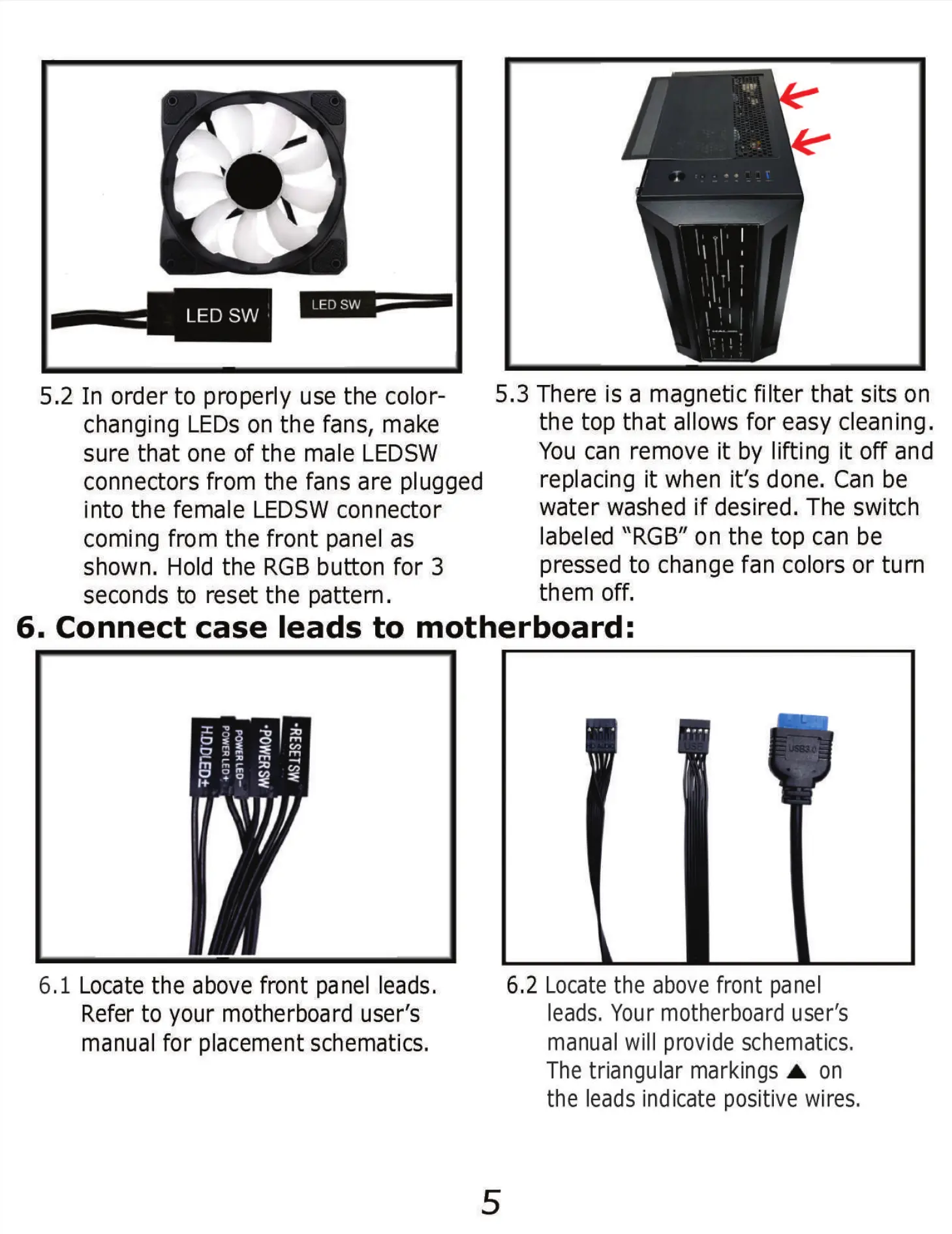
5.2 In order to properly use the color-
changing LEDs on the fans, make
sure that one of the male LEDSW
connectors from the fans are plugged
into the female LEDSW connector
coming from the front panel as
shown. Hold the RGB button for 3
seconds to reset the pattern.
5.3 There is a magnetic filter that sits on
the top that allows for easy cleaning.
You can remove it by lifting it off and
replacing it when it's done. Can be
water washed if desired. The switch
labeled "RGB" on the top can be
pressed to change fan colors or turn
them off.
6. Connect case leads to motherboard:
6.1 Locate the above front panel leads.
Refer to your motherboard user's
manual for placement schematics.
6.2 Locate the above front panel
leads, Your motherboard user's
manual will provide schematics,
The triangular markings A on
the leads indicate positive wires.
5


 To Next Page