Need help?
Do you have a question about the Apex Digital DT150 and is the answer not in the manual?
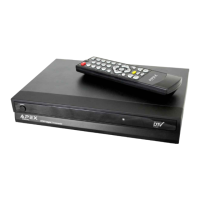
Lists included accessories like remote, batteries, cables.
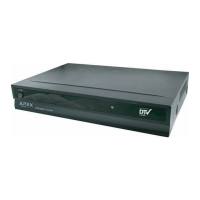
Details unit dimensions, weight, aspect ratio, tuner type, etc.
Specifies optimal distance and angle for remote control use.
Covers Power, Mute, and Exit buttons for essential operations.
Explains Menu, Arrow, OK, Volume, and Number buttons for interaction.
Details buttons for Favorites, Signal, CCD, Display, Guide, Zoom, and MTS.
Identifies front-facing power, IR receiver, navigation, and menu buttons.
Details rear connections like Antenna IN, RF Out, Composite, S-Video, Audio.
Guides connection using supplied AV cables (yellow, red, white).
Explains optional S-Video connection for better quality.
Details standard installation using antenna and RF coaxial cable.
Illustrates connecting the unit to a Dolby Surround receiver.
Guides setting up language, time zone, and aspect ratio initially.
Explains how to scan for available digital channels.
Explains Power, Mute, Exit, Menu, Number buttons, and CCD.
Covers Arrow, OK, Channel +/-, Recall, and Display buttons.
Details the Guide button and Volume controls.
Explains how to add, delete, and navigate favorite channels.
Covers Signal Strength meter and MTS audio selection.
Explains how zoom minimizes black bars on different TV displays.
Guides automatic channel scanning and manual channel management.
Covers setting a password and managing parental restrictions.
Details MPAA rating controls and Closed Caption display preferences.
Explains how to set display language and automatic power-off timer.
Covers optional smart antenna settings and local time zone selection.
Guides setting TV aspect ratio and resetting all settings.
Shows how to view program information and future schedules.
Explains the signal strength meter and volume level display.
Provides solutions for common problems like no sound or no picture.
Details the 1-year parts and 90-day labor warranty terms.
Outlines compliance with FCC rules regarding interference.
 General
| Brand | Apex Digital |
|---|---|
| Model | DT150 |
| Category | TV Converter Box |
| Language | English |


 To Next Page