EasyManua.ls Logo

Apex Digital DT504 - User Manual

Apex Digital DT504
50 pages
Print Icon
To Next Page IconTo Next Page
Loading...
DT250
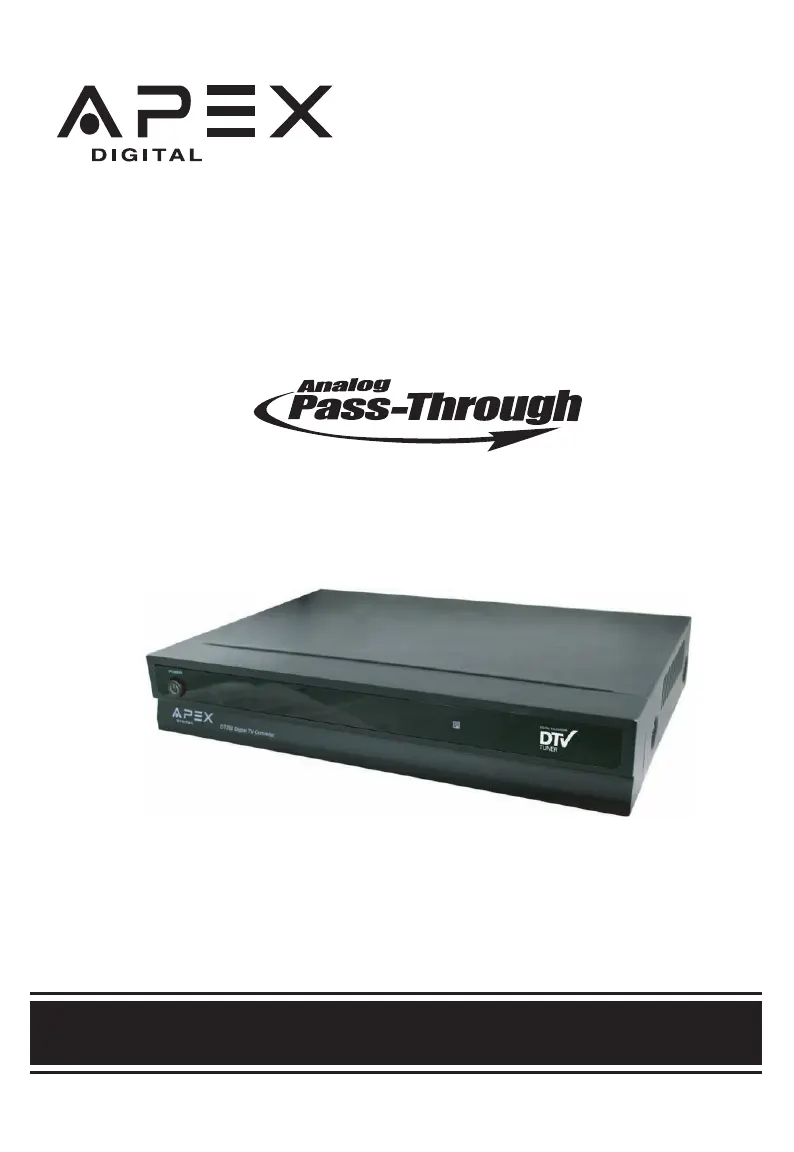
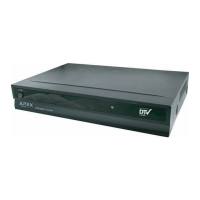
Digital TV Converter Box
User's Manual
®
simply remarkable™
WITH
Caja Convertidora
de TV Digital
CON CAPACIDAD DE PASAR LA SENAL ANALOGICA
Manual del usuario
Ver.2.5 06/08
DT504

Questions and Answers

  • R
    Ricky NelsonJul 28, 2025
    What to do if my Apex Digital DT504 has no picture?
    • M
      Michael GonzalezJul 28, 2025
      If your Apex Digital TV Converter Box is not displaying a picture, here are a few things to try: * Ensure that the video devices are turned on. * Try switching to another channel, as the digital TV channel signal may be weak. * Reconnect the antenna or cable wiring. * Ensure that the Auto Scan Channels process is completed.
  • S
    Susan RogersAug 1, 2025
    How to fix no sound on Apex Digital DT504?
    • H
      hayesrachaelAug 1, 2025
      If you're experiencing a lack of sound with your Apex Digital TV Converter Box, consider the following: * Check that the connected audio cables are fully inserted. * Ensure the correct audio source is selected from your amplifier. * Verify that the mute function is not enabled by pressing the Mute button on the remote.
  • S
    Sandra RamosAug 5, 2025
    Why can't my Apex Digital DT504 receive certain channels?
    • K
      Kevin RichardsonAug 5, 2025
      Your Apex Digital TV Converter Box might not be receiving certain channels for a few reasons. The signal from the TV station may be weak. You can also try repositioning the antenna. Use the automatic scanning function to add any channels that were not included in the memory.
  • G
    Gerald FoxAug 9, 2025
    What to do if Apex Digital TV Converter Box video is choppy?
    • A
      Adrian FrankAug 9, 2025
      If you are experiencing video noise or a choppy picture with your Apex Digital TV Converter Box, try these steps: * Check that the connected video and audio cables are completely inserted. * Reposition the antenna.
  • L
    Lauren BoothAug 14, 2025
    How to unblock channels on Apex Digital DT504?
    • N
      Nathan GomezAug 14, 2025
      If your Apex Digital TV Converter Box is blocking certain channels, try these solutions: * Use the automatic scanning method to add the channels not included in the memory. * Check the parental control settings.
  • E
    ecarterAug 18, 2025
    Why is my Apex Digital TV Converter Box not turning on?
    • S
      smendezAug 19, 2025
      If your Apex Digital TV Converter Box is not powering on, try these steps: * Replace the batteries in the remote control. * Remove the AC plug from the wall outlet, wait 30 seconds, and then re-attach it.
  • D
    Dawn GarciaAug 23, 2025
    How to remove the black box on my Apex Digital DT504 screen?
    • M
      martincurtisAug 23, 2025
      If you see a black box on the screen of your Apex Digital TV Converter Box, it could be due to these reasons: * The "Text" option is enabled, but no text is available. * CCD is enabled. Turn off CCD on the remote control.

Summary

Important Safety Information

General Warnings and Precautions

Covers fire, shock, and exposure hazards, including blade exposure and rain/moisture.

Safety Symbols and FCC Compliance

Explains warning symbols for voltage and maintenance, plus FCC interference rules.

Product Operation and Transition Guidelines

Covers digital transition notice and numbered safety instructions for product use.

Portable Cart Safety

Warns about tip-over hazards when moving the cart/apparatus combination.

Introduction

Whats In The Box?

Lists the included accessories with the DT250 digital TV converter box.

Specifications

Remote Control Battery Installation

Remote Control Operation Range

Remote Control Functions

Power, Mute, and Exit Functions

Controls for turning the unit on/off, muting sound, and exiting menus.

Channel, Navigation, and Program Information

Buttons for changing channels, navigating menus, accessing guides, and display info.

Favorite Channels and Audio Options

Managing favorite channels and selecting audio tracks.

Closed Captioning and Zoom

Function of CCD and Zoom buttons for display customization.

Front & Rear Panel Overview

Front Panel Description

Identifies the power button and remote sensor on the front of the unit.

Rear Panel Connections

Details all input/output ports on the rear of the DT250.

Connection to TV

Composite Video Connection

Instructions for connecting via composite AV cables to the TV.

S-Video Connection

Instructions for connecting via S-Video cable for improved quality.

Analog Pass-Through QUICKSETUP

RF Input;Output Setup

Guide for connecting antenna and TV via RF coaxial cable for pass-through.

Connection to Stereo

Audio System Connection

Instructions for connecting the unit to a stereo system for audio output.

Quick Start Guide

Initial Setup Menu Navigation

Explains how to set language, time zone, and aspect ratio during initial setup.

Auto Scan Channels

Guide to scanning for available digital channels broadcasting in your area.

Zoom Functions

Zoom Effect on 4:3 Display

Explains windowbox and letterbox image adjustments for 4:3 TV displays.

Zoom Effect on 16:9 Display

Explains filling the screen and minimizing black bars for 16:9 TV displays.

Main Menu Configuration

Auto Program and Channel Setup

Guide to automatic channel scanning and manual channel management.

Parental Controls and Closed Captions

Setting up ratings, passwords, and caption preferences.

System Settings and Preferences

Configuring language, sleep timer, time zone, smart antenna, aspect ratio, and reset options.

Display Menus

Guide Menu

Displays program information and future programming availability.

Signal Meter

Views the strength of the digital transmission signal from the broadcaster.

Volume Control

Adjusts the audio volume level of the converter box.

Troubleshooting Guide

Common Issues and Solutions

Provides solutions for common problems like no sound, no picture, or signal issues.

Limited Warranty

Legal Notice

Apex Digital DT504 Specifications

General IconGeneral
Product TypeDigital TV Converter Box
Video OutputComposite, RF
Audio OutputStereo
Supported FormatsATSC
Power SupplyAC 120 V, 60 Hz
Supported Resolutions480i, 480p
Remote ControlYes
Input PortsRF Input
InputRF
TunerATSC

Related product manuals