9
Before you get started
About this manual
Carefully read all instructions and warnings before operating
this appliance. Keep this manual in a safe place so that it can
be referred to when required.
The latest manual revision can be downloaded from the
download section of the Apex website:
http://www.apex-audio.eu
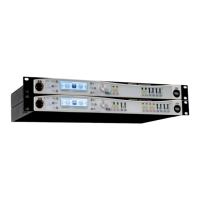
This manual describes use of Intelli-X
2
tted with rmware
version v1.2.1.0
Applicable versions
This manual covers the following versions of the Intelli-X
2
processor:
• Intelli-X
2
48 – four inputs, eight outputs
• Intelli-X
2
26 – two inputs, six outputs
The functionality of the two versions is very similar and, unless
stated otherwise, it can be assumed that the contents of the
manual applies to either version. When a text reference to
“Intelli-X
2
” appears, it can be taken to mean both the Intelli-X
2
26 and Intelli-X
2
48. If there is some operational or functional
difference between the two versions, this will be clearly indica-
ted by the logo on the left.
Inspection and unpacking
This appliance has been carefully packed in the factory and the
packaging was designed to withstand rough handling. Should
the unit appear to have been damaged in transit, do not discard
any of the packing material and notify the carrier immediately
as they will be responsible.
Save all the packing materials for future use if you ever need to
ship the unit again.
Please check the list below against the contents of the
packaging. If any items are missing or damaged, contact the
Apex dealer or distributor where you purchased the unit.
• Intelli-X
2
processor
• AC power cables with Neutrik PowerCON® connector
• Network cable (“straight” type)
• CD-ROM with Intelli-Ware software and other product
documentation
• This manual
Operating environment
This appliance is designed to operate in most normal climates,
at a temperature between 0 °C and 50 °C (32 - 122 °F), with
relative humidity between 10% and 60%.
The Intelli-X
2
incorporates internal fan-cooling, which should
keep the unit within its operating temperature range in
most situations. However, should the unit be installed in an
equipment rack it is important to ensure that the temperature
inside the rack does not exceed the upper limit. This could be
the case when the rack contains power ampliers. Under such
circumstances, additional rack-mounted cooling fans may be
necessary.
Power requirements
BEFORE you connect any unit to the mains, please make sure
that the voltage of your local AC supply is within the acceptable
range of the unit.
The Intelli-X
2
is designed to work from an AC supply between
100 V and 240 V, at a frequency between 50 and 60 Hz. No AC
voltage selector is provided as the device automatically adjusts
to the incoming AC voltage.
Precautions should be taken so that the appliance is properly
grounded at all times. This unit must be earthed.
Installation
If the unit is brought into a warm room from a cold environment,
internal condensation may occur. Ensure that the unit has been
allowed to reach ambient temperature before switching it on.
Although this unit is intended for installation in a standard
19-inch rack it can nevertheless be used freestanding. If the
unit is installed in a ight-case or in an equipment rack, x
the unit with all four screws through the front panel holes. For
normal use no extra support is needed, but in more extreme
conditions, such as on the road, we recommend the unit is
supported at the rear.
The Intelli-X
2
is fan-cooled, with intake on the left-hand side
of unit (looking from the front) and extract on the right. Allow
at least 10 cm (4 inches) at each side of the unit for sufcient
ventilation.


 To Next Page
 Loading...