
EasyManua.ls Logo

Apex Digital MACH 1 - User Manual

Apex Digital MACH 1
10 pages
To Next Page IconTo Next Page
Loading...
MODEL:
MACH
1
Temperature
Protection
Auto-Repair Efficient
Charging
Protection
Level IP54
GFCI High-End
MCU
Undervoltage
Protection
Overvoltage
Protection
Short-Circuit
Protection
Earth Leakage
Protection
Lightning
Protection
Overload
Protection
APEX
CHA
R
G
ER
A EX
CHA GE

Questions and Answers

Apex Digital MACH 1 Specifications

General IconGeneral
BrandApex Digital
ModelMACH 1
CategoryBattery Charger
LanguageEnglish

Summary

Product Overview

Package Contents

Installation

How to Use

Display and Interface

Current Selector

Button to adjust the current to be used on the charging session.

Delay Button

Button to adjust the delay until the next charging section starts.

RFID Panel

RFID reader for charger control.

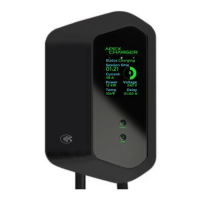
MACH 1 Display

Shows the current charging session's real-time stats and additional information.

General Warnings

LED Indicative Status Patterns

Troubleshooting

Getting Support