Need help?
Do you have a question about the Apogee Instruments MQ-210 and is the answer not in the manual?
Details technical specifications like uncertainty, response time, and dimensions.
Shows spectral response of quantum sensors compared to PPFD weighting.
Illustrates the temperature response of quantum sensors.
Illustrates directional response errors at different zenith angles.
Describes manual (SMPL) and automatic (LOG) data logging features.
Details the immersion effect and its impact on underwater readings.
States the MQ-210 firmware accounts for the immersion effect.
Explains common error codes and their solutions.
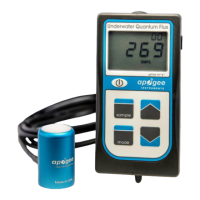
The Apogee Instruments MQ-210 is an underwater quantum meter designed for measuring photosynthetically active radiation (PAR), specifically photosynthetic photon flux density (PPFD), in aquatic environments. PAR is defined as total radiation across the 400 to 700 nm range and is crucial for biological, chemical, and physical processes in natural waters and aquariums. The meter expresses PPFD in units of micromoles per square meter per second (µmol m⁻² s⁻¹).
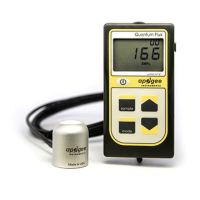
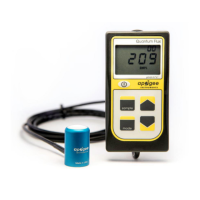
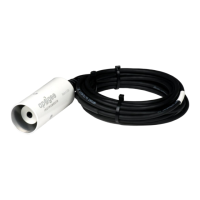
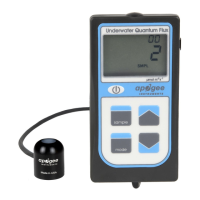
The MQ-210 quantum meter is a self-contained device consisting of a handheld meter and a dedicated waterproof quantum sensor connected by a waterproof cable. The sensor itself features a cast acrylic diffuser (filter) and a photodiode, and is potted solid without internal air space, ensuring its suitability for underwater use. Unlike air-calibrated quantum sensors, the MQ-210 is specifically designed for underwater measurements and automatically applies an immersion effect correction factor to its readings through firmware. This correction accounts for the phenomenon where the refractive index of water (1.33) is greater than air (1.00), causing more light to be backscattered or reflected out of the sensor in water, leading to lower readings if uncorrected. By applying this factor, the MQ-210 provides accurate, absolute underwater PPFD measurements, making it possible to compare light levels across different aquatic environments.
The device provides real-time PPFD readings on its LCD display. It is capable of determining the radiation incident on a planar surface, which does not necessarily have to be horizontal, and accounts for radiation emanating from all angles of a hemisphere. The MQ-210 includes both manual and automatic data logging features, allowing users to make spot-check measurements or calculate the daily light integral (DLI), which represents the total number of photons incident on a planar surface over the course of a day.
The MQ-210 is designed with a user-friendly interface for quick and easy measurements. To operate the meter, a CR2320 coin cell battery is inserted into the battery holder with the positive side facing out. The power button activates the LCD display, which will automatically enter sleep mode after two minutes of non-activity to conserve battery life.
The "mode" button provides access to the main menu, where users can select the appropriate calibration (sunlight or electric light), choose between manual (SMPL) or automatic (LOG) logging, and reset the meter. In "SMPL" mode, pressing the "sample" button records up to 99 manual measurements, with a counter on the LCD display indicating the number of saved readings. In "LOG" mode, the meter powers on and off every 30 seconds to take a measurement. Every 30 minutes, the meter averages sixty 30-second measurements and records this averaged value to memory, storing up to 99 averages. The "up" and "down" arrow buttons are used to navigate menu selections and review logged measurements on the LCD display. The LCD display shows the total number of logged measurements in the upper right corner, the real-time PPFD value in the center, and selected menu options at the bottom.
To exit the menu after making a selection, the mode button needs to be pressed two more times. When in LOG mode, the meter will continue to log data even if the display is off. The stored measurements can be viewed on the meter's LCD display or downloaded to a computer using the AC-100 communication cable and software (sold separately). This allows for the calculation of DLI from the logged data.
For accurate PPFD measurements on a horizontal surface, the sensor must be level. The AL-100 accessory leveling plate is recommended for use with the MQ-210, especially when attached to a cross-arm, as its built-in bubble-level simplifies the leveling process. For hard-to-reach areas or aquariums, the AM-320 Saltwater Submersible Sensor Wand accessory, a 40-inch segmented fiberglass wand with a mounting fixture, is well-suited for saltwater use.
Proper maintenance ensures the longevity and accuracy of the MQ-210. Moisture or debris on the sensor's diffuser can lead to low readings. Although the sensor has a domed diffuser and housing designed for improved self-cleaning, materials like dust or salt deposits can accumulate and partially block the optical path. These deposits should be removed using water, window cleaner, and a soft cloth or cotton swab. Salt deposits, in particular, should be dissolved with vinegar before wiping with a soft cloth or cotton swab. Abrasive materials or cleaners should never be used on the diffuser.
The coin cell battery (CR2320) should last for many months under continuous use. A low battery indicator will appear in the upper left corner of the LCD display when the battery voltage drops below 2.8 V DC. While the meter will still function for some time, eventually the pushbuttons will become unresponsive, and any logged measurements will be lost. To preserve battery life when storing the meter for many months, it is recommended to remove the battery, as the meter still draws a slight current in sleep mode to maintain logged measurements in memory.
If the meter becomes non-responsive or exhibits anomalies, such as a low battery indicator after battery replacement, a master reset can be performed. This involves activating the LCD, sliding the battery out until the display fades, and then sliding it back in. The LCD will flash all segments and show a revision number, indicating a successful reset. Note that a master reset will erase all logged measurements. Error codes (Err 1-4) may appear on the LCD, indicating issues like battery voltage out of range, sensor voltage out of range, lack of calibration, or CPU voltage below minimum. Most of these can be resolved by replacing the battery and performing a master reset. If problems persist, contact Apogee for support.
The Clear Sky Calculator (www.clearskycalculator.com) is a valuable tool for determining if recalibration is needed. By comparing measured PPFD values near solar noon on clear, unpolluted days with calculated values from the calculator, users can assess sensor accuracy. If measurements consistently differ by more than 6% after cleaning and re-leveling the sensor, recalibration may be necessary. Apogee Instruments offers recalibration services, which are considered part of routine maintenance and are not covered under warranty.
While it is possible to extend the sensor cable length by splicing additional cable, care must be taken as the wires are soldered directly into the meter's circuit board. Instructions for making a weatherproof cable splice are available on the Apogee Instruments website. Unit conversion charts and spreadsheets are also provided online to convert PPFD values to other units like energy flux density or illuminance, considering the spectral output of the radiation source.
 General
| Type | Quantum Sensor |
|---|---|
| Spectral Response | 400 to 700 nm |
| Output | 0 to 2.5 V DC |
| Field of View | 180° |
| Operating Temperature Range | -40 to 70 °C |
| Weight | 90 g |
| Cable Length | 5 m |
| Measurement Range | 0 to 2000 µmol m⁻² s⁻¹ |

 To Next Page