Apogee Element Series User’s Guide
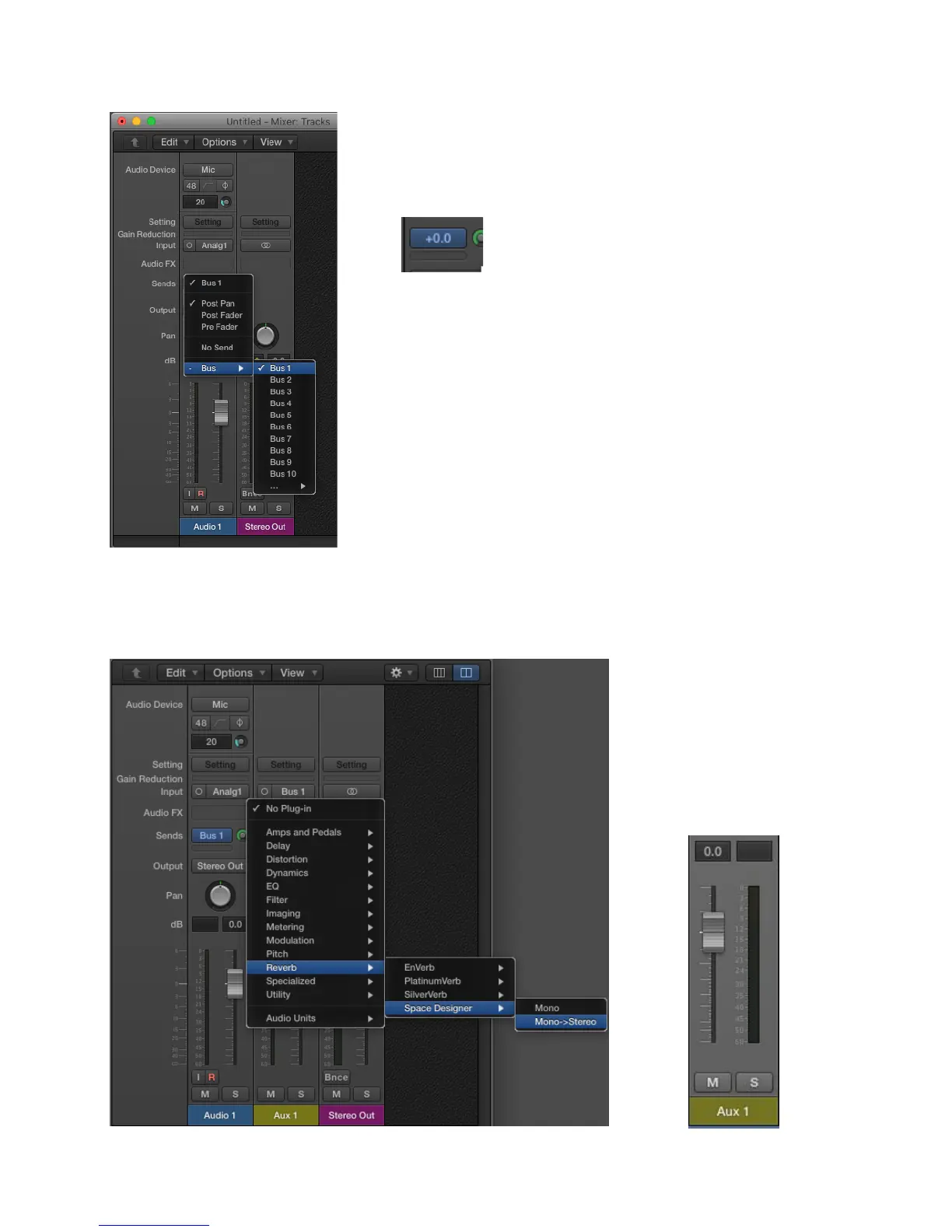
Setup a standard reverb send and return for this audio track:
3. In the “Sends” section of the Audio track, create a Bus send.
Set the Bus level to 0.0dB.
When you create the Bus send, Logic will automatically create an Aux track with
that bus selected as the input.
Note: You will need to manually create the Aux track in other DAW’s like
Pro Tools, Cubase, Live, etc.
4. In the new Aux input track, instantiate your favorite reverb plugin.
Raise the Aux 1 channel fader to
0.0dB.
33



 To Next Page