Apogee Element Series User’s Guide
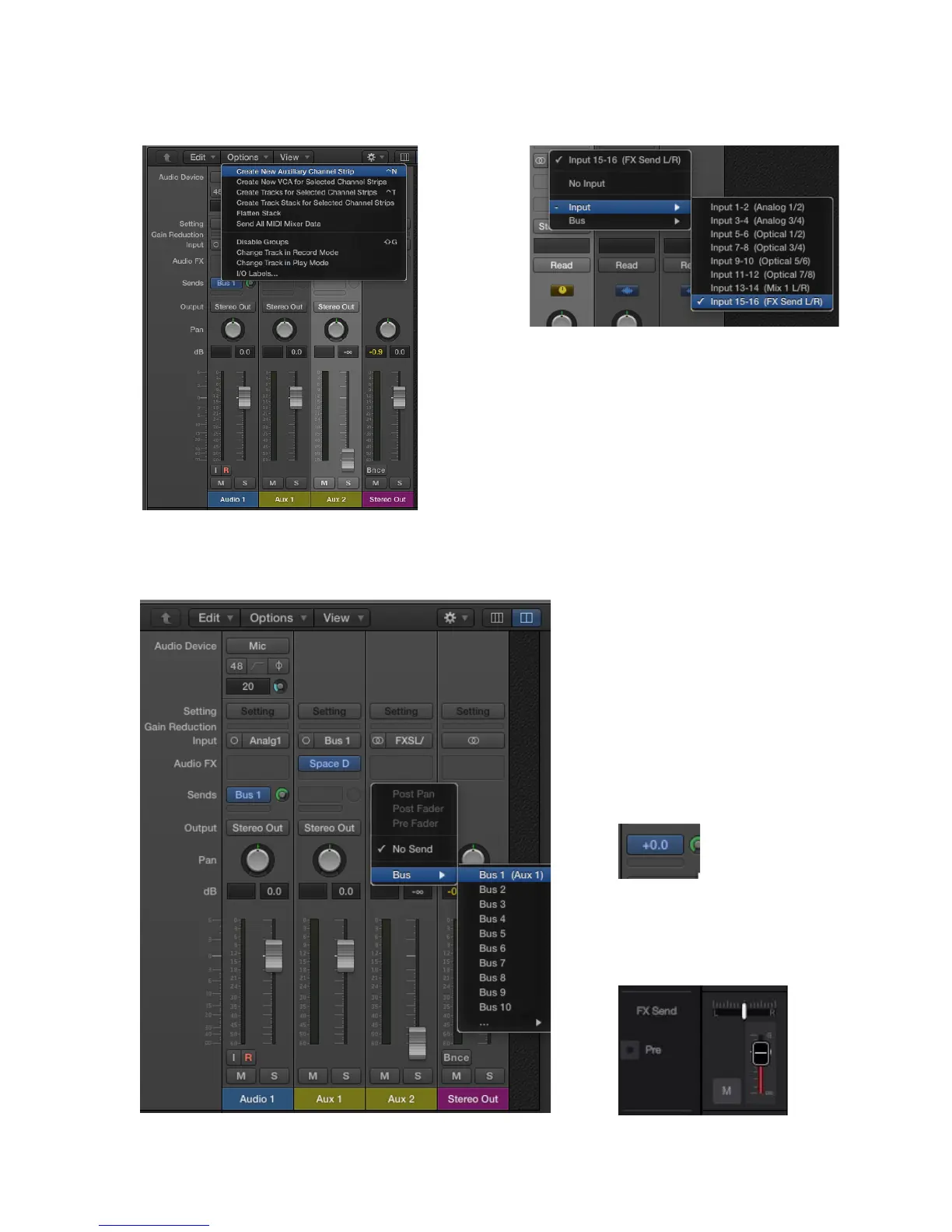
5. In the mixer view’s Option’s menu, create a New
Auxiliary Channel Strip.
6. Set this new Aux 2 channel’s input to the FX Send
L/R (Input 15-16 in this example)
7. Set the Aux 2 channel to “No Output” (or lower the fader), and create a bus send to the same
bus as the Audio track.
Set the Bus level to 0.0dB.
10. In Element Control, raise the FX Send
fader for the Analog 1 channel to 0.0dB
34



 To Next Page