2Begin by testing your brakes.
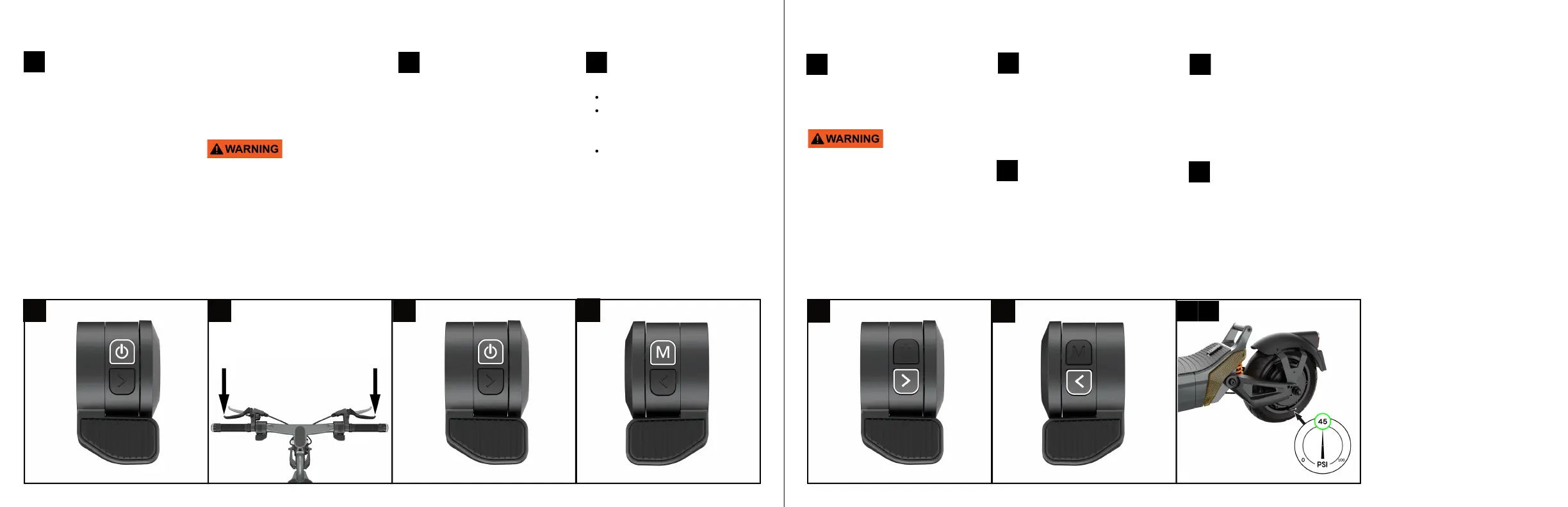
Press the throttle on the right
side of your handlebar and notice
the motor wheels start to
accelerate.
Continue to accelerate for 5
seconds, then release the throttle
and slam both brakes at the same
time. The wheel should stop
immediately.
1 click – Eco mode
2 clicks – Comfort mode – after
a second click you should see
a Green "S" on the display
3 clicks – Sport mode –
another short click should
display a Red "S".
Test gear change by pressing
the Power Button. A short
click will change the speed levels.
4Next, to turn on the lights
press the Mode button (M).
Confirm all of the lights power on:
headlight and one rear tail light.
Test your right and left
signals. Start by testing your
right signal by pressing the button
with an arrow on the right side of
your handle bar. Your right signals
should turn on. To turn them off,
click on the button again.
Test your left signals, press
the arrow button on the left
side of the handle bar. Your signals
should turn on. To turn them off,
click on the button again.
Next, grab an air pump and
locate the air valve on the
front tire. Remove the safety cap
and attach the pump tube to the
tire valve. Turn on the air pump and
read the PSI measure - the ideal tire
pressure for the City is 45PSI.
Inflate or deflate the tire as
needed until the pressure
is 45PSI. Repeat the step with the
rear tire.
Locate the power button on
the right side of the
handlebar and press it for 3
seconds to power on the scooter.
You should now be able to see the
display powered on. Keep the
scooter elevated on the stool or
bench, as the testing will involve
spinning both wheels. The scooter
should be in Kick to Start mode, to
begin testing the motors, spin the
wheels manually and then press
the throttle. The wheels should
begin to spin normally. You may
notice either motor emitting a noise
at low speeds, this is normal. The
motor is communicating with
7 8
If all of the lights do not power
on, DO NOT ATTEMPT TO
OPERATE THE SCOOTER.
Contact us immediately via our
help desk
apolloscooters.co/support.
If you experience difficulties with
the setup at any step, please refer
to our help centre at
apolloscooters.co/support for a
video walk- through of the
process. Alternatively, you
can contact our support team at
support@ apolloscooters.co for
assistance.
8 9
the controller and identifying its
position as well as which direction
to roll in. If after performing this
test the wheels are spinning nor-
mally, you can now move to step 2.
Congratulations, you have
successfully set up your new
Apollo City.
If you notice one of the motors is
not spinning DO NOT ATTEMPT
TO OPERATE THE SCOOTER.
Contact us immediately through
our help desk apolloscooters.co/
support.
To read more about the speed of
each mode, refer to the Display
section in this manual.
Perform test
1 2 3 4
5 6


 To Next Page
 Loading...