3
5
7
1
8
2
4
6
9
22
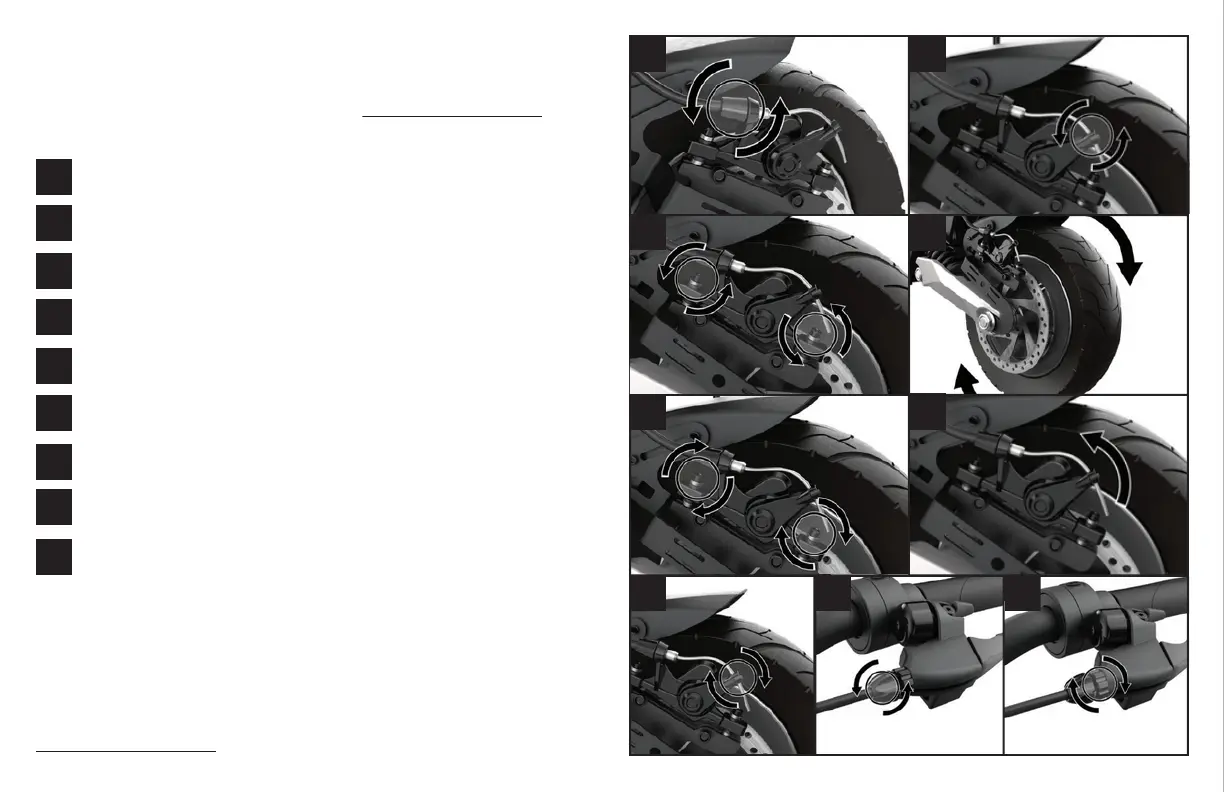
Note: this section describes a basic adjusment to your brakes. For an in-depth brake
adjustment tutorial, please visit the help centre at apolloscooters.co/support.
Disc Brake Adjustment
2
3
4
5
6
7
8
9
1
Locate brake nob - turn clockwise Locate
Tighten nob
Tighten screw on lever
Locate lever and turn it upwards
Tighten screws
Turn the wheel & tighten screws
Align disc brake
Loosen the other two screws
screws that hold brake, loosen
*For a detailed step-by-step video, please visit our help desk center at
apolloscooters.co/support



 To Next Page