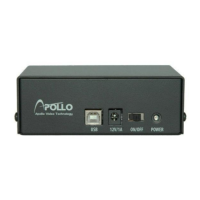
Mobile Digital Video Recorder
1
Chapter 1 — Introduction
Feature
Your mobile color DVR is designed for mass transit use and operates using 9 to 30 volts DC, which makes it compatible
with the typical 12 VDC and 24 VDC power systems found in buses. The DVR provides viewing and recording
capabilities for 8 or 16 cameras or other video sources. It provides exceptional picture quality in both live and playback
modes, and offers the following features:
9 to 30 VDC Operation
Vibration Isolation Mounting Bracket
Removable Hard Disk Drive
Lock & Key Power Switch
Programmable System Shutdown or Start After Ignition Switch Is Turned Off
8 or 16 Composite Video Input Connectors
Compatible with Color (NTSC or PAL) and B&W (CCIR and EIA-170) Video Sources
Auto Detection for NTSC and PAL
H.264 Codec
Compact Size
Multiple Search Engines (Date/Time, Calendar, Event)
Real-time Recording (480/400 Images per Second (NTSC/PAL) with Standard (CIF) Resolution)
Continuous Recording in Disk Overwrite Mode
2 USB 2.0 Ports for data extractions and software upgrade
Continues Recording while Transmitting to Remote Site and during Playback
User-friendly Graphical User Interface (GUI) Menu System
Multiple Recording Modes (Time-lapse, Pre-event, Event and Panic)
Two-way Audio Communication
2-Channel Audio Recording and 1-Channel Audio Playback
Supports GPS Input
Text Input for ATM, POS
Alarm Connections Include: Input, Output and Reset Input
Live or Recorded Video Access via Ethernet
Time Synchronization using industry standard protocol
Self-diagnostics with automatic notification including hard disk drive S.M.A.R.T. protocol
Technical Overview
The DVR converts analog NTSC or PAL video to digital images and records them on a hard disk drive. Using a hard
disk drive allows you to access recorded video almost instantaneously; there is no need to rewind tape. The technology
also allows you to view recorded video while the DVR continues recording video.
Digitally recorded video has several advantages over analog video recorded on tape. There is no need to adjust tracking.
You can freeze frames, fast forward, fast reverse, slow forward and slow reverse without image streaking or tearing.
Digital video can be indexed by time or events, and you can instantly view video after selecting the time or event.
Your DVR can be set up for event or time-lapse recording. You can define times to record, and the schedule can change
for different days of the week and user defined holidays.
The DVR can be set up to alert you when the hard disk drive is full, or it can be set to record over the oldest video once
the disk is full.
Your DVR uses a proprietary encryption scheme making it nearly impossible to alter video.



 To Next Page