Need help?
Do you have a question about the Apollo HD Series and is the answer not in the manual?
General introduction to the Apollo HD Series Standalone DVR product.
Detailed list of key features and functionalities of the DVR system.
Technical specifications, parameters, and capabilities of the DVR across different models.
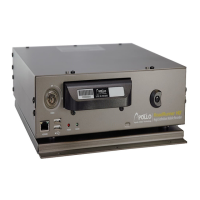
Description and function of buttons and indicators on the DVR's front panel.
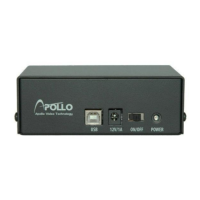
Identification and function of ports and connectors on the DVR's rear panel.
Visual guide illustrating typical connection configurations for the DVR.
Overview of the remote control's buttons and their functions for operating the DVR.
Explanation of how to use a mouse for navigation and control within the DVR interface.
Information on using the virtual keyboard and front panel controls for input.
Steps for inspecting the DVR package contents and ensuring no damage.
Details on identifying and understanding the functions of front and rear panel components.
Step-by-step instructions for installing a Hard Disk Drive (HDD) into the DVR.
Guidance on correctly connecting the power supply unit to the DVR.
How to connect video input sources and output displays to the DVR.
Instructions for connecting audio input/output devices and understanding bidirectional audio.
Details on connecting alarm input and output devices to the DVR.
Information on connecting devices using the RS232 serial port for communication.
Guidance on connecting PTZ devices using the RS485 communication port.
Overview of other available interfaces on the DVR, such as USB ports.
Steps for logging into the system, navigating the main menu, and logging out.
How to manually start, stop, and configure video recording settings.
Methods for searching recorded video files and controlling playback.
Setting up recording schedules and configuring snapshot functionality.
Configuring motion detection, video loss, and camera masking alerts.
Setting up and activating alarm inputs, outputs, and related events.
Procedures for backing up DVR data to external storage devices.
Configuring Pan/Tilt/Zoom (PTZ) functions and video color settings.
Setting up and activating PTZ presets, patrol tours, and motion patterns.
Information on the flip function and auxiliary settings for camera control.
Visual representation of the DVR's menu structure and main menu overview.
Configuration options for general, encode, network, alarm, and other system settings.
Instructions for searching recorded video and system logs.
Accessing advanced settings like HDD management, account settings, and auto-maintenance.
Viewing system information, HDD status, logs, and online user details.
Procedures for safely shutting down, restarting, or switching users on the DVR.
Navigating to the Pan/Tilt/Zoom control interface for camera adjustment.
Setting up and managing PTZ presets, patrols, patterns, and border functions.
Steps to ensure proper network connectivity for web client access.
Accessing the DVR via web browser, viewing live feeds, and controlling PTZ cameras.
Configuring system, advanced, and additional functions via the web client.
Searching and downloading recorded video files through the web client interface.
Configuring alarm event types, sound setups, and associated actions via web client.
Viewing web client information, logging out, and uninstalling the control software.
 General
| Category | DVR |
|---|---|
| Video Compression | H.264 |
| Hard Drive Capacity | Up to 6TB |
| Remote Viewing | Yes |
| Operating System | Embedded Linux |
| Video Input | 4/8/16 channels |
| Recording Resolution | 1080p/720p |
| Mobile Support | iOS, Android |


 To Next Page