6
Operation – Apple Devices
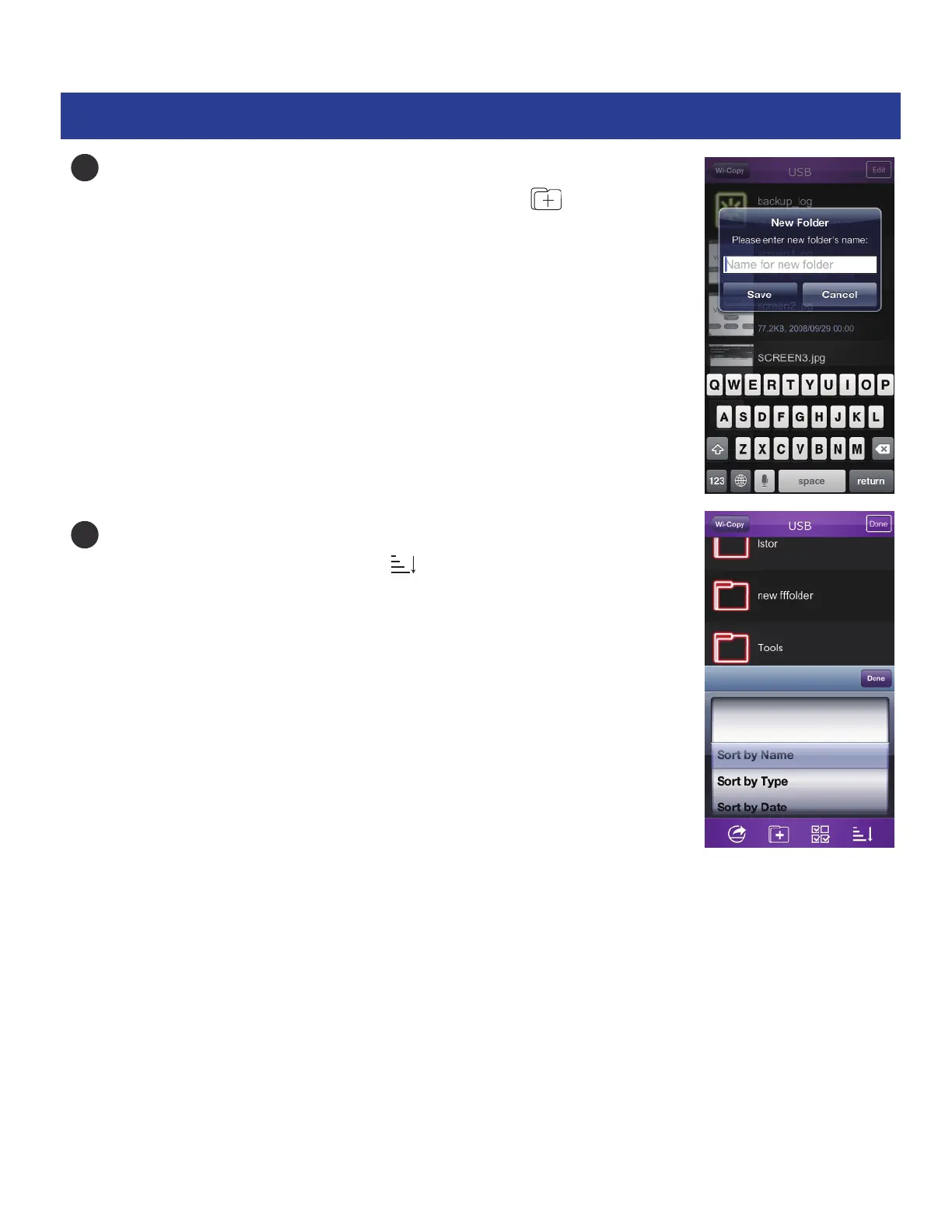
Create a Folder: While a list (music, photo, SD Card, etc.) appears,
enter SD or USB device, tap Edit and then tap the icon.
This will allow you to create and name a new folder.
Sort: While a list (music, photo, SD Card, etc.) appears,
enter SD or USB device, tap the icon to bring up
the sorting options (Name, Type or Date).
7
8


 To Next Page