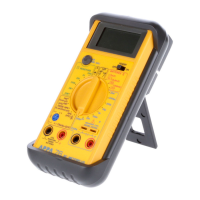
103N / 105N / 106
EN
1. Set the rotary switch at “Ω ” position.
2. Connect black test lead to “COM” terminal and red lead to
“
VΩHz ” input terminal.
3. Connect test leads to the diode normally the forward
voltage drop of good silicon diode is shown between.
400V to 0.900V.
If the diode under test is defective. “0.000” (short circuit)
or “OL” (non-conductance) is displayed. Reverse check
of diode if the diode under test is defective “0.000” or
other value are to be displayed.
1. Connect the red test lead to the “
VΩHz ” terminal and
the other (black) test lead to the “COM” terminal.
2. Set the rotary function selector to “Hz RPM” position to
measure the frequency or RPM with the blue switch.
3. Connect the test leads to the circuit to be measured.
1. Connect the red test lead to the “
VΩHz” terminal and
the other (black) test lead to the “COM” terminal.
2. Set the rotary function selector to “
” position to measure
capacitance.
3. Connect the test leads to the circuit to be measured.
4. In order to ensure the best accuracy in measurement of
low capacitance, open the test leads before measurement
and memorize the test probe capacitance in mind. This is
necessary to subtract for the capacitance of the test
probe themselves or use the relative mode for 105N.
3-6 Diode Check
3-7 Hz / RPM Measurements
3-8 Capacitance Measurement


 To Next Page
 Loading...