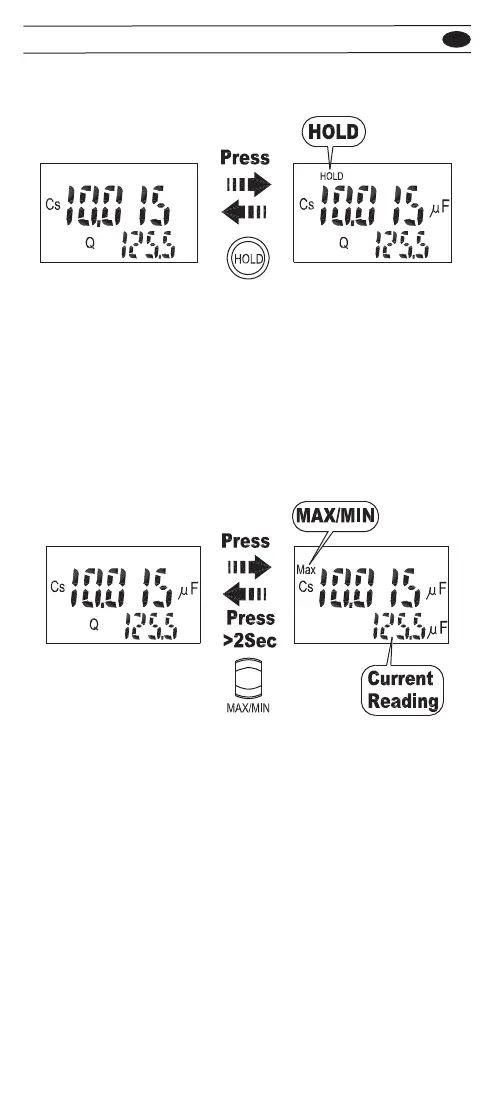
• Press the HOLD button to hold the reading of the meter,
press the button again to return.
The MAX/MIN mode records the maximum and the minimum
input values. When the inputs go below the recorded minimum
value or above the recorded maximum value, the meter beeps
and records the new value.
To use the MAX/MIN mode, follow the steps below.
1. Press the MAX/MIN button to enter the MAX/MIN mode.
The “MAX” appears on the display, the maximum value on
the main display and the current value on the sub display.
2. Press the MAX/MIN button to select the MAX or MIN display.
3. Press the MAX/MIN button for 2 seconds to exit this mode.
Display Hold
Display MAX/MIN
EN
703


 To Next Page