EasyManua.ls Logo

Appareo Stratus ES - User Manual

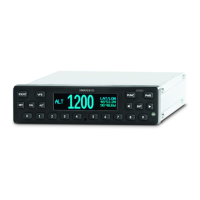
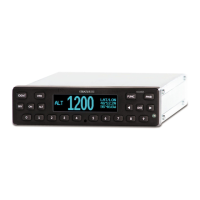
Appareo Stratus ES
45 pages
Print Icon
To Next Page IconTo Next Page
Loading...
This document and the information
contained herein are the property of
Appareo Systems, LLC and are
confidential. They may not be disseminated
or redistributed without the written
permission of Appareo Systems, LLC
APPAREO SYSTEMS, LLC
FARGO, NORTH DAKOTA 58102
Stratus ES/ESG Installation Instructions
Document Number
600840-000031
Document Type
Certification
Last Revised
20 February 2018
Rev
2.2
Sheet
1 of 45
Stratus ES/ESG
Installation Instructions
Revision 2.2

Table of Contents

Other manuals for Appareo Stratus ES

Questions and Answers

  • N
    Nicole CarterSep 13, 2025
    Why is my Appareo Stratus ES not receiving GPS information?
    • C
      carrie15Sep 14, 2025
      If your Appareo Marine Radio is not receiving GPS information, it could be due to a problem with the connection to the GPS position source. Verify that the connection between Stratus ES and the GPS position source is secure. Alternatively, the GPS position source may not be achieving GPS lock. Refer to the documentation for your GPS position source for troubleshooting.
  • Z
    Zachary BennettSep 15, 2025
    How to troubleshoot incorrect altitude displayed on Appareo Stratus ES?
    • T
      Todd PierceSep 16, 2025
      To troubleshoot an incorrect altitude display on your Appareo Marine Radio, first enter configuration mode on Stratus ES/ESG and verify that the altitude source is set as the currently used altitude source. Also, verify that the correct connections are made to the transponder. Use an altitude simulator to verify the cabling and verify that there is not a problem with the altitude source.
  • B
    Bryan CollinsSep 18, 2025
    What to do if Appareo Stratus ES Marine Radio transponder is not receiving the squat switch position?
    • J
      jonathanwhiteSep 18, 2025
      If the Appareo Marine Radio transponder isn't receiving the squat switch position, check the connections and the pin-out of the transponder to verify that the squat switch port is correctly connected. Also, verify that the squat switch works independent of the transponder.
  • J
    John Davis DVMNov 19, 2025
    What to do if the Appareo GPS display screen shows a warning message?
    • W
      whiterobertNov 19, 2025
      If the display screen on your Appareo GPS shows a warning message and a degraded state indicator, it means one of the built-in tests has failed. Here's what the messages mean and what you should do: * **PRESS FUNC TO CLEAR:** A non-critical error. The GPS will work in a limited way until fixed. Contact your dealer. * **PLEASE RESTART UNIT:** A serious error. Restarting might help. If the message comes back, contact your dealer. * **PLEASE SHUTDOWN UNIT:** A critical error. Turn the unit off and leave it off. Contact your dealer. * **WAITING TO BE UNSTUCK:** A key is held down too long (over 20 seconds). Check if a key is stuck and try to release it. * **WAITING FOR RELEASE:** The external suppression input is always on. Contact your dealer. * **ATTEMPTING TO RECOVER:** A squit...

Summary

About Stratus ES;ESG

Overview

Provides a general overview of Stratus ES/ESG transponders and their capabilities.

TSO and FCC compliance

Details the Technical Standard Orders (TSO) and FCC compliance for Stratus ES/ESG.

Environmental qualifications

Specifies the environmental qualifications and testing standards met by Stratus ES/ESG.

Criticality level

Defines the criticality level of Stratus ES/ESG based on safety assessments.

Compatible equipment

Lists the compatible antennas, GPS sources, and altitude encoders for Stratus ES/ESG.

GPS

Covers GPS position sources for Stratus ES and GPS antennas for Stratus ESG.

Transponder antenna

Specifies requirements and examples for compatible transponder antennas.

Altitude encoder

Outlines the requirements for compatible altitude encoders for Stratus ES/ESG.

Installing Stratus ES;ESG

Backplate and rack installation

Details the process for installing the backplate and mounting rack for the transponder.

Unit installation

Step-by-step guide for physically installing the Stratus ES/ESG unit into the rack.

Cabling and wiring

Cabling and wiring specifications

Covers specifications for wiring, including gauge, routing, and FAA guidelines.

Pins

Details the pin assignments and pin-out for Stratus ES/ESG connectors.

Configuring Stratus ES;ESG

ICAO address

Instructions for entering the aircraft's 6-digit hexadecimal ICAO address.

VFR squawk

Details how to enter the VFR squawk code, with default and emergency codes noted.

Functional tests

Discrete inputs

Tests the functionality of discrete inputs like standby, IDENT, and squat switch.

Analog inputs

Tests analog inputs for lighting bus and ambient light sensor.

Altitude

Verifies the altitude displayed is correct by checking the altitude diagnostic screen.

EMI check

Tests for electromagnetic interference effects on aircraft systems.

Flight test

Recommends a flight test to verify proper operation and installation of Stratus ES/ESG.

Using Stratus ES;ESG

Mode selection keys

Describes each transponder mode and their automatic transitions during flight.

Entering a squawk code

Step-by-step instructions for entering the aircraft's squawk code.

Entering the flight identification number

Instructions for entering the flight identification number into the Stratus ES/ESG.

Troubleshooting

GPS information is not being received

Steps to troubleshoot when GPS information is not being received by Stratus ES/ESG.

GPS antenna signal quality is reduced (Stratus ESG only)

Steps to troubleshoot reduced GPS antenna signal quality for Stratus ESG.

Transponder is not receiving the squat switch position

Troubleshooting steps for when the transponder does not receive squat switch input.

The power key does not power on Stratus ES;ESG

Steps to troubleshoot if the power key is not powering on the unit.

The altitude displayed is incorrect

Steps to troubleshoot incorrect altitude display on Stratus ES/ESG.

The screen displays a transmitter failure error message

Troubleshooting steps for "transmitter failure" error messages.

The screen displays a Built in Test (BIT) failure

Guidance on assessing and resolving Built In Test (BIT) failure messages.

Appareo Stratus ES Specifications

General IconGeneral
BrandAppareo
ModelStratus ES
CategoryMarine Radio
LanguageEnglish

Related product manuals