iMac (21.5-inch, Late 2009) — General Troubleshooting 24
2010-11-18
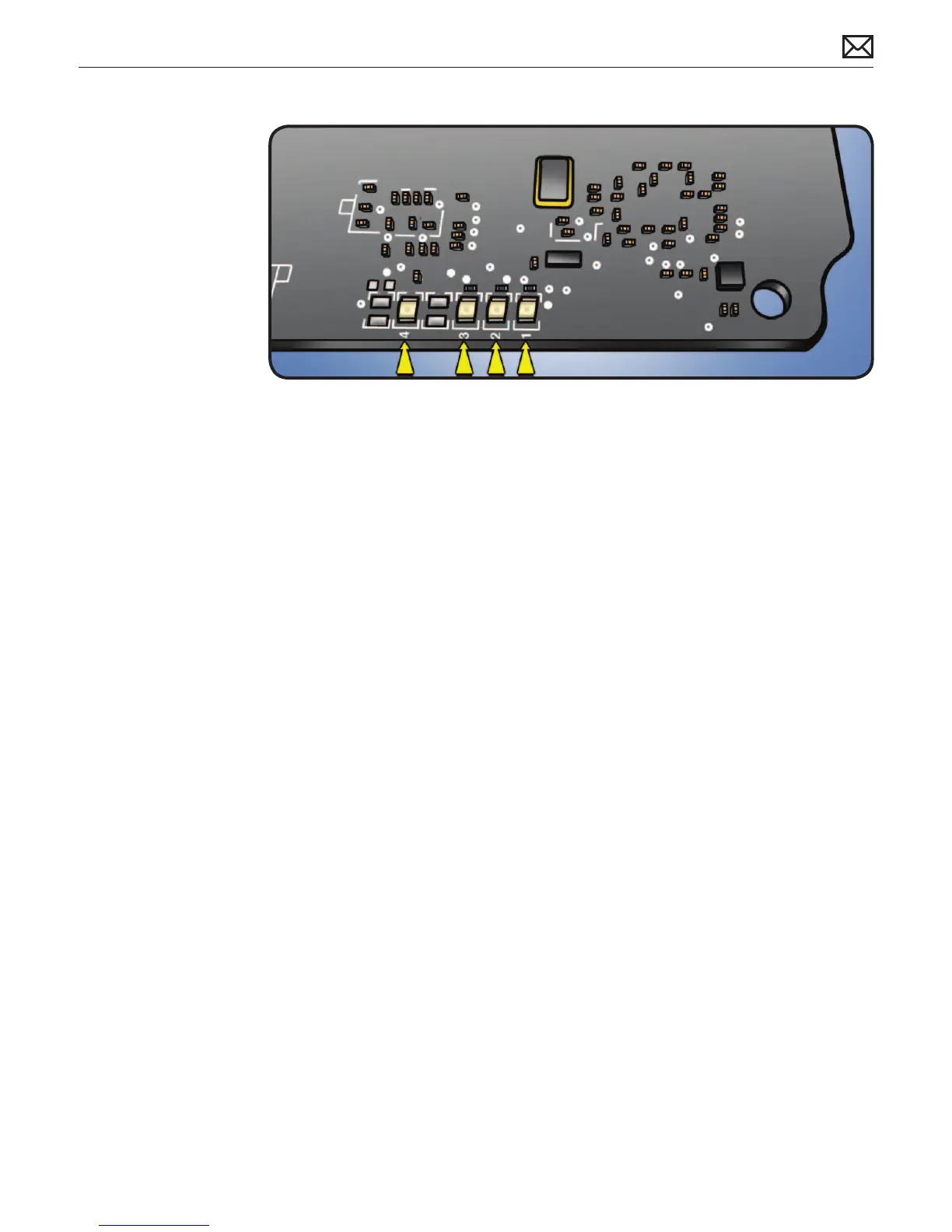
LED Functions
LED #1
• Indicates that trickle voltage from power supply has been detected by logic board. This LED
will remain ON whenever the iMac is connected to a working AC power source. The LED will
remain on even when computer has been shut down or put to sleep. The LED will turn o
only if AC power source is disconnected or power supply is faulty.
LED #2
• Indicates that logic board has detected power from power supply when computer is
turned on. This LED will be ON when computer is turned on and power supply and voltage
regulators are working correctly.
LED #3
• Indicates that computer and video card are communicating. This LED will be ON when
computer is communicating properly with video card. If LEDs 1 and 2 are ON and you heard
the startup sound, but LED 3 is OFF, then video card might be installed incorrectly or need
replacement. Note: LED #3 is not present on models with integrated graphics.
LED #4
• Indicates that computer and LCD panel are communicating. This LED will be ON when
computer is turned on and video signal is being generated. If LED 4 is ON and there is
no image on display, then LCD panel, LED backlight board, or cables between might be
installed incorrectly or need replacement.



 To Next Page