14
eMac (ATI Graphics) Take Apart
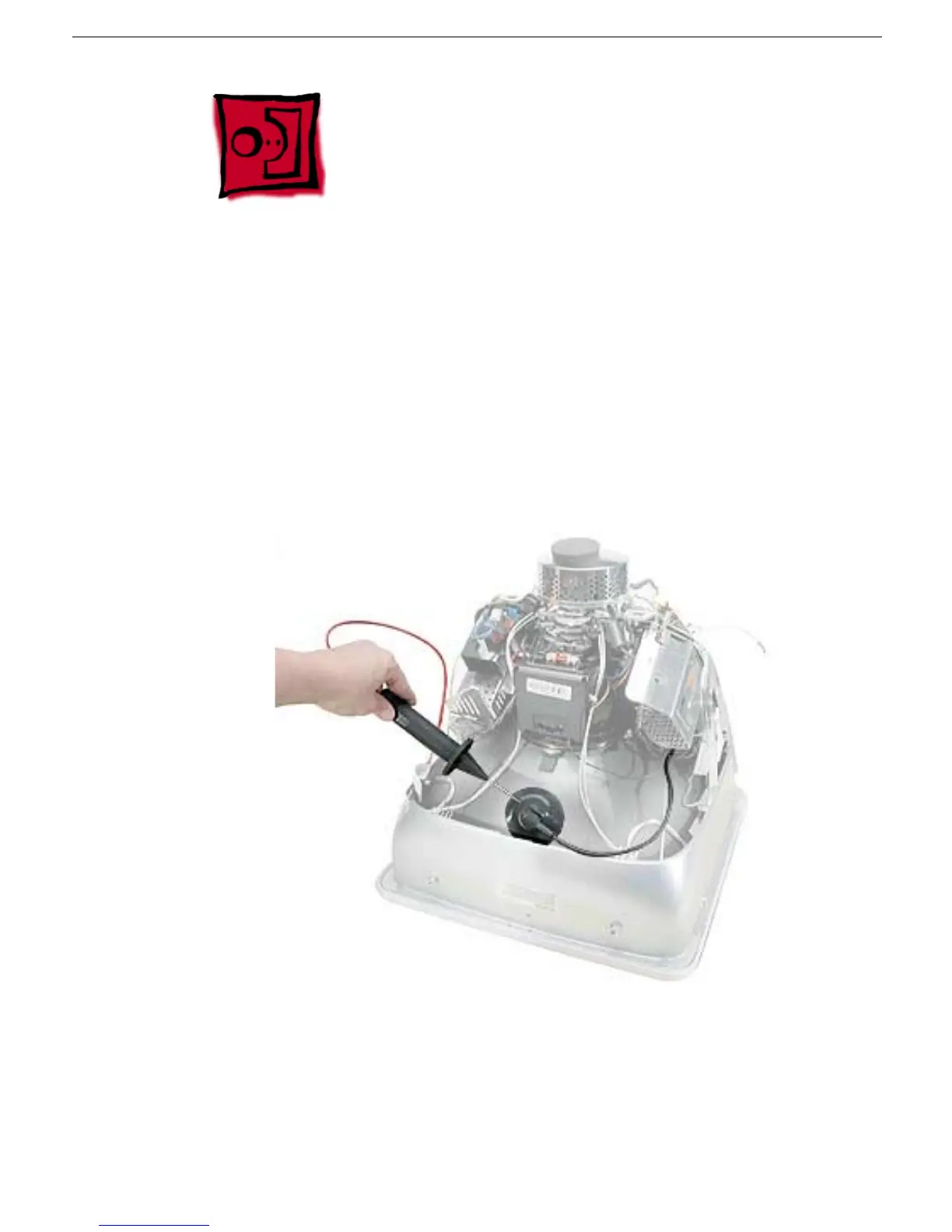
CRT Discharge
CRT Discharge
Warning:
This product contains high voltage and a high-vacuum picture tube. To prevent
injury, always review the Service Foundations: CRT Displays course for safety information.
It can be found at: http://service.info.apple.com/service_training/training.html. Click on
Desktop Certification Courses and select the Service Foundations: CRT Displays link.
Warning:
Never use a grounding wriststrap until after discharging the CRT and setting up
an ongoing ground connection.
Safety Guidelines:
Whenever the rear housing of the computer is removed and before replacing a module,
you must
1. Discharge the CRT (shown below) and remove the anode cap.
2. Establish an ongoing ground by using a cable with alligator clips at both ends.
Connect one end to the anode aperture, and connect the other end to the metal CRT
frame (as shown below).
3. With the CRT discharged and the ongoing ground in place wear a grounding
wriststrap to prevent equipment damage from static electricity.



 To Next Page