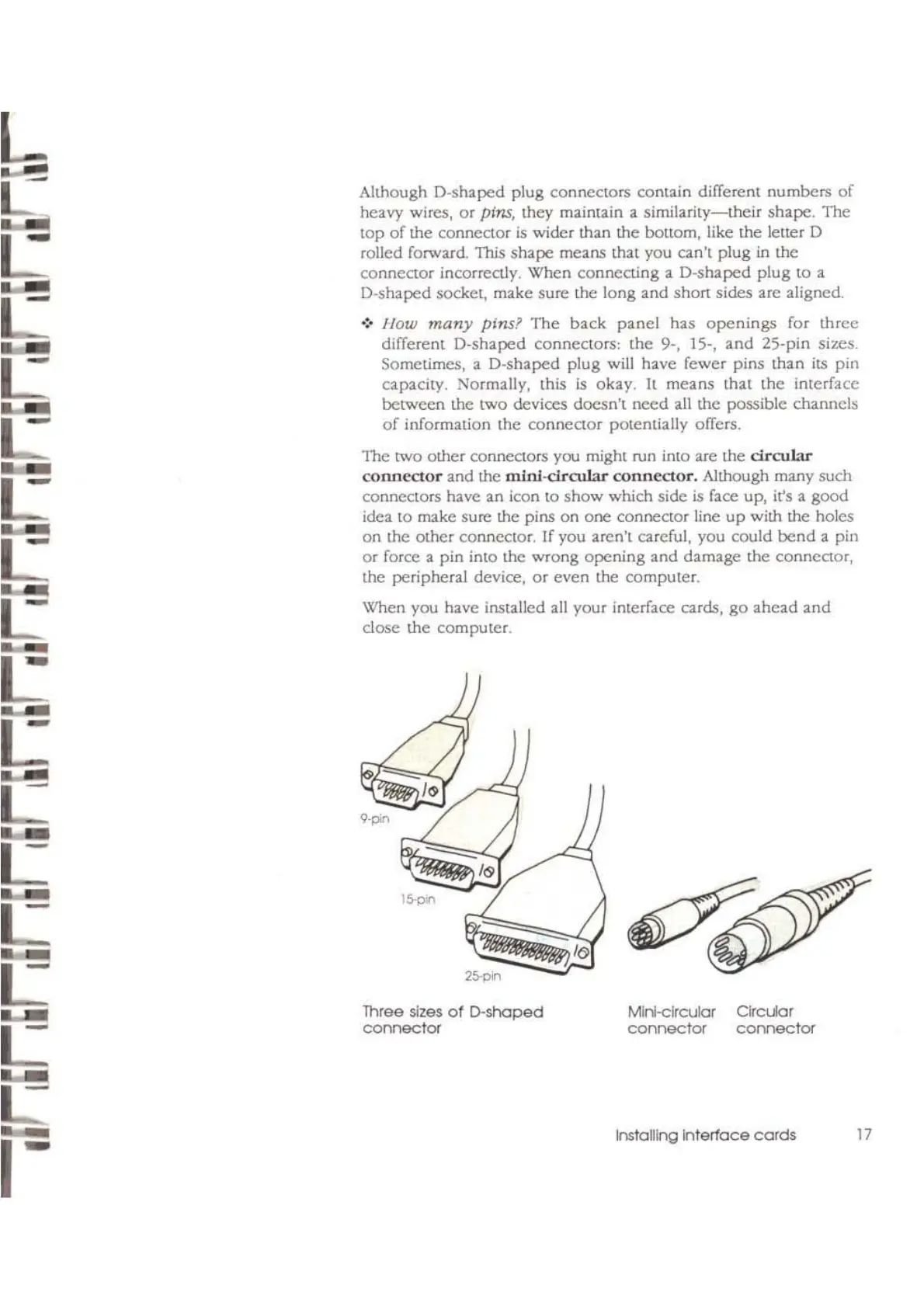
Although D-shaped plug connectors conlllin different
numbers
of
heavy wires,
Of
pins,
they maintain a
similarity-meir
shape.
The
top
of
the
connector
is
wider than the bottom, like
the
letter D
rolled forward. This
shape
means mal you can'l plug
in
the
connector incorrectly. When connecting a D-shaped
plug
to
a
D-shaped socket, make sure the long
and
shon
sides are aligned.
.:. J
Jow
many
pins?
The
back
panel
has
openings
for
three
different
D-shaped
conneClOrs;
the
9-, 15-,
and
25-pin sizes.
Sometimes, a D-shaped
plug
will have fewer
pins
than
ilS
pin
capacity. Normally, this
is
okay.
It
means
that
the
interface
between
the
twO
devices
doesn't
need
all
the
possible channels
of
information the
connector
potentially offers.
'Ine
two other connectors you might run into are the
drcuL-tr
connector
and
the
mlnJ-dr01lar
connector.
Although many such
connectors have
an
icon
to
show
which side
is
face up, it's a
good
idea
to
make sure the pins on one connector line
up
with the holes
on
the
other
connector. If you aren't careful, you could
bend
a pin
or
force a
pin
into the
wrong
opening
and
damage the connector,
the peripheral device,
or
even the computer.
When you have installed
all
your interface cards,
go
ahead
and
dose
the
computer.
17
MlnI·clrcular
Clrcuar
connector
connector
lnstaITIng
Interlace
cords
Three sizes
of
D-shaped
connector
L
L
L:
..
L
L



 To Next Page