EasyManua.ls Logo

Apple II - Page 36

Apple II
188 pages
Print Icon
To Next Page IconTo Next Page
To Previous Page IconTo Previous Page
Loading...
...
-
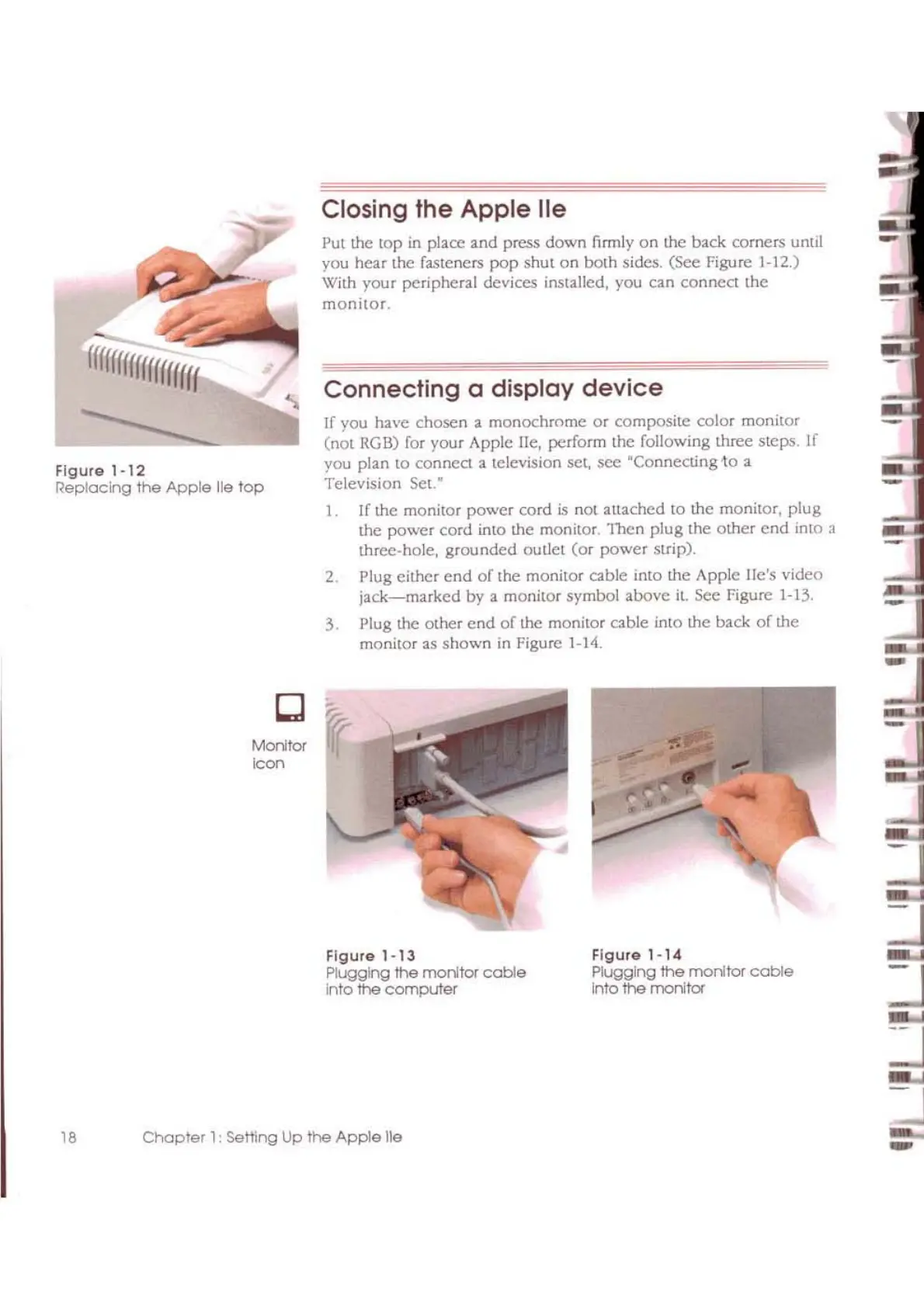
Figure
1-14
Plugging
the
monltcr
cable
Into
the
monitor
Figure
1-13
PluggIng
the
monitor
cable
Into
the
computer
If
you
have
chosen
a
monochrome
or
composite color monitor
(not
RGB) for your Apple lie, perform the following three steps. If
you plan
to
connect a television set,
sec
'Connecting
10 a
Television
Set.·
1.
If the monitor
power
cord
is
not attached
to
Lhe
monitor,
plug
the
power
cord into the monitor.
'I11cn
plug
the
other
cnd
into a
three-hole,
grounded
oULlet
(or
power
strip).
2.
Plug
either
end
of
Ihe
monitor
cable
into
the
Apple
He's
video
jack-marked
by
a monitor symbol
above
it.
sec
Figure 1-13.
3. Plug the Olher
end
of
the
monitor
cable
into
the
back
of
the
monitor
as
shown
in
figure
1-14.
Connecting
a display
device
Put the top
in
placc
and
press
down
firmly
on
the back comers until
you
hear
the fasteners
pop
shut
on
both
sides.
(See
Figure 1-12.)
With
your
peripheral devices installed, you can
connect
the
monitor.
Closing
the
Apple
lie
MOOtcr
~on
Iflffffffffffff
fff
Figure
1-12
Replacing
the
Apple
lie
top
18
Chapter
1:
Setting Up
the
Apple
lie
-

Other manuals for Apple II

Related product manuals