-----
-
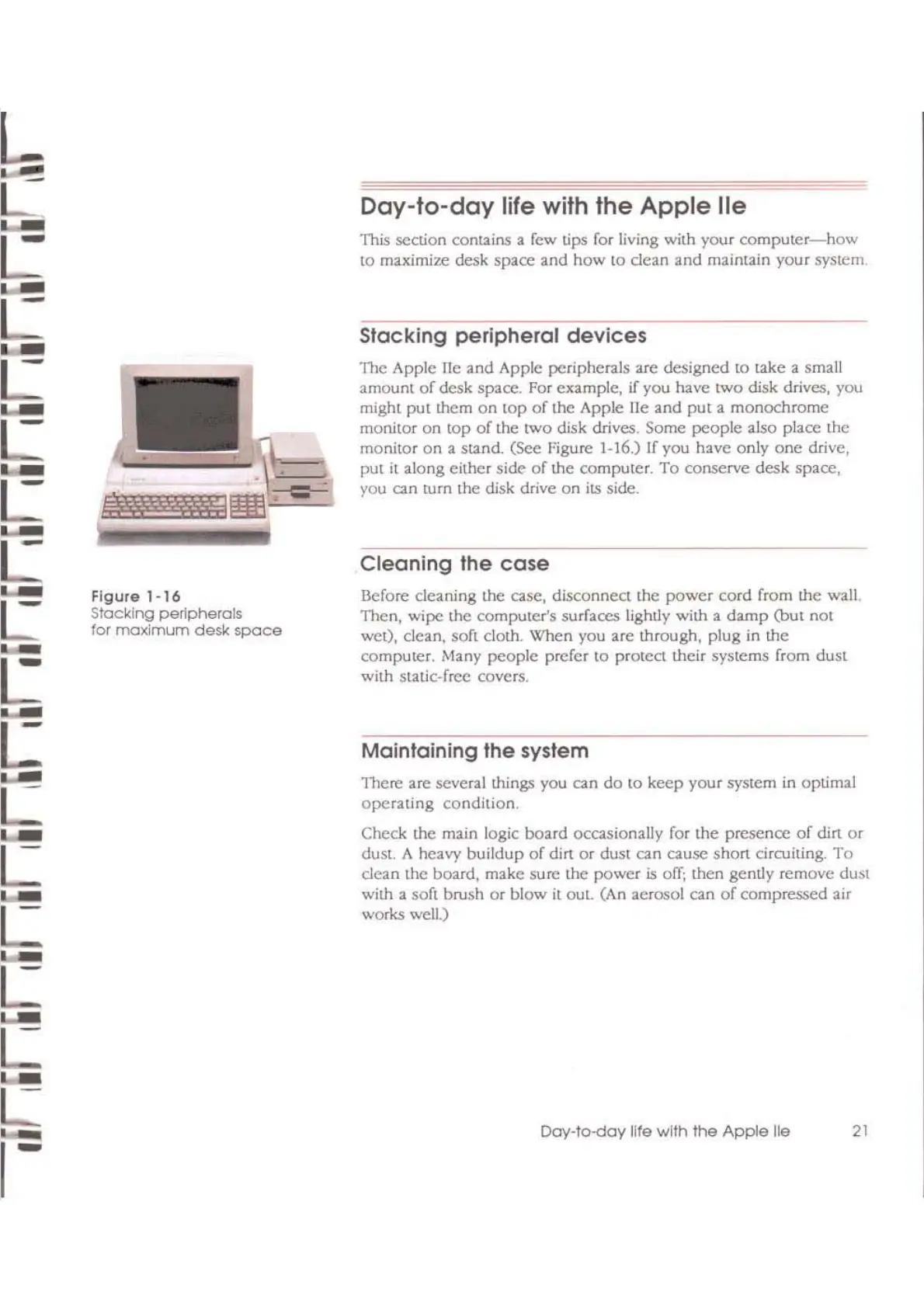
Figure
1-16
Slacking
peripherals
for
maximum
desk
space
Day-Io-day
life
wilh
Ihe
Apple
lie
This section contains a few lips for living with your
computer-how
to maximize desk space and
how
to
dean
and
maintain your system
Stacking peripheral devices
The Apple lie
and
Apple peripherals arc designed to take a small
amount
of
desk space. For example,
if
you have
two
disk drives, you
might
put
them
on
top
of
the Apple
lie
and
put
a monochrome
monitor
on
top
of
the
two
disk drives. Some
people
also place the
monitor
on
a stand. (See Figure 1-16) If you have only
onc
drive,
pUI
it along either side
of
the
computer.
To
conserve desk space,
you can turn
the
disk drive
on
its side.
Cleaning
the
case
Before cleaning the case,
disconnea
the
power
cord
from
the
waiL
Then,
wipe
the computer's surfaces lightly with a
damp
(bul
not
wet), clean, soft cloth. When you are through, plug in the
computer. Many people prefer
to
protect their systems from dust
with static-free covers.
Maintaining
the system
TIlere are several things you
on
do
to
keep your system
in
optimal
operating
condition.
Check the main logic board
ocosionally
for the presence
of
din
or
dust. A heavy buildup
of
dirt
or
dust
on
ousc
short drcuiting.
To
clean the board, make sure the power
is
off;
then gently remove dust
with a soft brush
or
blow
it
out. (An aerosol can
of
compressed air
works well.)
Day-to-doy
life
with
the
Apple
He
21



 To Next Page