iMac (24-inch) Take Apart — General Information 9
Tools Required
The following tools are required to service the computer:
ESD-safe workstation and mat
Soft, clean towel or cloth (to protect the display and removed parts from scratches)
Access card (Apple part number 922-7172)
Black stick (or other nonconductive nylon or plastic at-blade tool)
Phillips #1 screwdriver
Phillips #2 screwdriver
Torx T6 screwdriver (magnetized)
Torx T8 screwdriver (magnetized)
Torx T10 screwdriver (magnetized)
Flat-blade screwdriver
Permanent ink felt-tip pen
Orientation
For most repairs, the unit should be placed screen-side up, with the bottom facing toward you.
Most photos in this manual reect that orientation. The SO-DIMM slot is located beneath the
front bezel and is more easily accessed with the unit laying down on a soft, clean cloth.
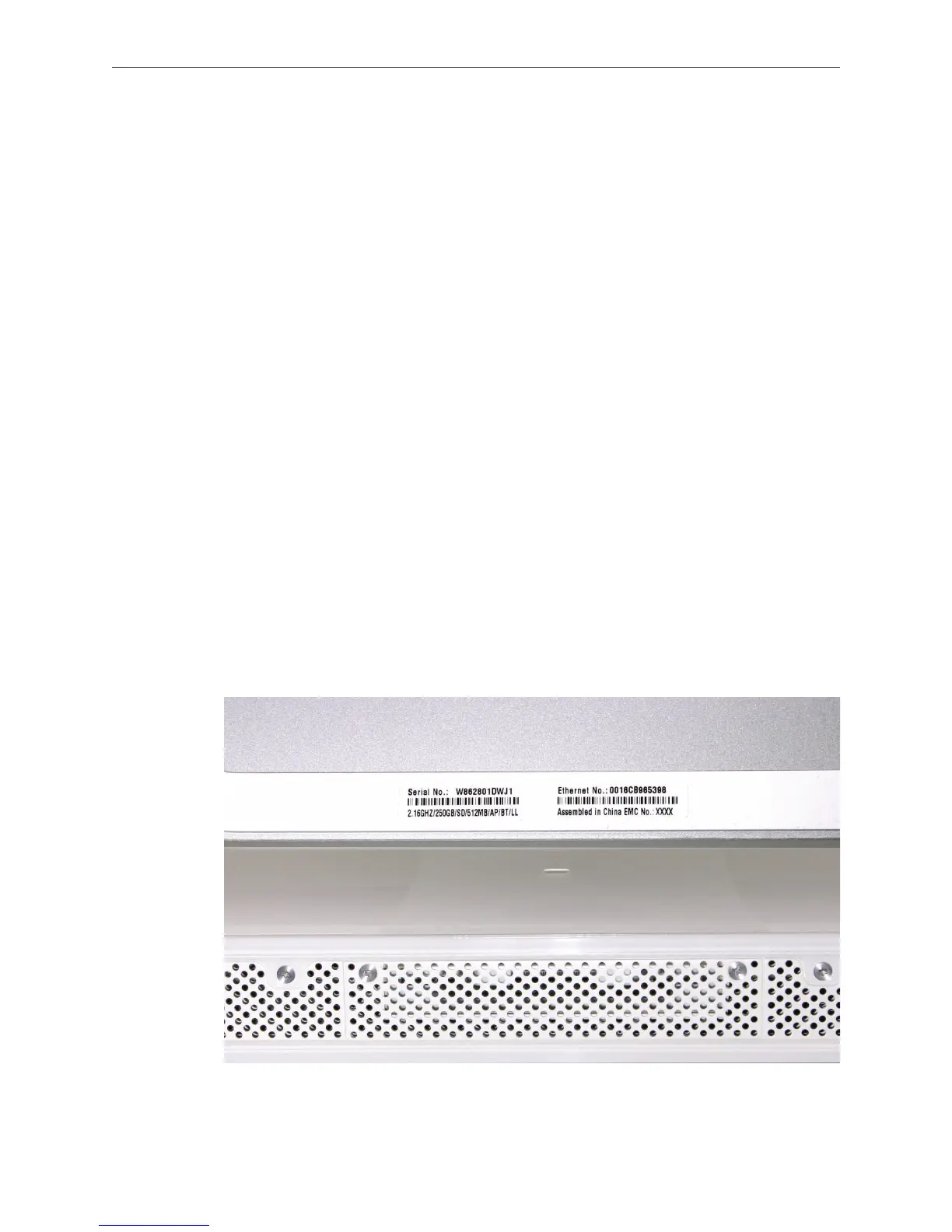
Serial Number Location
The computer’s serial number is located on the bottom of the computer stand.
•
•
•
•
•
•
•
•
•
•
•



 To Next Page