Mac Pro (Early 2008) Take Apart — Memory Cage with Rear Fan 63
Procedure
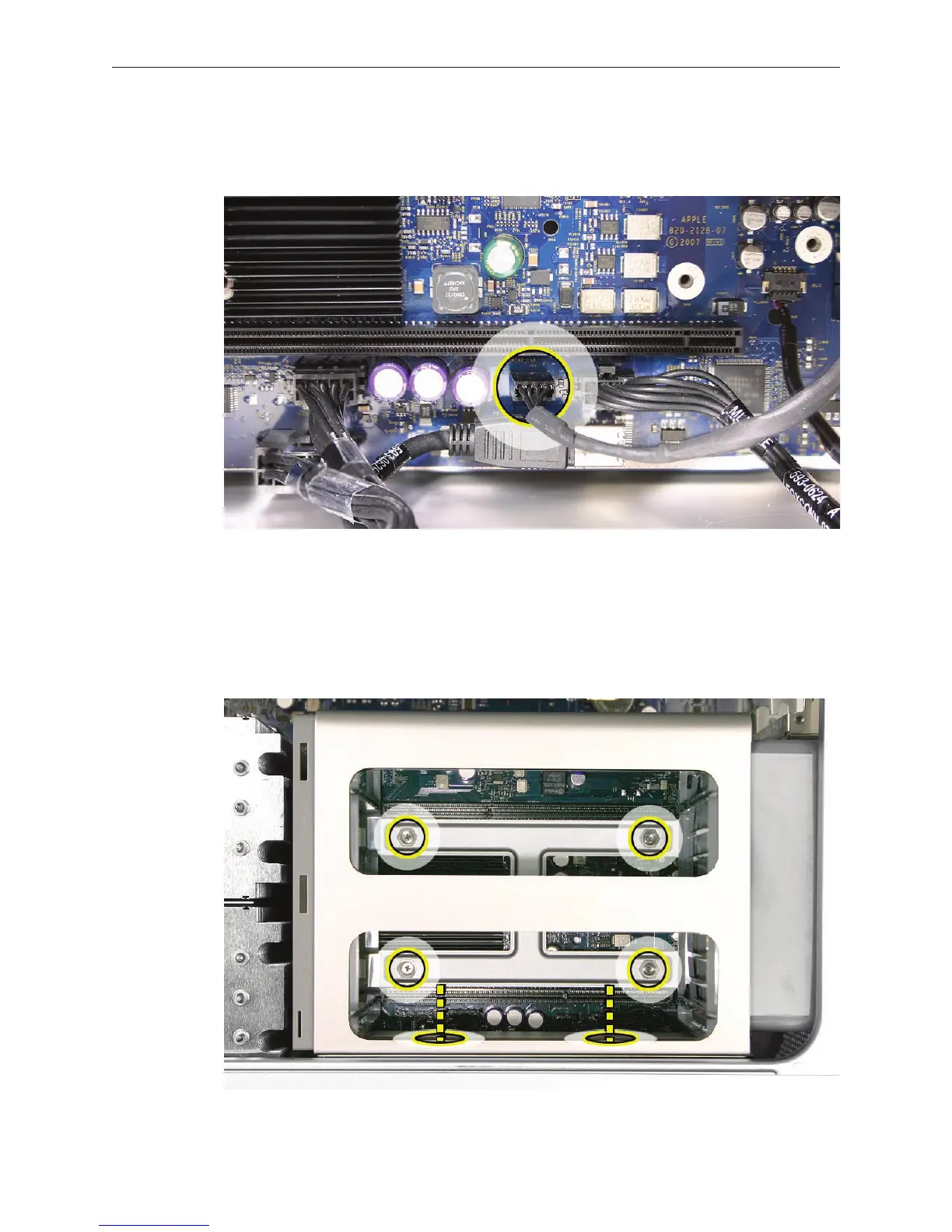
Disconnect the rear fan cable from the logic board. 1.
Using a long-handled, magnetized #1 Phillips screwdriver, loosen the four captive screws that 2.
mount the memory cage to the logic board.
Rotate the computer so that it is standing vertically. Using a magnetized short-handled or 3.
right-angled jeweler’s #1 Phillips screwdriver, carefully remove the two short screws that
mount the memory cage to the bottom panel of the enclosure.


 To Next Page
 Loading...


