1 08 Macintosh
User's
Handbook
file and create a Fonts document.
To restore a font to the System file, use the same method as
when moving a font
to
the Fonts file. Select the font
to
be
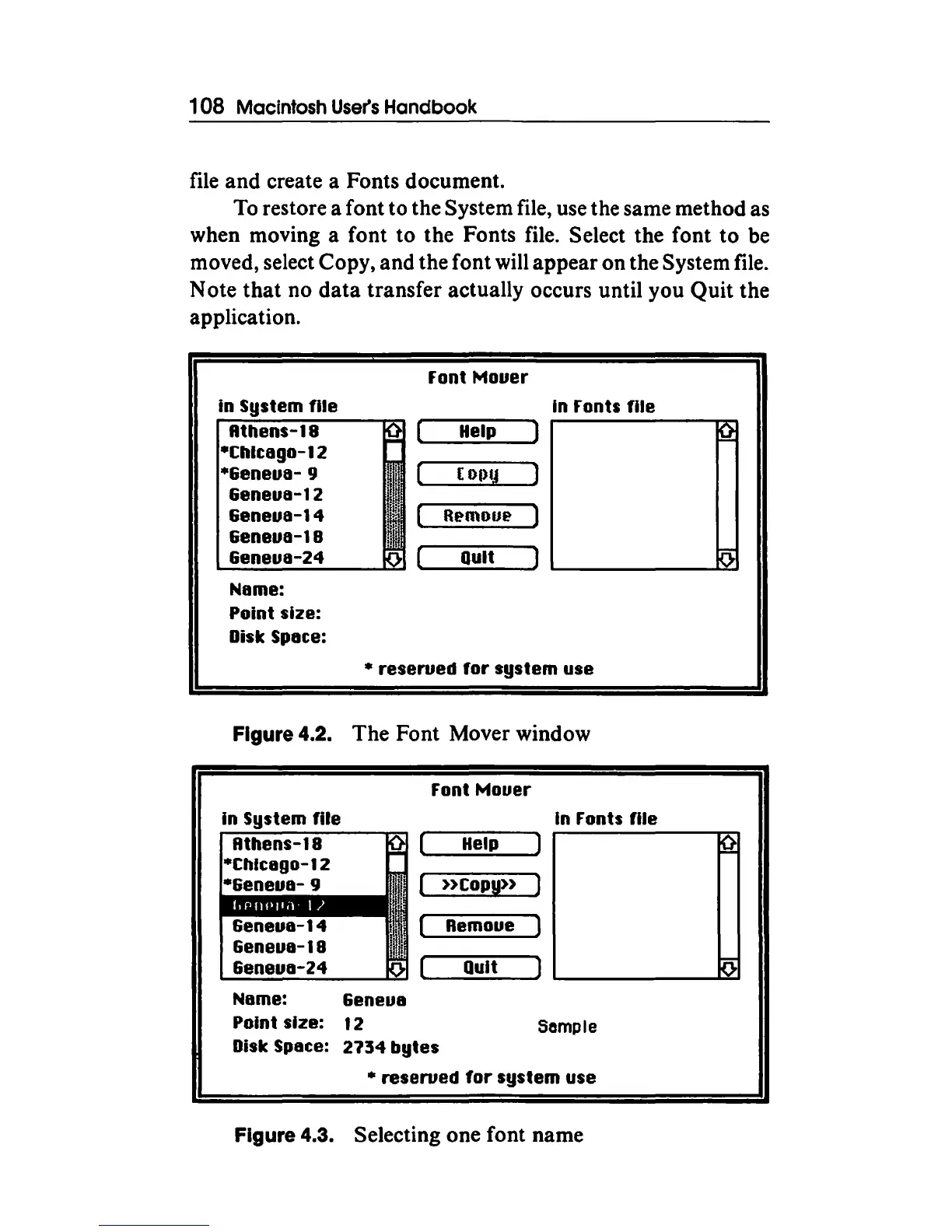
moved, select Copy, and the font will appear on the System file.
Note
that
no
data
transfer actually occurs until you Quit the
application.
in
System
file
Rthens-18
*Chltago-12
*6eneua-
9
&eneua-12
&eneua-14
Geneua-18
&eneua-24
Name:
Point size:
Disk Spate:
Font
Mouer
In Fonts
file
Help
( Of)(j
R~mou~
Quit
"'
reserued
for
system
use
Figure 4.2. The Font Mover window
Font
Mouer
Geneua-14
&eneua-18
&eneua-24
Name: 6eneua
Point size: 1 2
Disk Spate: 2734
bytes
Help
»Copy»
Remoue )
In Fonts
file
Quit )
'-------~
Sample
• reserued
for
system
use
Figure 4.3. Selecting one font name



 To Next Page