EasyManua.ls Logo

Apple Macintosh - Page 137

Apple Macintosh
321 pages
Print Icon
To Next Page IconTo Next Page
To Previous Page IconTo Previous Page
Loading...
Exploring MacWrite 1.
39
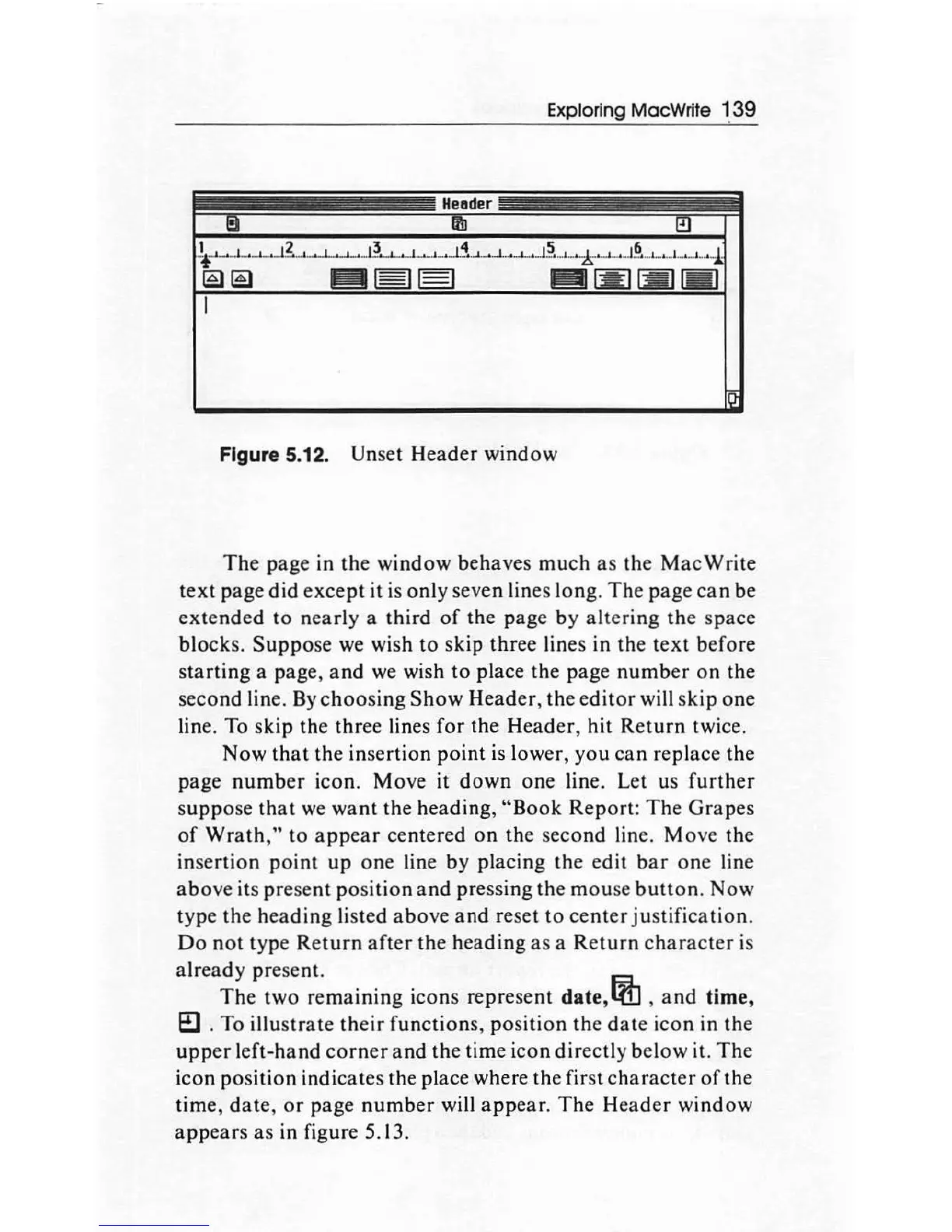
Figure 5.12. Unset Header window
The
page in the
window
behaves
much
as the
MacWrite
text
page
did
except
it is
only
seven lines
long
.
The
page
can
be
extended
to
nearly
a third
of
the
page
by
altering
the
space
blocks.
Suppose
we wish
to
skip three lines in the
text
before
starting
a page,
and
we
wish
to
place the page
number
on
the
second line.
By
choosing
Show
Header
, the
editor
will skip
one
line. To
skip
the three lines for the
Header
,
hit
Return
twice.
Now
that
the insertion
point
is lower,
you
can
replace the
page
number
icon. Move
it
down
one
line. Let us
further
suppose
that
we
want
the
heading
,
"Book
Report
:
The
Grapes
of
Wrath,"
to
appear
centered
on
the second line.
Move
the
insertion
point
up
one
line by placing the edit
bar
one
line
above
its
present
position
and
pressing the
mou
se
button.
Now
type
the
heading
listed
above
and
reset
to
center
justification.
Do
not
typ
e R
eturn
after
the
heading
as
a
Return
character
is
already
present.
The
two
remaining
icons represent date,
ijh
,
and
time,
e::J
. To
illustrate
their
functions, posi
tion
the
date
icon in the
upper
left-hand
corner
and
the
time icon directly below it.
The
icon
position
indicates the place where the
fi
rst ch
arac
ter
of
the
time,
date
,
or
page
number
will
appear.
The
Head
er
window
appears
as
in figure 5.13.

Other manuals for Apple Macintosh

Related product manuals