EasyManua.ls Logo

Apple Macintosh - Page 138

Apple Macintosh
321 pages
Print Icon
To Next Page IconTo Next Page
To Previous Page IconTo Previous Page
Loading...
140 Macintosh
User's
Handbook
--
----
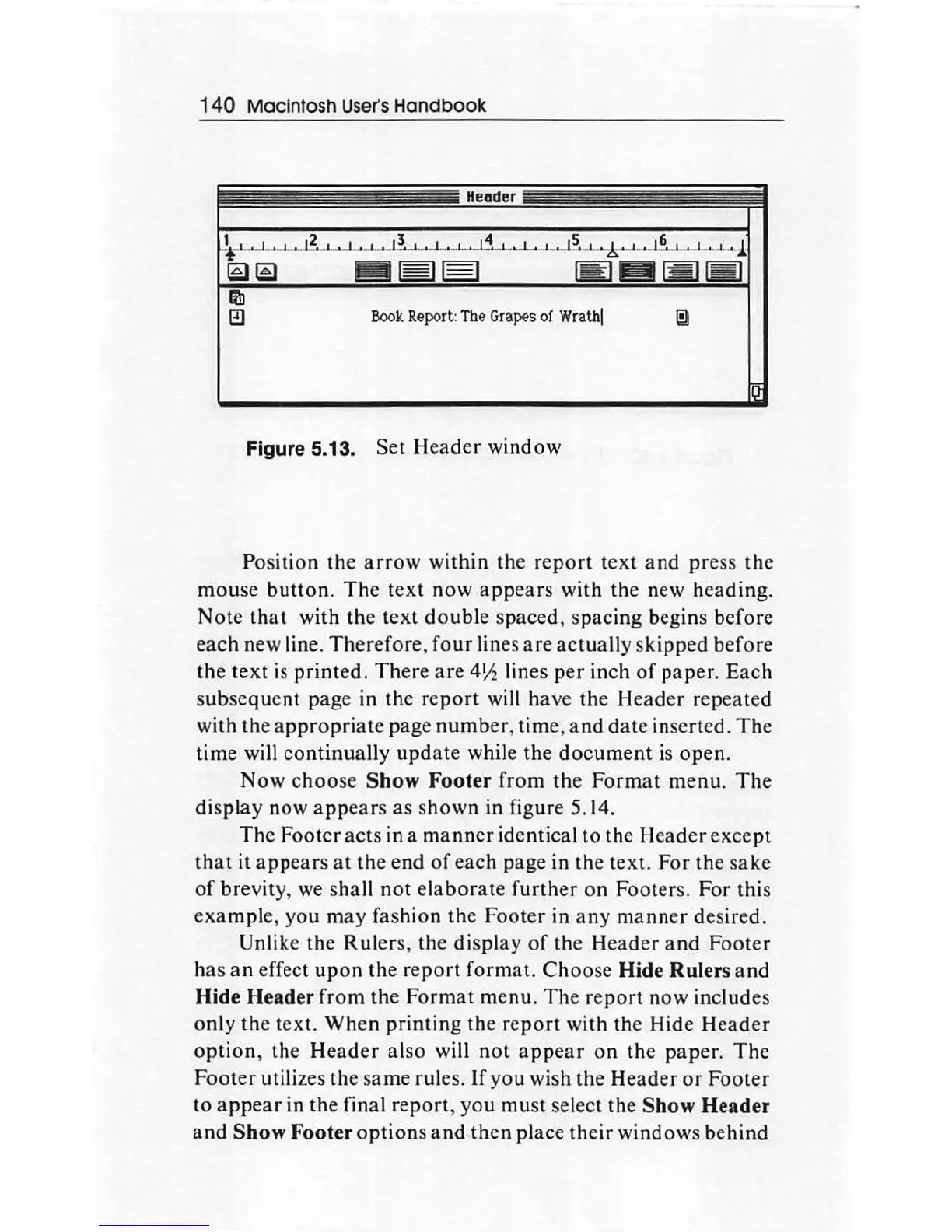
Header
-
--
---=----
-
~----
Figure 5.13. Set
Header
window
Position the
arrow
within the
report
text
and
press the
mouse
button.
The
text
now
appears
with the new
heading.
Note
that
with the
text
double
spaced, spacing begins before
each
new line.
Therefore
,
four
lines
are
actually
skipped
before
the
text
is
printed.
There
are
4\12
lines
per
inch
of
paper.
Each
subsequent
page in the
report
will
ha
ve
the
Header
repeated
with the
appropriate
page
number
, time,
and
date
inserted.
The
time will
conti
nu
ally
update
while the
document
is
open.
Now
choose
Show
Foote
r
from
the
Format
menu.
The
display now
appears
as
shown
in figure 5.14.
The Footer
acts
in a
manner
identical
to
the
Header
except
that
it
appears
at
the end
of
each
page in the text. For the
sake
of
brevity, we shall
not
el
aborate
further
on
Footers.
For
this
example
, you may fashion the
Footer
in
any
manner
desired.
Un
li
ke
the Rulers, the
display
of
the
Header
and
Footer
h
as
an
effect
upon
the
report
format.
Choose
Hide
Rulers
and
Hide
Header
from
the
Format
menu.
The
report
now
includes
only the text.
When
printing
the
re
port
with
the Hide
Header
option,
the
Header
also will
not
appear
on
the paper.
The
Footer
utilizes the
same
rules.
If
you wish the
Header
or
Footer
to
appear
in the final
report,
you
must
select the
Show
Header
and
Show
Footer
options
and
then
place
their
windows
behind

Other manuals for Apple Macintosh

Related product manuals