EasyManua.ls Logo

Apple Macintosh - Saving and Printing MacWrite Documents

Apple Macintosh
321 pages
Print Icon
To Next Page IconTo Next Page
To Previous Page IconTo Previous Page
Loading...
Exploring MacWrite 149
Saving the Document
In
mo
st cases,
the
operator
will need
to
save. the
Ma
c
Writ
e
document
for
future
reference.
Sev
er
al
method
s
are
available
for
saving a
document.
The
most
simple
of
the
se is
to
choose
Save
from
th
e File
menu.
After
about
ten seco
nd
s,
the
new
docum
e
nt
will
appear
on
the
disk
replacing
the
old version.
You
may
wi
sh
to
sa
ve
documents
at
r
eg
ular
int
ervals
to
avoid
losing work
due
to
a
pow
er
interruption.
In
addition
,
severa
l
other
command
s will initiate
th
e
Save
procedur
e. If a
MacWrite
document
ha
s been altered in
any
way
,
or
if it is a new
document
,
the
Ciosecomm
and will initiate
the
window
s
hown
in figure 5.3. You
may
have used this
window
when
taking
br
eaks. A new
do
cu
me
nt
will
th
en give
ri
se
to
figure 5.4 as well.
Choose
Text Only
to
save
th
e
text
without
formatting,
pictures,
and
special
menu
op
tions such
as
fonts. You can
open
a t
ex
t-onlydocum
e
nt
only
f
rom
the
finder.
Certain
M
ac
applications
only
accept
th
e t
ex
t-onl
y
form
of
a
MacWrit
e
do
c
ument.
Follow
th
e in
str
uc
tion
s and give the
appropriate
res
pon
ses
to
obtain
th
e desired results.
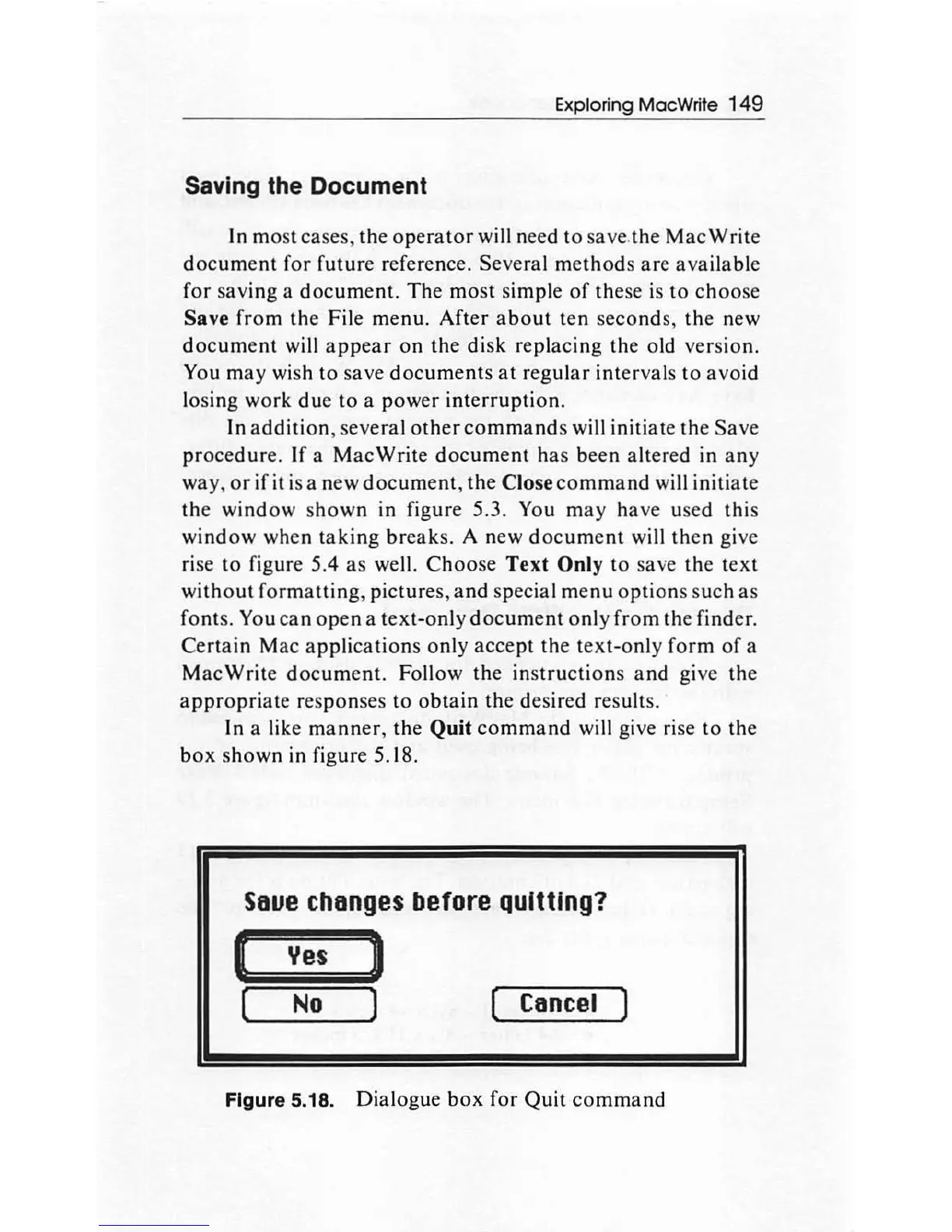
In
a like
manner
, the Quit
command
will give
ri
se
to
the
box
s
hown
in figure 5.18.
seue
changes
before
quitting?
(
Yes
)
[
No
) (
Cancel
)
Figure 5.18.
Dialogu
e
box
for
Quit
command

Other manuals for Apple Macintosh

Related product manuals