EasyManua.ls Logo

Apple Macintosh - Page 149

Apple Macintosh
321 pages
Print Icon
To Next Page IconTo Next Page
To Previous Page IconTo Previous Page
Loading...
Exploring
MacW
ri
te
151
Paper: ®
us
Le
tt
er
0 us Lege I
Orientation: ® Tall
0 R
<t
Le
tte
r
0
lnt
ernetionel Fenfold
0 Tall
Rdjusted 0
Wid
e
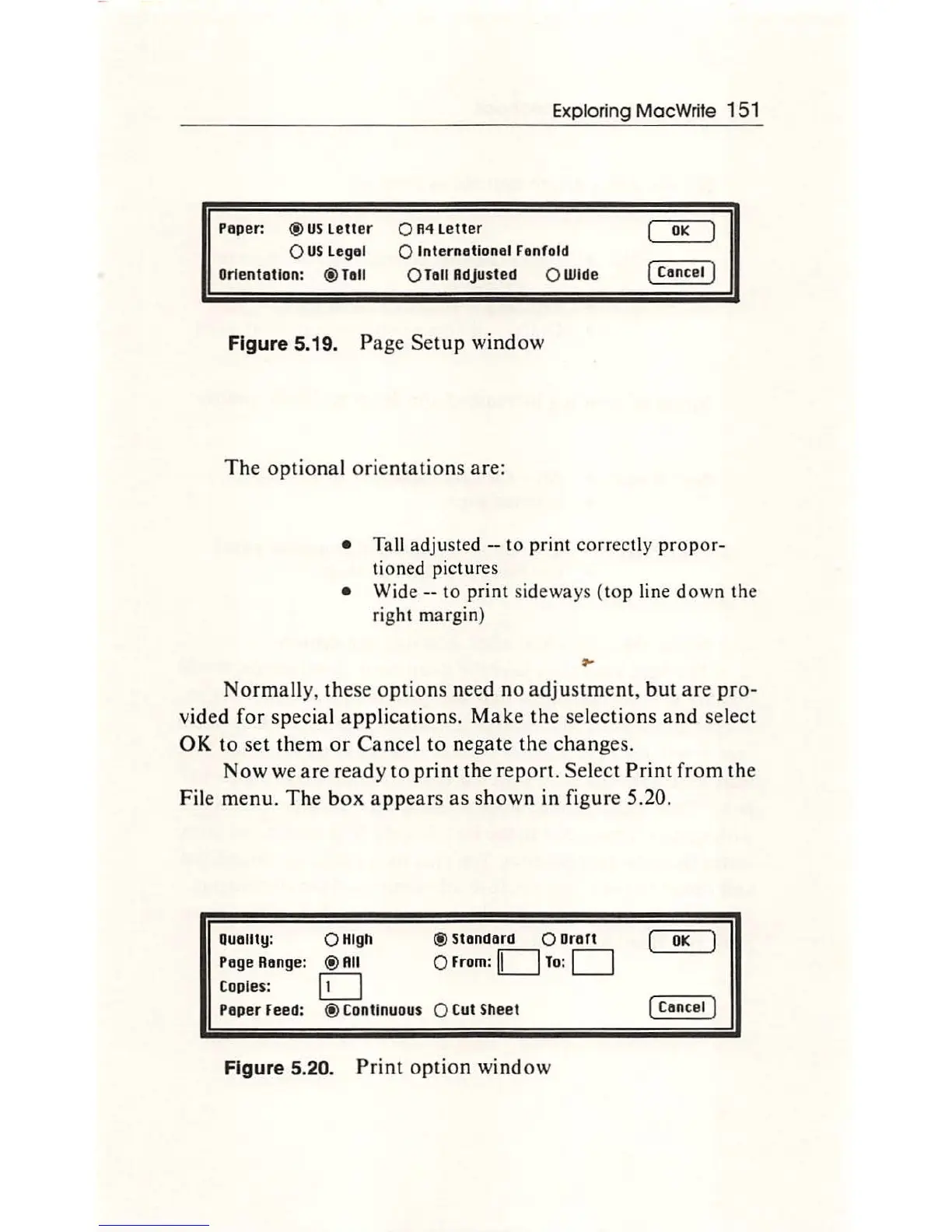
Figure 5.19. Page Se
tup
window
Th
e optional
or
ientations are:
OK
[ Cancel )
Ta
ll
a
dju
sted
--t
o print
co
rr
ectly p
ropo
r-
tioned pic
tu
res
W ide
--
to
pr
i
nt
sideways
(top l
ine
d
own
t
he
rig
ht
m
argin)
No
rm
a
ll
y,
these
opt
ions need no adju
st
me
nt
,
bu
t
are
pro-
vided for special appli
ca
tions. Make
th
e selections and sel
ec
t
OK
to
set
th
em
or
Ca
ncel to negate
th
e changes.
Now we are ready to
print
th
e repor
t.
Select
Prin
t from
th
e
F
il
e menu.
Th
e b
ox
a
pp
ears as sh
ow
n in figure 5.20.
ouauty:
Page
Reng
e:
Copies:
Paper
Feed:
0 High
@
RII
D
®C
on
tinuous
® Standard
0
Draft
0 From: D
To:
0
0C
ut
Sh
eet
Figure 5.20. Print
op
tion
wi
nd
ow
OK
[Ca
n
ce
l J

Other manuals for Apple Macintosh

Related product manuals