EasyManua.ls Logo

Apple Macintosh - Page 153

Apple Macintosh
321 pages
Print Icon
To Next Page IconTo Next Page
To Previous Page IconTo Previous Page
Loading...
Exploring MacWrite 155
Undo/
Redo--
used to negate
or
restore recent
actions
Cut
--
to
remove selections
to
the Clipboard
Copy--
to
copy
se
lections
to
the Cl
ipboard
Paste--
to
inse
rt
selections from the
Clipboard
to
the
document
Show
/ Hide Clipbo
ard
--di
splays
or
hides the
Clipboard
SEARCH
MENU
This
menu
features two
commands
not
discussed
thus
far
.
These
are
the
Find
comma
nd
and
the
Change
command.
The
Find
command
will search
out
and
highlight
any
group
of
characters
for editing.
To
illus
trate,
access the
Sample
report
and
scroll
to
the
top
of
the page.
The
Search
function
will
start
at
the
insertion
point,
so place it
at
the
beginning
of
the
text.
Select Find from
the
Search
menu
.
The
window
appears
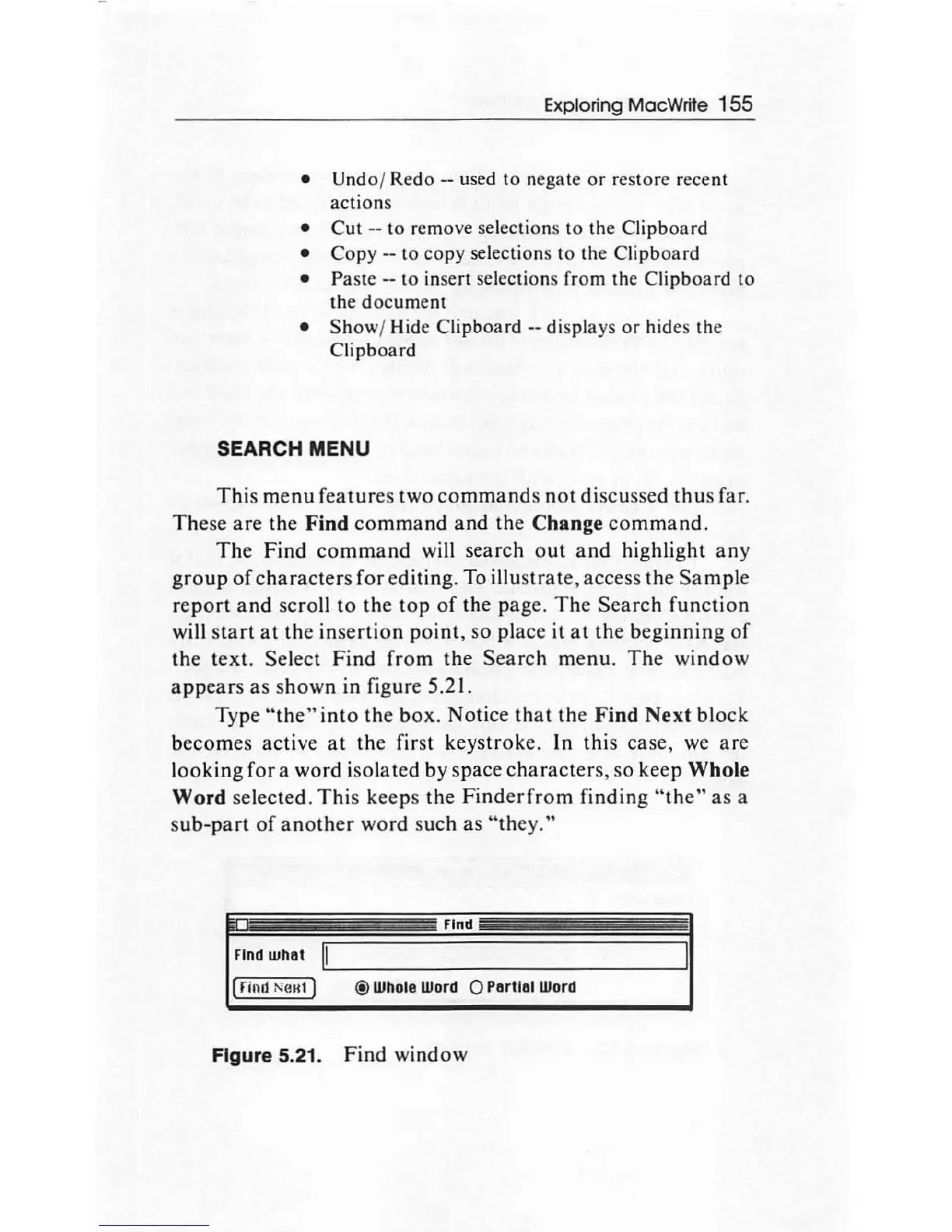
as shown in figure 5.21.
Type
"the"
into
the
box.
Notice
that
the
Find
Next
block
becomes active
at
the first keystroke. In this case, we are
looking
for
a word isolated by space
characte
rs, so keep Whole
Word
selected.
This
keeps
the
Finderfrom
finding
"the"
as
a
sub
-part
of
another
word such as "th
ey."
Find
Find
what
I~.:-.II
______________
...J
1
(rind
Neu1]
® Whole
Word 0 Partial Word
Figure 5.21. Find window

Other manuals for Apple Macintosh

Related product manuals