EasyManua.ls Logo

Apple Macintosh - Page 182

Apple Macintosh
321 pages
Print Icon
To Next Page IconTo Next Page
To Previous Page IconTo Previous Page
Loading...
184 Macintosh
User's
Handbook
THE
SELECTION
RECTANGLE
The
selecti
on
rectangle is designed
to
mo
ve rect
ang
ular
sh
ape
d
portion
s
of
the
MacPaint
docum
ent. After selecting
this o
ption
, which appears in
th
e
upp
er
right
corner
of
the
to
ols
bo
xes, the
arrow
changes
into
d
as
hed
cross
hairs on
th
e
dr
aw-
ing surface.
This
feature
functions
in a
manner
identical
to
th
e
sel
ec
tion
and
move
ment
of
multiple icons on the des
ktop
.
Pos
ition
the
cross
ha
ir
s
above
and
to th
e left
of
the picnic
ba
sket,
and
dr
ag
across
it.
The
mo
ving, dashed recta ngle
appears
as with
th
e Desktop
cas
e.
Releasing
th
e
mou
se
com-
pletes
the
rectangle. Every
portion
of
th
e bl
ock,
whether
bl
ack
or
white,
is
now
selected.
The
cross
h
airs
are
re
conver
ted
int
o
an
arrow
when moved
into
the selection r
ectang
le. To move
th
e
selection,
drag
with the
arrow
across
the
su
rf
ace. Notice
th
at
the rectangle's white
portions
s
uper
sede
th
e s
urroundin
g
dr
aw-
ing
over
which it passes.
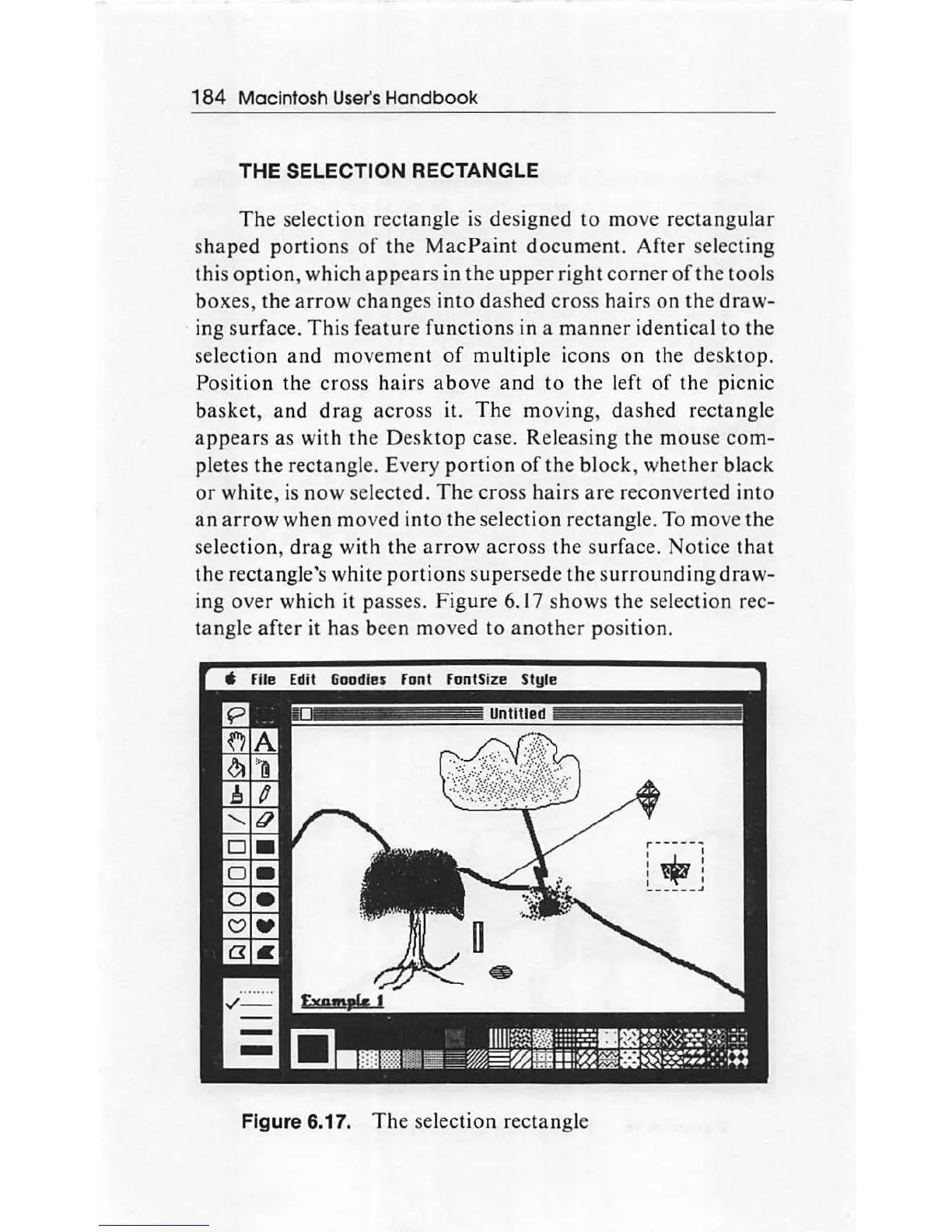
Figure
6. 17 shows the selection rec-
tangle
after
it has been moved
to
another
position.
-~----
-__
_:-:.___--
---
:==-
Figure 6.17.
Th
e sel
ect
ion
rec
tan
gle

Other manuals for Apple Macintosh

Related product manuals