EasyManua.ls Logo

Apple Macintosh - Page 184

Apple Macintosh
321 pages
Print Icon
To Next Page IconTo Next Page
To Previous Page IconTo Previous Page
Loading...
186 Macintosh Use(s Handbook
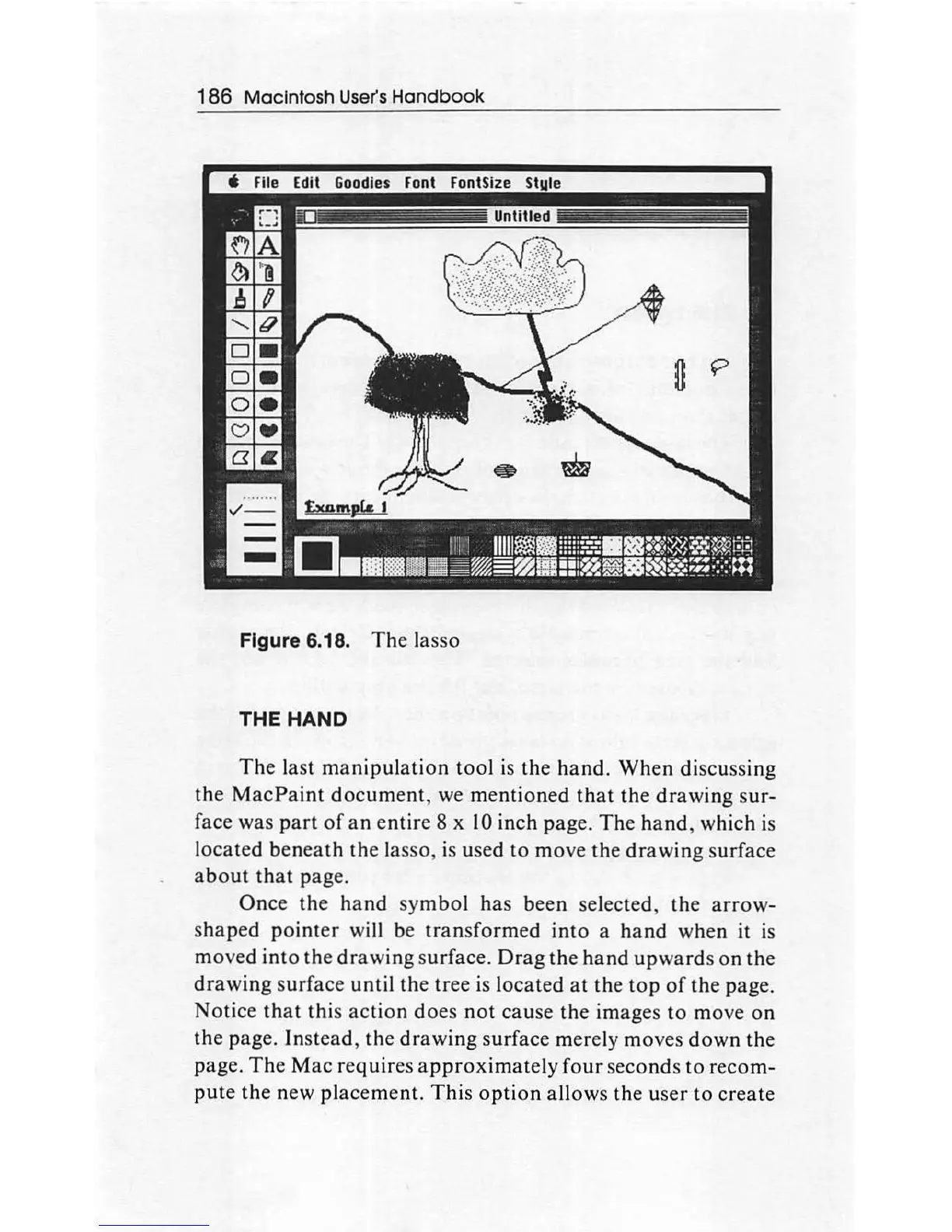
Figure 6.18.
The
lasso
THE
HAND
The
last
manipulation
tool is the
hand.
When
di
scussing
the
MacPaint
document
, we
mentioned
that
the
drawing
sur-
face was
part
of
an
e
ntir
e 8 x
10
inch page.
The
hand
, which is
l
ocated
beneath
the lasso, is used to
move
the
drawing
surface
about
that
page.
Once
the
hand
sy
mbol
has
been selected, the
arrow-
shaped
pointer
will be
transformed
into
a
hand
when it is
moved into the
drawing
surface.
Drag
the
hand
upwards
on
the
drawing
surface until the tree is located
at
the
top
of
the
page.
Not
ice
that
this a
ction
does
not
cause the images
to
move
on
the
page. In
stead,
the
drawing
surface merely moves
down
the
page.
The
Mac
requires a
ppr
oximately
four
seconds to
recom-
pute
the
new
placement.
This
option
allows the u
ser
to
create

Other manuals for Apple Macintosh

Related product manuals