226 Macintosh
User's
Handbook
To
enter the
data
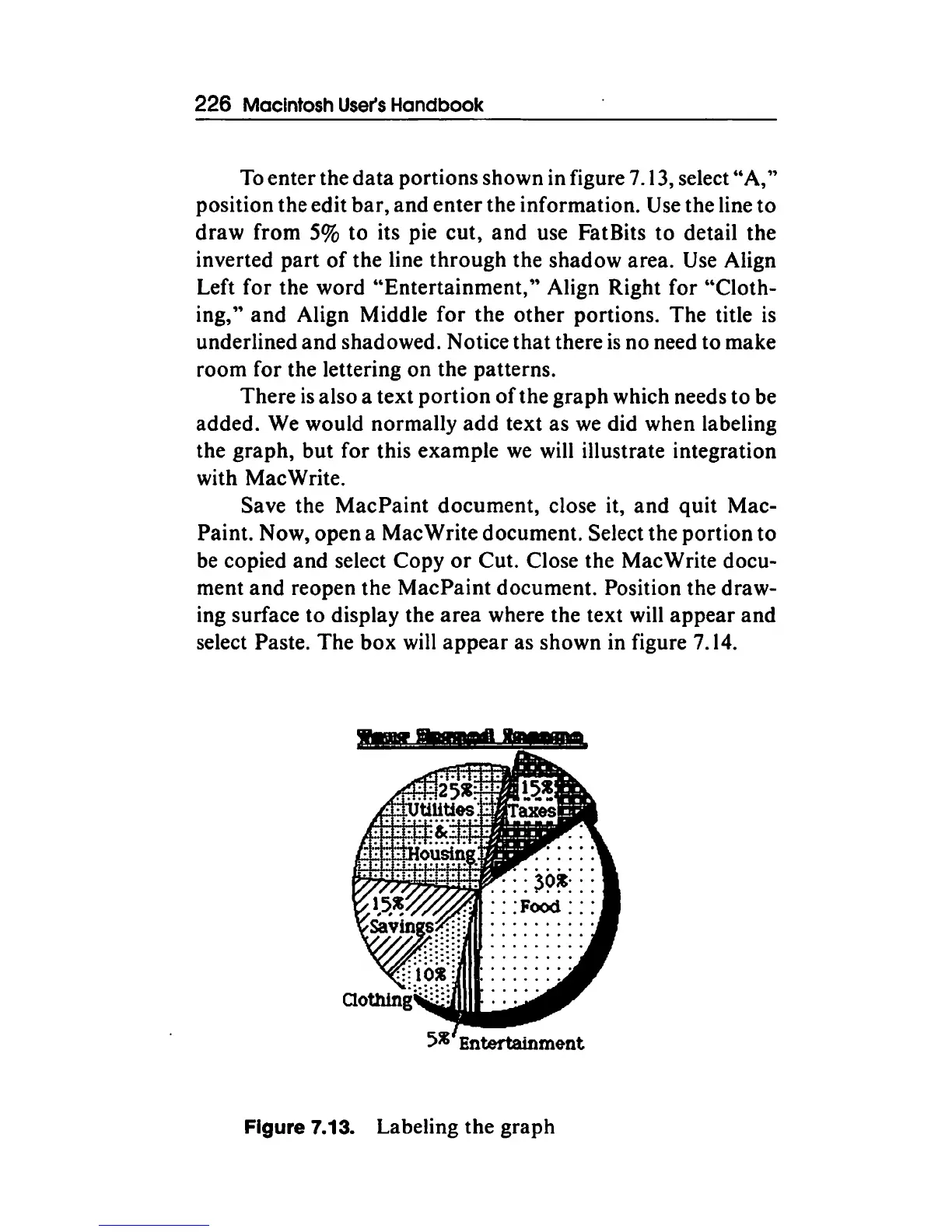
portions shown in figure 7 .13, select"
A,''
position the edit
bar,
and
enter
the information. Use the line
to
draw
from 5%
to
its pie cut,
and
use FatBits to detail the
inverted
part
of
the line
through
the shadow area. Use Align
Left for the word
"Entertainment,"
Align Right for "Cloth-
ing,"
and
Align Middle
for
the
other
portions. The title
is
underlined
and
shadowed. Notice
that
there
is
no need to make
room for the lettering on the patterns.
There
is
also a text
portion
of
the
graph
which needs
to
be
added. We would normally
add
text as
we
did when labeling
the graph, but for this example
we
will illustrate integration
with MacWrite.
Save the
MacPaint
document, close it,
and
quit
Mac-
Paint. Now, open a Mac Write document. Select the portion
to
be copied
and
select Copy
or
Cut. Close the MacWrite docu-
ment
and
reopen the
MacPaint
document. Position the draw-
ing surface to display the
area
where the text will
appear
and
select Paste. The
box
will
appear
as shown in figure 7.14 .
....
Figure 7.13. Labeling the graph



 To Next Page