228 Macintosh
User's
Handbook
5~
Entertainment
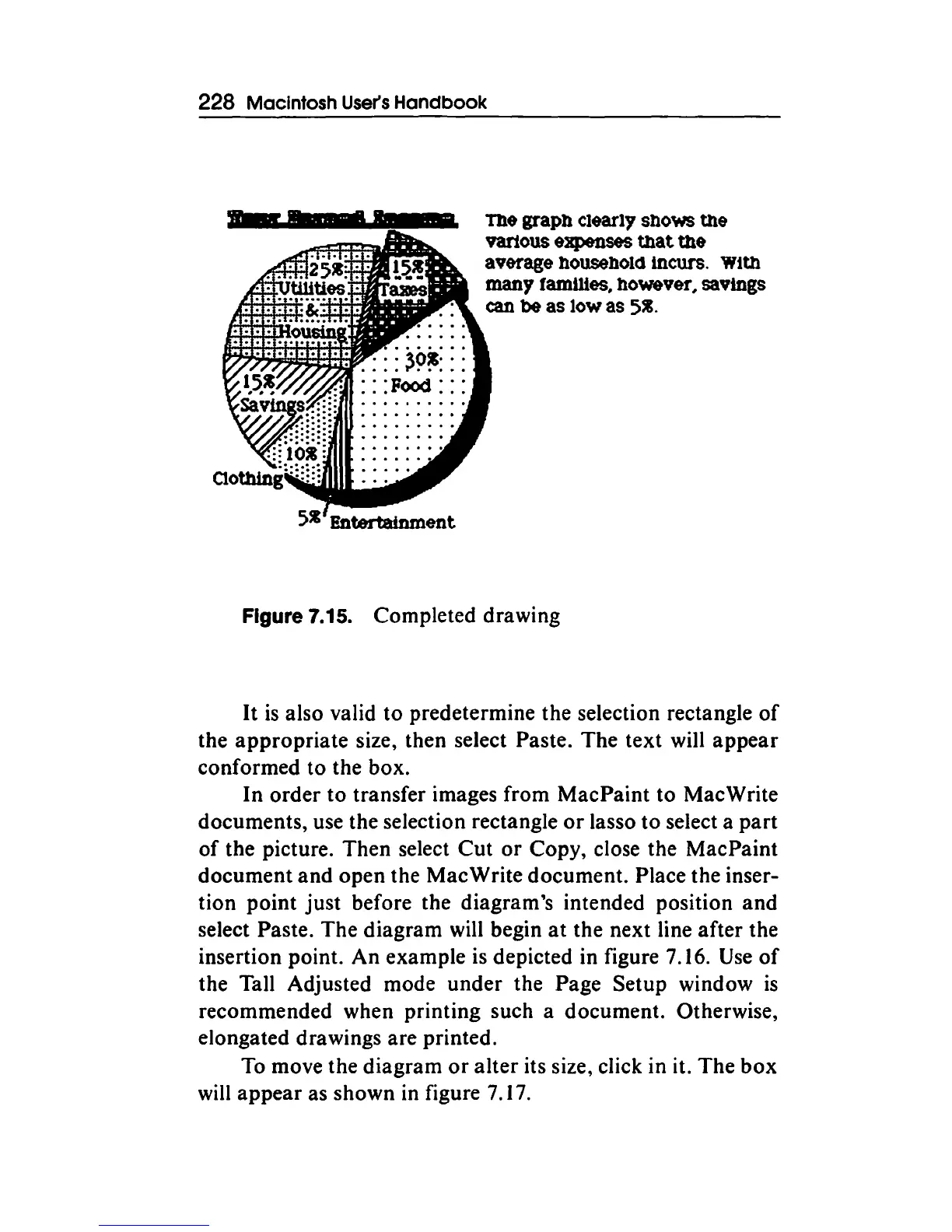
The graph clearly shows the
vartous expenses tllat tile
average household
Incurs.
Wtth
~yfa~n~es.ho~ver,savlngs
can
be
as
low
as
5~.
Figure 7.15. Completed drawing
It
is
also valid to predetermine the selection rectangle
of
the
appropriate
size, then select Paste. The text will
appear
conformed to the box.
In
order
to transfer images from MacPaint
to
Mac Write
documents, use the selection rectangle
or
lasso
to
select a
part
of
the picture. Then select
Cut
or
Copy, close the MacPaint
document
and
open the Mac Write document. Place the inser-
tion point
just
before the diagram's intended position
and
select Paste. The diagram will begin
at
the next line after the
insertion point. An example is depicted in figure 7.16.
Use
of
the Tall Adjusted mode under the Page Setup window
is
recommended when printing such a document. Otherwise,
elongated drawings are printed.
To
move the diagram
or
alter
its size, click in it.
The
box
will
appear
as shown in figure 7.17.



 To Next Page