EasyManua.ls Logo

Apple Macintosh - Page 249

Apple Macintosh
321 pages
Print Icon
To Next Page IconTo Next Page
To Previous Page IconTo Previous Page
Loading...
252
Maci
ntosh
User's
Ha
ndb
o
ok
An Artistic Example
This
exa
mpl
e requires no freehand d rawing skills as it
ut
i
li
zes the Grid
fun
ction to st
ea
dy the operator's hand.
Th
e
prim
ary
f
un
ctions illu
st
r
ate
d here a re
th
e use of
th
e
Grid
function
and
th
e paint
ca
n.
INS
TRUCT
IONS
With
th
e
Grid
f
un
c
tion
,
dr
aw
th
e fo
ll
owing pic
tur
e. Use
th
e lin
e,
op
en polygon, and/ or filled polygon to
dra
w
th
e
im
ages.
No
te that lines m
ay
not
ex
tend to
th
e
ex
tr
eme bord
er
of
th
e
dr
aw
ing surface. They may h
ave
to be penc
il
ed to
th
e
edges.
Make
sure
th
at the
fl
oor
and st
ai
rcase
are
closed
so
we
can
use
th
e pa
int
ca
n w
ith
out spilling over. A
ll
co
rn
ers of
th
e
d
ia
g
ram
are
grid l
ocat
i
ons
with
th
e
exce
ptions
of
th
e
fl
ag
in
th
e
pic
tur
e and
th
e circle in
th
e iron. Use FatBits for
th
ese pa rts.
~0
Paint
Ill
~
}
[
~
}
r-
,,
,.,,.,
I
I
8_
,,
r-
Wl
r-
I
\
r-
r-
..._
,_
,__
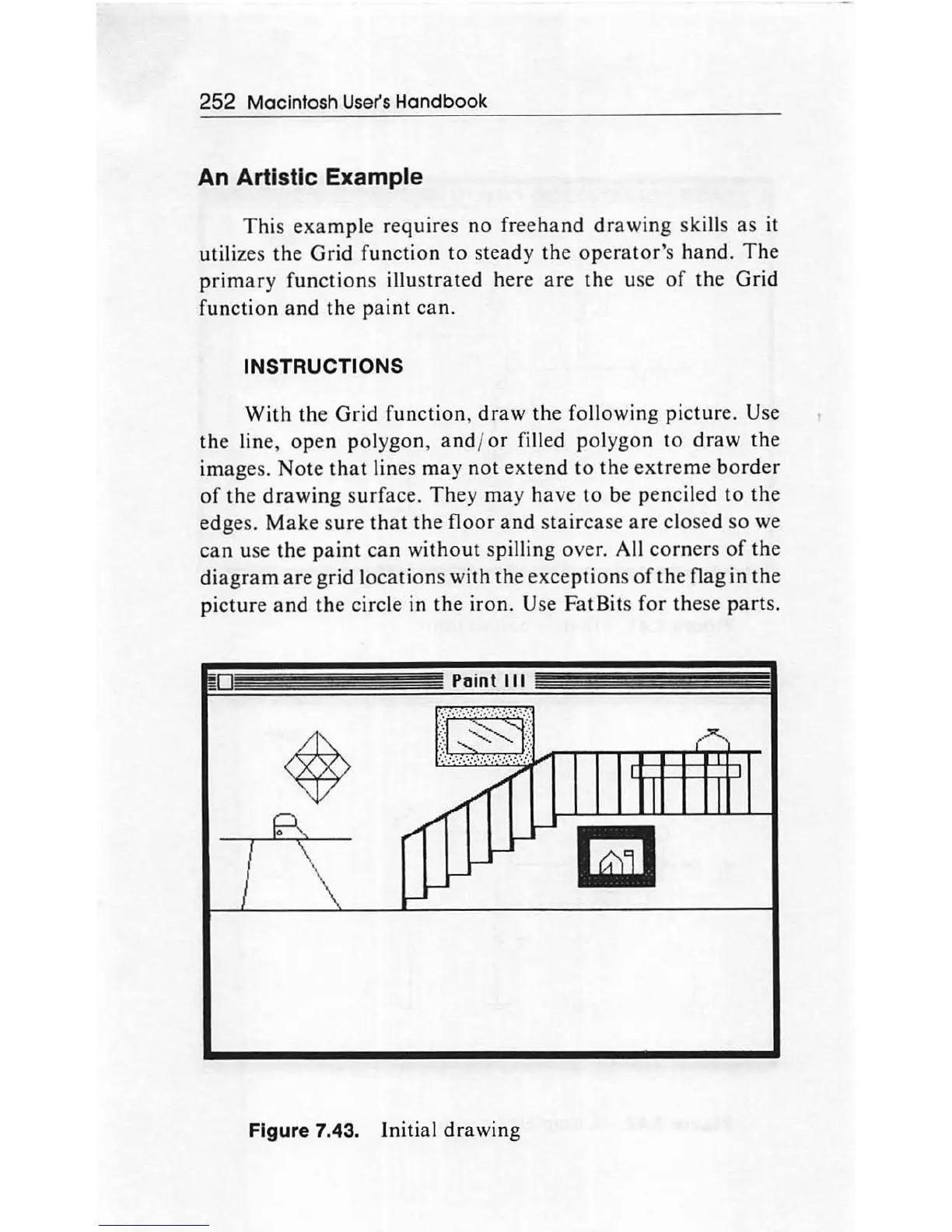
Figure 7.43. Initial
dra
w
in
g

Other manuals for Apple Macintosh

Related product manuals