EasyManua.ls Logo

Apple Macintosh - File Transfer and Data Base Access

Apple Macintosh
321 pages
Print Icon
To Next Page IconTo Next Page
To Previous Page IconTo Previous Page
Loading...
Macintosh Communications 273
File
Transfer
Settings
@HModem
Q TeHt
Transfer
Method
Remote
System
@
MacTerminal
0
Other
Delay
Between
Chars
Delay
Between
lines
~Retain
Line
Breaks
I
60th
Second
L--------~'
1
60th
Second
~
Word Wrap
Outgoing
TeHt
0
(cance
l)
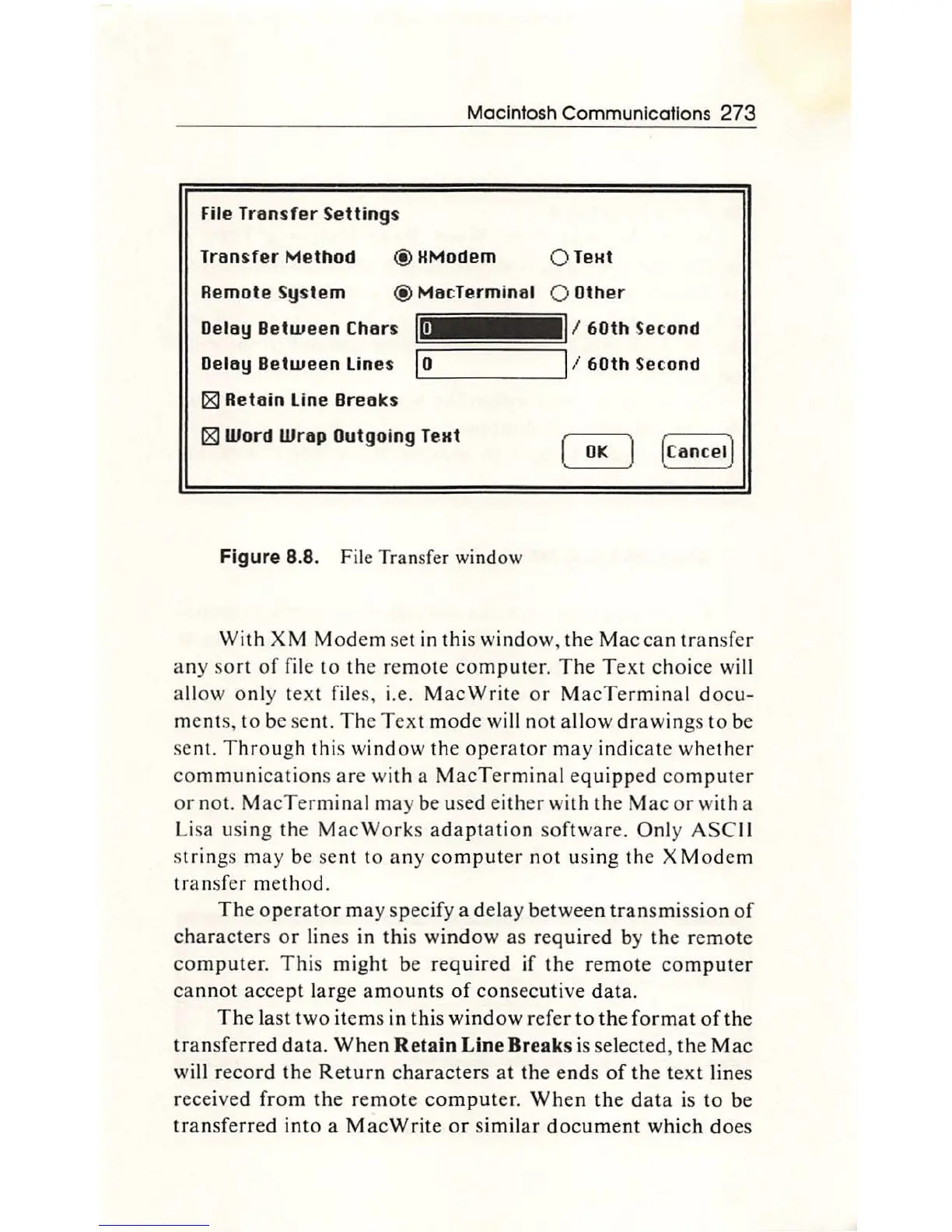
Figure 8.8. File Transfer window
With
XM
Mod
em set in this
window
,
the
M
ac
can
tr
a nsfer
a ny
so
rt
of
file to
th
e re
mot
e
comput
er.
The
Text
choice
will
a
ll
ow
on
ly t
ex
t f
il
es, i.e.
MacWrit
e or
MacTermin
a l d
ocu-
ments,
to
be
se
nt.
Th
e
Text
mode
will not all
ow
dr
a
wing
s to be
sent.
Throu
gh this
window
th
e
opera
tor
may
indic
ate
whether
com
munication
s
are
with
a
MacTermin
al e
quipp
ed
co
mput
er
or
not.
M
acTer
min
al m
ay
be used
eith
er
with
the
Mac
or
with a
Li
sa u
sing
th
e M
acWorks
a
daptat
io
n
so
ftw
are.
Onl
y
ASC
II
s
trin
gs
may
be se
nt
to
any
com
put
er
not
us
ing
th
e X Modem
tr
a nsf
er
me
th
od.
The
operator
ma
y s
pecif
y a del
ay
between
tran
smiss
ion
of
characters
or
lin
es
in
this
window
as
re
quired
by
th
e
remote
computer.
This
might
be
required
if
the
remot
e
comp
ut
er
ca
nnot
accept
larg
e
amo
unts
of
co
ns
ec
uti
ve
data.
The
la
st
two
ite
ms
in
this
window
refer
to th
e
format
of
the
tran
sfe
rred
dat
a.
When
Retain Line Breaks
is
select
ed,
the
Mac
will re
cord
th
e Re
turn
characte
rs
at
the
ends
of
the
text
lin
es
received
from
t
he
remot
e
co
mput
er
.
When
the
d
ata
is
to
be
transferred
int
o a
MacWrite
or
s
imilar
do
c
um
ent
which
do
es

Other manuals for Apple Macintosh

Related product manuals