EasyManua.ls Logo

Apple Macintosh - Understanding Macintosh Icons and Windows

Apple Macintosh
321 pages
Print Icon
To Next Page IconTo Next Page
To Previous Page IconTo Previous Page
Loading...
50 Macintosh
User's
Handbook
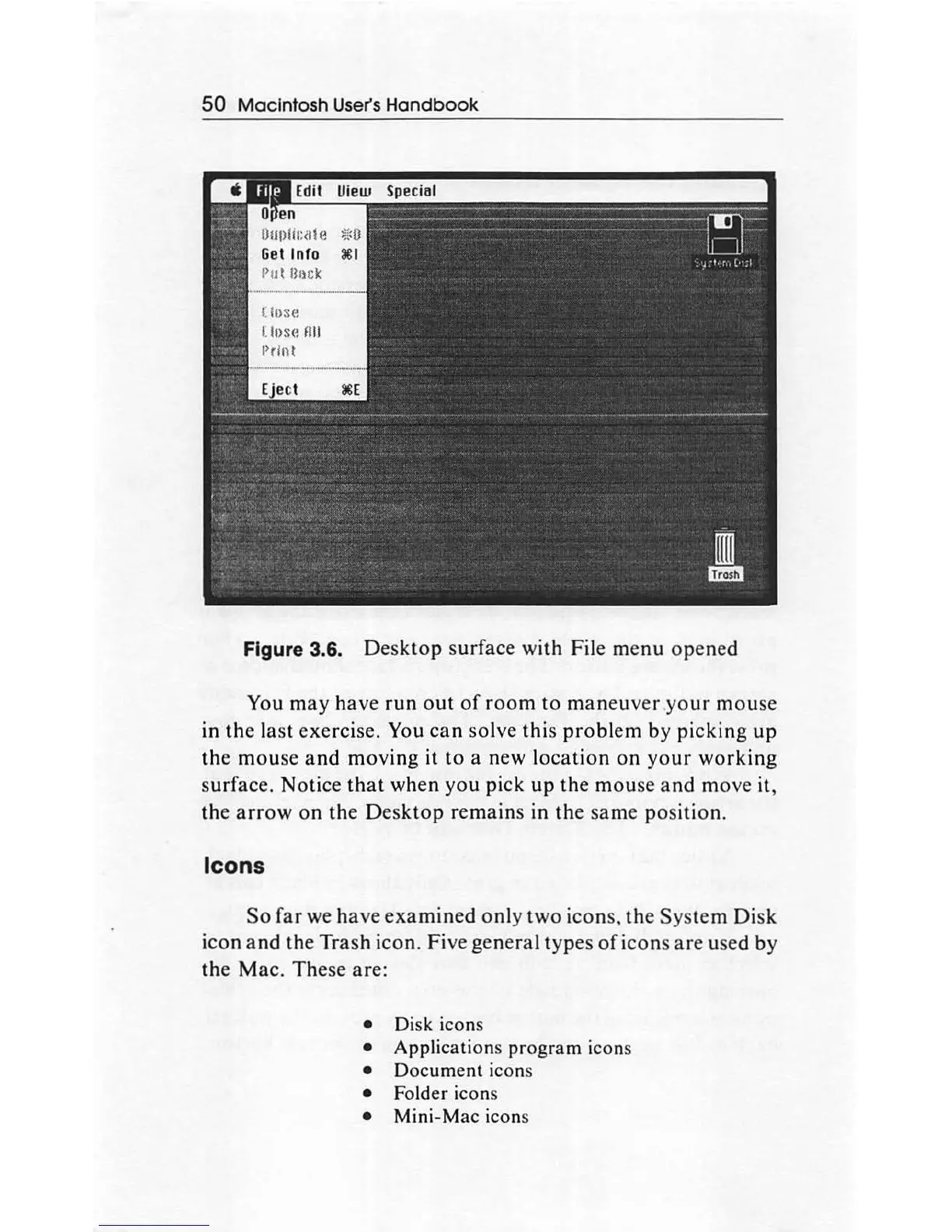
Figure 3.6.
Desktop
surface with File me
nu
opened
You
may
have
run
out
of
room
to
maneuver
your
mouse
in
the
last
exercise. You
can
solve
this
problem
by
picking
up
the
mouse
and
moving
it
to
a new
location
on
your
working
surface. Notice
that
when
you
pick
up
the
mou
se
and
mov
e it,
the
arrow
on
the
Des
ktop
remain
s in
the
same
po
sition.
Icons
So
far
we
hav
e
examined
only
two
icons,
th
e
System
Disk
icon
and
the
Trash icon. Five
general
types
of
icons
are
used by
the
Mac
.
The
se are:
Disk icons
Application
s
program
icons
Document
icons
Folder icons
Mini-Mac
icons

Other manuals for Apple Macintosh

Related product manuals