EasyManua.ls Logo

Apple Macintosh - Page 54

Apple Macintosh
321 pages
Print Icon
To Next Page IconTo Next Page
To Previous Page IconTo Previous Page
Loading...
54 Macintosh Use(s
Handbook
MOVING AN
ICON
As we
mentioned
earlier
, icons
can
be
moved
about
the
Desktop,just
as
objects
can
be moved
about
an
actua
l desk. To
move
an
icon,
position
the
pointer
within
the
icon
and
press
the
mouse
button.
While
holding
the
mouse
button,
move
the
pointer
about
the
Desktop
surface.
No
tice
that
an
out
line
of
the
icon moves
with
the
pointer.
This
is
depicted
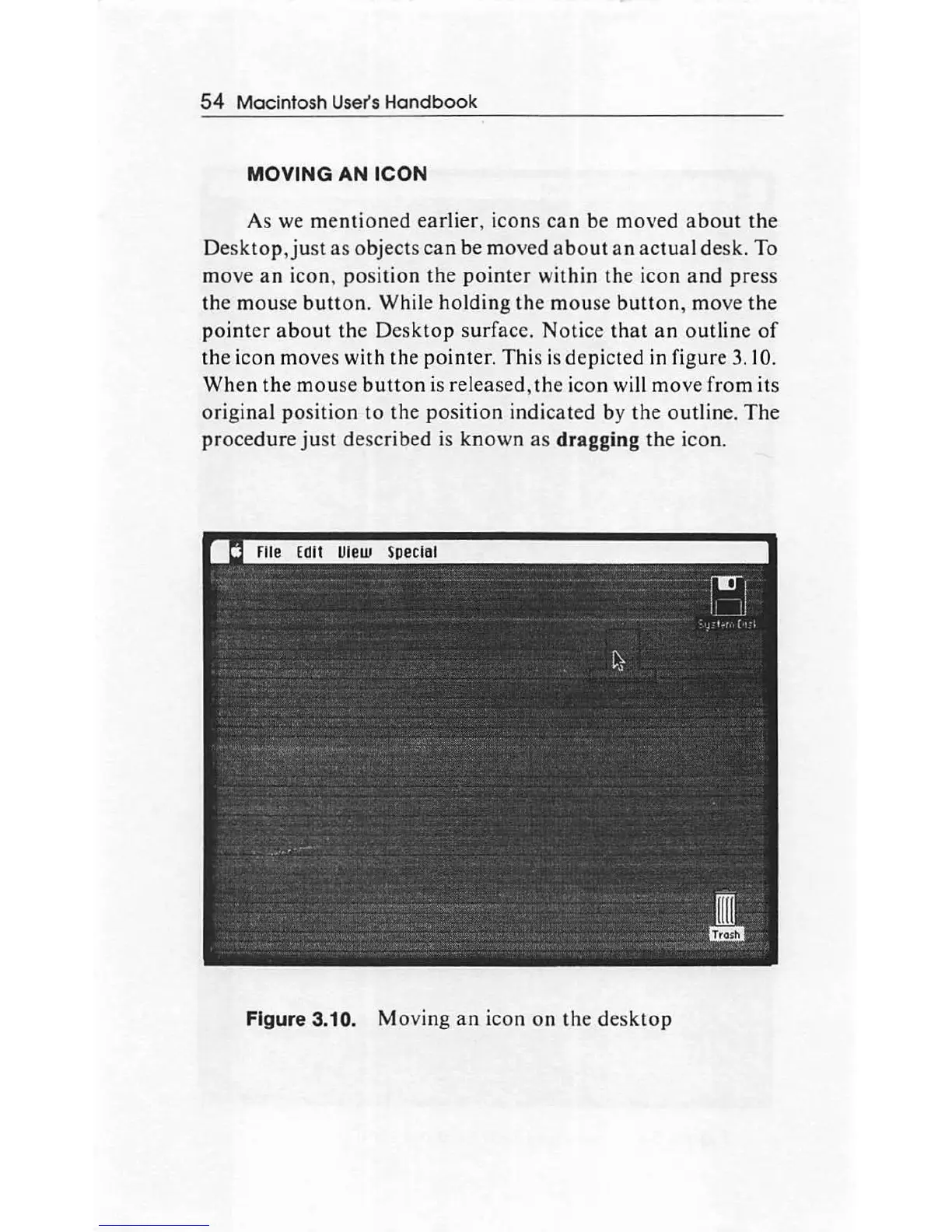
in figure 3.10.
When
the
mou
se
button
is released,
the
icon
wi
ll
move
from
its
original
position
to
the
position
indicated
by
the
outline.
The
procedure
just
described
is
known
as
dragging
the
icon.
Figure 3.10.
Moving
an
icon
on
the
desktop

Other manuals for Apple Macintosh

Related product manuals