EasyManua.ls Logo

Apple Macintosh - Page 55

Apple Macintosh
321 pages
Print Icon
To Next Page IconTo Next Page
To Previous Page IconTo Previous Page
Loading...
Using
the
Finder 55
OPENING AND
CLOSING
AN ICON
Gen
era
lly,
when
an icon
is
opened,
its
co
nt
e
nt
s are dis-
played
on
the
De
sktop
in a
rectangle
known
as
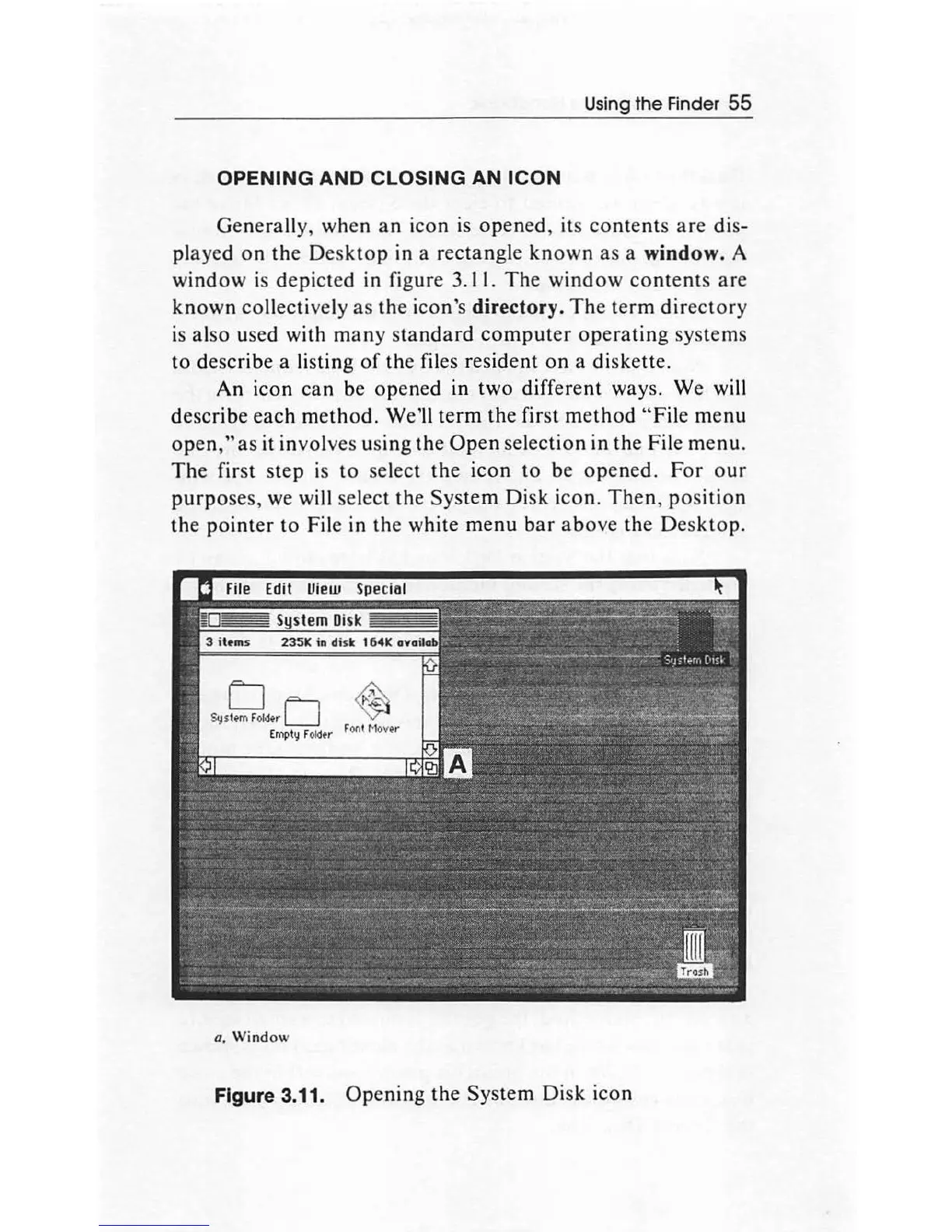
a window. A
window
is
depict
ed
in
figure 3.11.
The
window
contents
are
known
collectively
as
th
e icon's directory. The
term
dir
ectory
is
also
used with
many
sta
ndard
computer
operating
systems
to
describe
a
li
s
ting
of
the files resident
on
a diske
tte
.
An
icon
can
be
opened
in
two
different ways. We will
describe
each
method
. We'
ll
term
the
first
method
"F
ile
menu
open
,"
as
it involves
using
the
Open
selection
in
th
e File menu.
The
first
step
is to select
the
icon
to
be o
pened
.
For
our
purpo
ses, we will sel
ec
t
the
Sy
s
tem
Disk
icon.
Then
,
position
the
pointer
to
File
in
th
e white
menu
b
ar
a
bo
ve
th
e Desk
top.
a,
Window
Figure 3.11.
Op
ening
th
e
System
Di
sk
icon

Other manuals for Apple Macintosh

Related product manuals