EasyManua.ls Logo

Apple Macintosh - Page 73

Apple Macintosh
321 pages
Print Icon
To Next Page IconTo Next Page
To Previous Page IconTo Previous Page
Loading...
Using
the
Finder 73
CJ CJ
~
So,jst•m
Foldrr
E
mpt~
F
oldor
Moc'Writt
Documo
nt
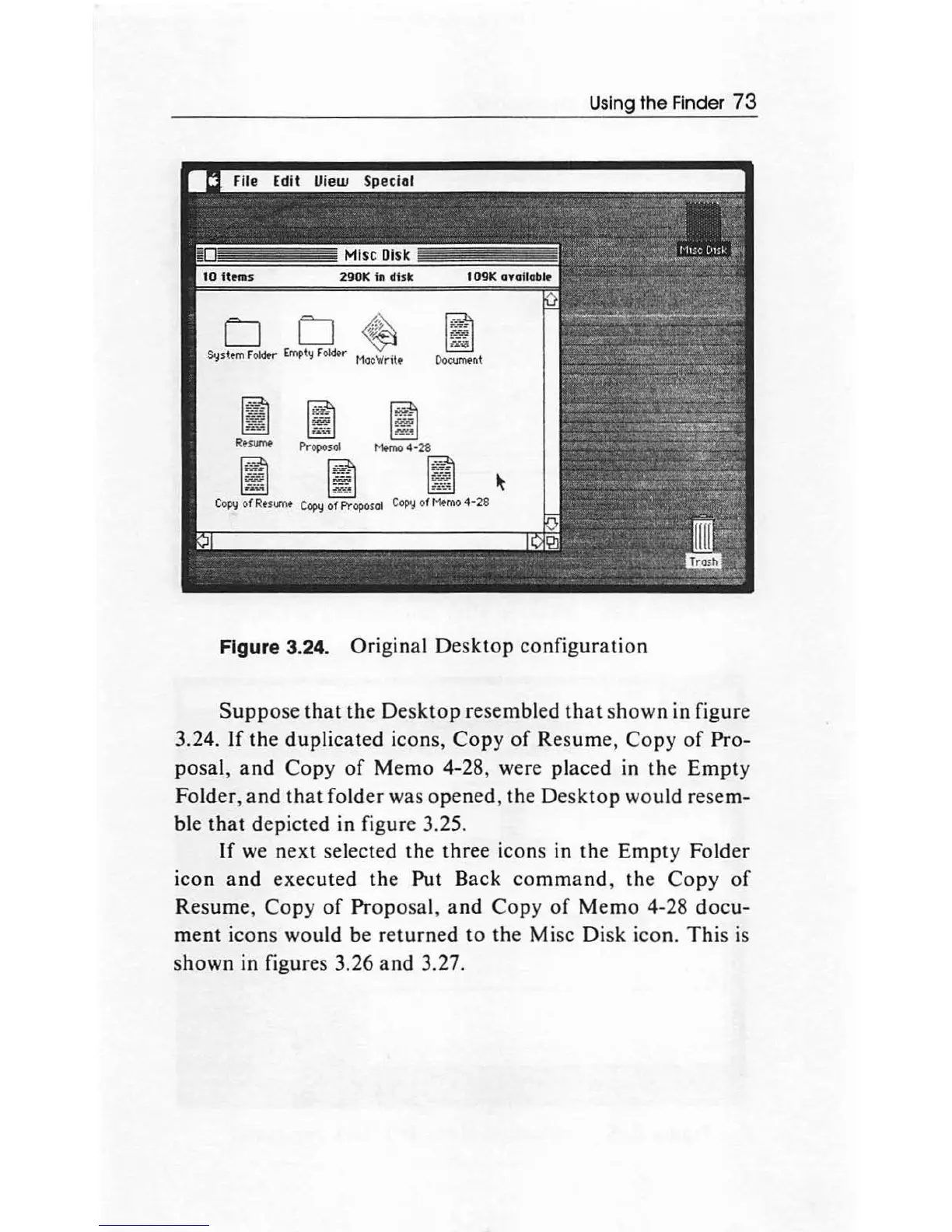
Figure 3.24. Original
Desktop
configuration
Suppose
that
the
Desktop
resembled
that
shown
in figure
3.24.
If
the
duplicated icons,
Copy
of
Resume,
Copy
of
Pro-
posal,
and
Copy
of
Memo
4-28, were placed in the
Empty
Folder,
and
that
folder
was
opened,
the
Desktop
would resem-
ble
that
depicted in figure 3.25.
If
we
next
selected the
three
icons in the
Empty
Folder
icon
and
executed the Put Back
comma
nd, the
Copy
of
Resume,
Copy
of
Propo
sal,
and
Copy
of
Memo
4-28
docu-
ment
icons would be
returned
to
the
Mise Di
sk
icon.
This
is
shown in figures 3.26
and
3.27.

Other manuals for Apple Macintosh

Related product manuals