12 Preface
Welcome to Pages
Resources for Learning More
To get the most from Pages, consult these resources:
User’s Guide
This guide (what you’re reading now) describes the features of Pages and shows you
how to use it. To see a full-color PDF file of this guide, choose Help > Pages User
Guide.
Chapter 1 of this guide describes the tools that are available in Pages, and Chapter 2
shows you a step-by-step workflow for creating a document. For more detailed
information about each step, refer to Chapters 3 through 10. If you want to learn how
to create your own templates, read Chapter 11.
Onscreen Help
To see the help, choose Help > Pages Help. You can browse through the table of
contents to find a specific topic, or enter a question in the search field to find an
answer about how to accomplish a task.
You can add the Help button to the Pages toolbar to make Pages Help available in a
single click. To learn about customizing the toolbar, see “The Toolbar” on page 22.
Note:
To do many of the tasks in this book (and in Pages Help), you use menu
commands. The instructions look like this:
m
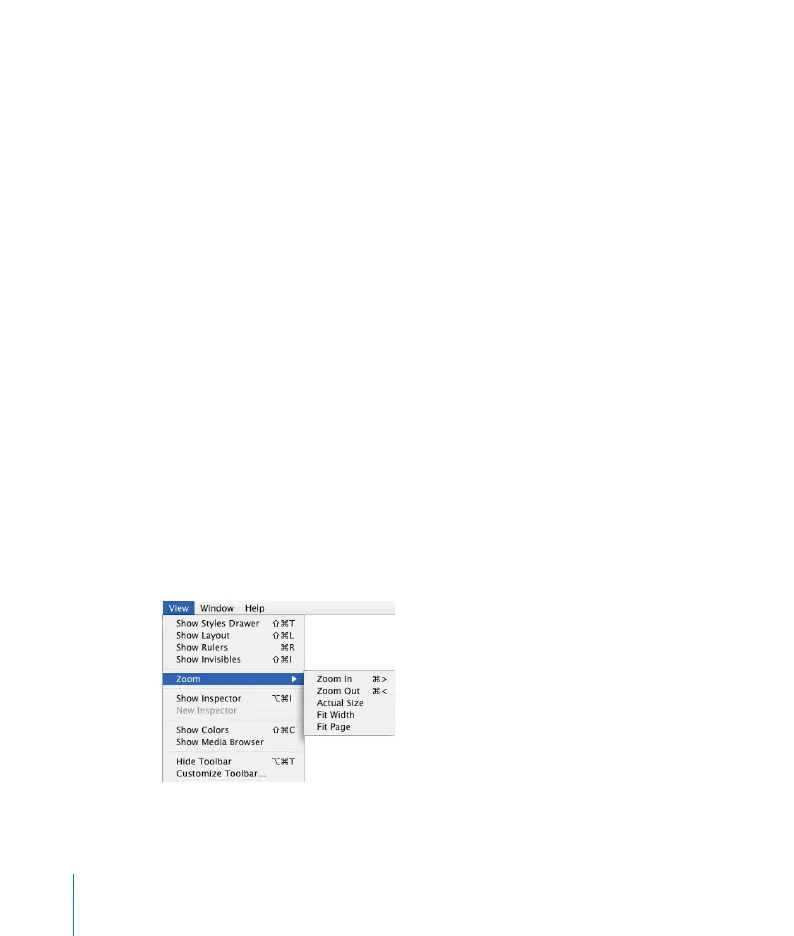
Choose View > Zoom > Actual Size.
The first term after Choose is the menu you click; the next term is the item you choose
from that menu, as shown below.



 To Next Page